
Is There an App That Identifies Wine From a Label Photo?
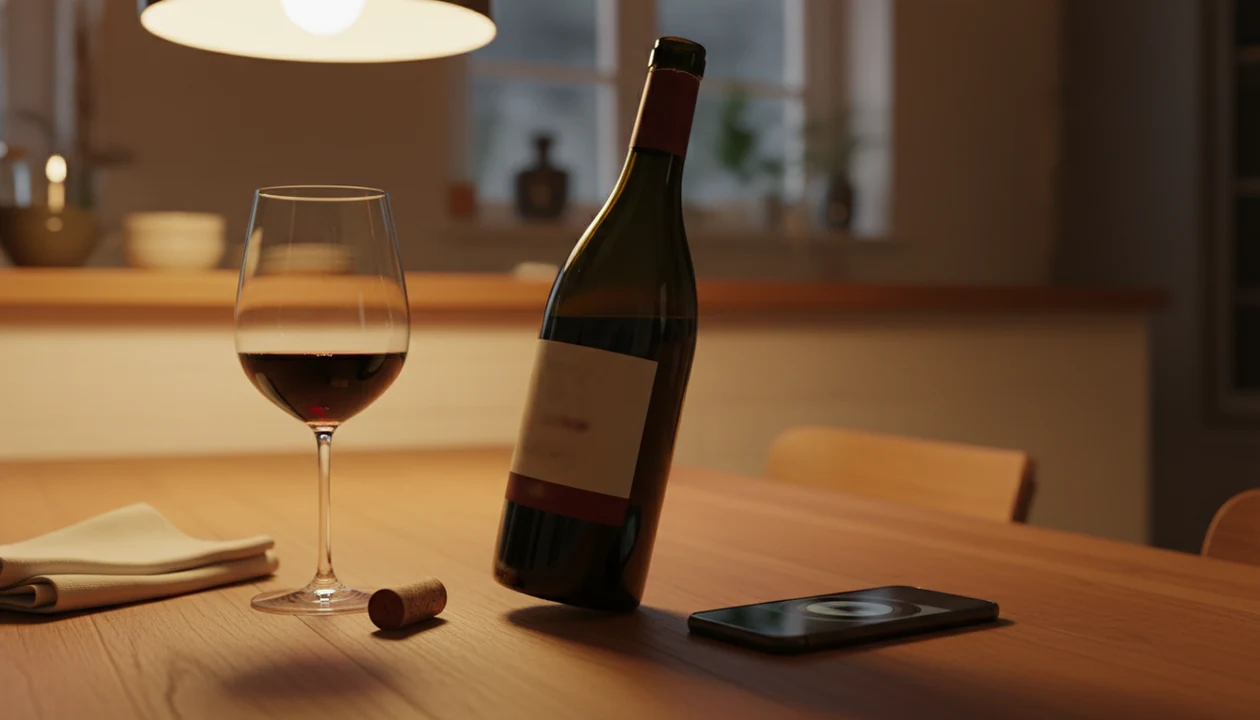
Yes, an app that identifies wine from label photos can match a clear bottle image against a wine database and return the producer, vintage, region, grape variety, ratings, and food pairings. Accuracy depends on photo quality and database coverage, so scanning works best with a well-lit shot of the full front label.
Wine Identifier App (DiVino) is one example of this workflow: photograph the label, confirm the bottle details, then save the match to your history or cellar.
Definition: An app that identifies wine from label is a wine bottle photo app that uses image-recognition technology to match a photograph of a wine's front or back label against a structured database and return the wine's name, producer, vintage, region, grape, community ratings, and suggested pairings.
TL;DR
- Wine label identification apps match your photo against databases containing millions of wines and return detailed bottle info in seconds.
- Front-label photo scanning and back-label barcode scanning are two different methods. Barcode scans are often more reliable when a barcode is present.
- Results depend on image quality, lighting, and database coverage; rare or custom-label wines may not be recognized.
- After the scan, confirm the match, review tasting notes and pairings, then save the bottle to your cellar or history.
What a Wine Label Identification App Actually Does
A wine label identification app lets you photograph a bottle label and receive a likely match for the wine. The result usually includes the producer, vintage, grape variety, region, community ratings, and suggested food pairings.
Think of it as a bottle memory tool, not a tasting judge. It reads or matches the label, then pulls structured information from a database. It does not taste the wine, inspect the liquid, or know whether the bottle was stored well.
That distinction matters at 10:40 p.m., when the plates are still out and someone says, “I liked the red one from dinner, but I have no idea what it was.” A quick scan can save the name before the bottle goes into recycling.
Identification is the first job. Discovery, cellar tracking, tasting notes, and pairing prompts are extra layers built around that scan.
How Wine Label Recognition Technology Works
Wine label recognition works by turning a bottle photo into searchable clues, then comparing those clues with wine records in a database. It is image matching and lookup, not chemical analysis or flavor detection. For the text-reading part, this is the same OCR problem described in Google Cloud Vision's OCR documentation, where readable, well-oriented text improves extraction quality source.
- A front-label scan uses optical character recognition to read text such as producer, cuvée, vintage, and appellation.
- Visual feature matching also checks label layout, logo shapes, colors, and other image embeddings, which are machine-readable image patterns.
- The app compares those clues with structured wine records, then returns the closest match.
- Large databases improve coverage. Vivino says it lists over 16 million wines, according to its App Store listing source.
- Community ratings, tasting notes, and reviews add context after the bottle is identified.
Front-Label Photo Scan vs. Back-Label Barcode Scan
A front-label scan is useful when you only have the bottle name visible. A back-label barcode scan can be faster and cleaner when the barcode is present and readable. I still check both when the front label has foil glare or a cream back label with tiny importer text.
Barcode lookup can be cleaner because EAN/UPC barcodes are standardized product identifiers; GS1 describes barcodes as machine-readable keys used to identify products source.
For most casual drinkers, barcode scanning is often easier than label matching because it uses a cleaner product identifier when the bottle has one.
Requirements Before You Scan a Wine Bottle Label
You need a smartphone with a working camera, an iOS or Android wine label identification app, and a stable internet connection for the database lookup. The camera captures the label; the app does the matching online.
Before scanning, wipe condensation from the bottle and turn it toward even light. A patio table at sunset may look pretty, but the label often turns into glare and shadow. Plain kitchen light usually works better.
Open your app before the bottle is passed around. If the front label is torn, rotate the bottle and look for a back-label barcode as a fallback. For a broader phone workflow, the how to identify wine with phone guide covers the same habit from shopping shelf to dinner table.
Small setup, better scan.
How to Identify Wine From a Label Photo in 6 Steps
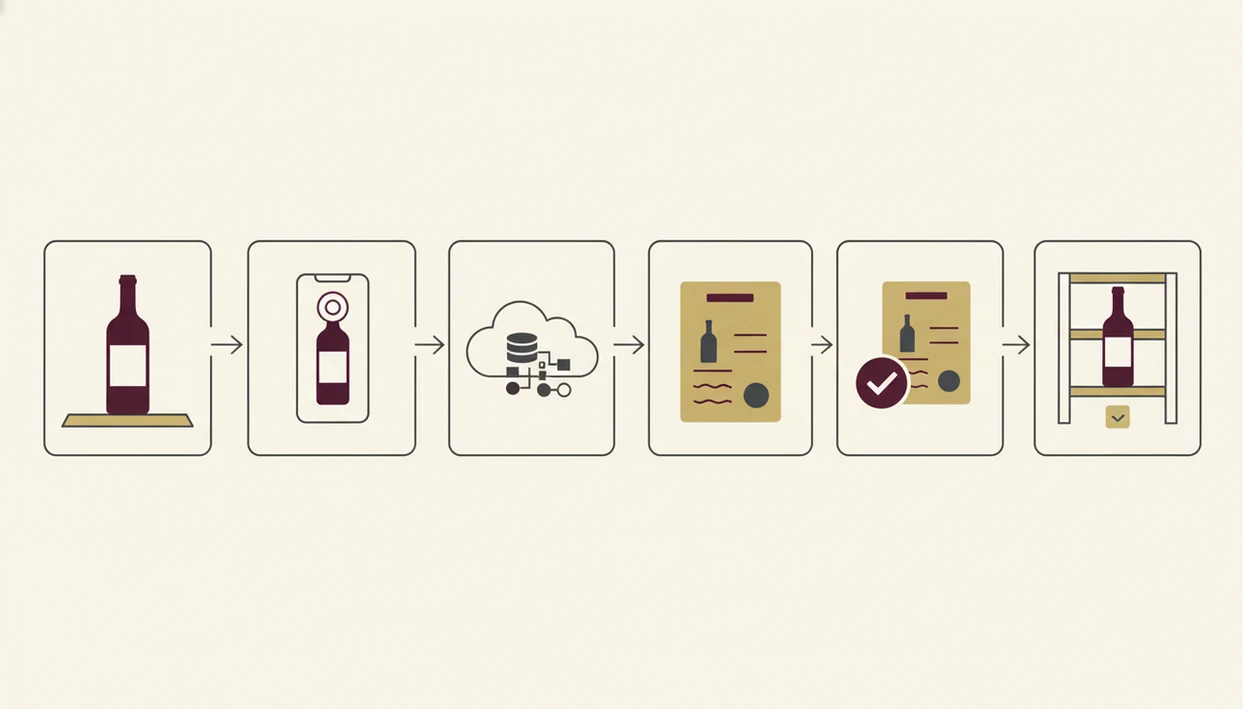
To identify wine from a label photo, scan the full front label, confirm the returned details, then save the bottle if the match looks right. The confirmation step is what keeps one similar-looking Chianti from becoming another in your history.
- Open the app and tap the scan or camera icon. Give camera permission if your phone asks.
- Align the full front label in the viewfinder under even light. Keep the producer name, vintage, and appellation inside the frame.
- Capture the photo and wait for the match result. Hold still for a second before moving the bottle.
- Confirm the match by checking producer, vintage, and region details. Don’t accept the first result blindly.
- Review tasting notes, ratings, and food pairings. Use them as clues, not rules.
- Save the bottle to your cellar or history for future reference. Add a quick tasting note if you liked it.
Wine Identifier App (DiVino), Vivino, and CellarTracker all follow the scan-confirm-save pattern, but Wine Identifier App should be framed here around fast bottle ID, plain-English grape and region clues, pairing prompts, and bottle history—not authentication. A good AI-powered wine identification and cellar management app delivers fast bottle ID, plain-English grape and region clues, pairing prompts, and bottle history, not proof that the wine is genuine or perfectly stored.
Common Mistakes When Using a Wine Bottle Photo App
The most common scan failures come from bad photos, not bad wine knowledge. Glare, low light, missing text, and rushed framing all make the app guess harder.
Don’t photograph only the center artwork if the producer name sits at the top rim. Don’t cut off the vintage. And don’t expect barcode-level accuracy from a blurry front-label photo taken while the server is waiting with a corkscrew in hand.
The pocket check is real.
Another mistake is treating the result as proof. A label scan does not verify authenticity, storage quality, heat damage, or whether the cork is sound. It identifies the label record that looks closest.
After the result appears, tap, check, adjust. If the producer, vintage, or region differs from the bottle in front of you, search manually or try a wine label scanner with a clearer photo.
At-a-Glance: What Wine Label Apps Can and Cannot Do
Wine label apps are useful for fast identification, simple organization, and repeat-buy memory. They are not authentication tools, and they cannot replace a trained person tasting the wine in the glass.
| Capability | What to expect |
|---|---|
| Identify label details | Can often return producer, vintage, region, grape, ratings, and pairings. |
| Save bottle history | Can store scanned bottles, quick tasting notes, ratings, and repeat-purchase reminders. |
| Support cellar records | Can help track what you own, where bottles sit, and what you drank. |
| Prove authenticity | Cannot guarantee provenance, label truth, or whether a bottle is counterfeit. |
| Judge condition | Cannot detect cooked wine, cork taint, poor storage, or oxidation from a photo. |
| Recognize every bottle | Cannot reliably identify rare, private-label, or damaged-label wines. |
According to CellarTracker’s founder, the platform has over 10 million users and 200 million bottles logged, which shows how large wine inventory systems have become source. For home racks, the best wine cellar app question is less about scanning speed and more about whether you will keep the list updated.
Common Myths About Wine Label Identification Apps
Myth one: any photo works. In reality, image quality and lighting matter because the app needs readable text or recognizable visual features. A stained vintage year can throw off the match.
Myth two: a label scan equals a barcode scan. They are different methods. A label scan interprets the photo; a barcode scan reads a product code when the back label has one.
Myth three: the app proves the bottle is authentic. It doesn’t. It can match the label image to a known wine record, but it cannot confirm provenance, storage, or what is inside the bottle.
Myth four: AI tasting notes are expert-grade. They are data-generated summaries from labels, regions, grapes, reviews, or similar wines. Useful? Often. Final authority? No.
For everyday buying, a scan usually works best when you treat it as a restaurant list shortcut or camera roll cleanup tool, not a verdict on the wine.
How to Verify Your Wine Label Scan Is Correct
A correct wine label scan should match the physical bottle on producer, vintage, appellation, and region. If one of those details is off, pause before saving it.
Use this quick checklist:
- Compare the producer name on screen with the front label.
- Check the vintage year, especially if the label is stained or partly torn.
- Match the appellation or region against the bottle text.
- Read the back label for grape variety, importer, or bottling clues.
- Scan the barcode if one is visible and not half-covered by your thumb.
- Flag mismatches and manually search the app database.
When I find six similar bottle photos buried between dog pictures, receipts, and a blurry restaurant menu, the saved producer and vintage matter more than the pretty label shot. A clean record helps you find wine by label photo later without guessing from memory.
Limitations
Wine label identification apps are helpful, but every scan has limits. The app is matching visible label evidence against database records, so weak evidence produces weaker results.
- Glare, curved glass, low-resolution images, condensation, and damaged labels can cause failed or wrong matches.
- Rare wines, regional bottlings, restaurant-only labels, and custom private labels may not appear in any database.
- AI-generated tasting notes and pairings are informational, not authoritative.
- Barcode scanning only works when the bottle has a readable barcode.
- Cellar and history features do not verify provenance, storage quality, or vintage correctness.
- A scan cannot detect cork taint, heat damage, oxidation, or bottle variation.
- No app guarantees 100 percent accuracy on every scan.
- Community ratings can be useful, but they reflect other drinkers’ preferences, not yours.
The practical fix is simple: scan the front, check the details, try the barcode if needed, then save a good enough note. “Peppery finish with roast lamb” will help you more next month than a blank five-star rating.
FAQ
Is there a free wine label scanner app?
Yes, several wine label scanner apps offer free scanning or free basic lookup. Paid plans may add cellar tools, advanced notes, price data, or extra recommendations.
Does wine label scanning work offline?
Most wine label scanning apps need an internet connection for database lookup. Some may save a photo offline, but matching usually happens online.
Is barcode scanning more accurate than a wine label photo?
Barcode scanning is often more reliable when the barcode is present and readable. Front-label scanning is better when there is no barcode or the back label is unavailable.
Can these apps identify old or rare wines?
Sometimes, but old, rare, private-label, or damaged-label wines are harder to identify. Database coverage matters as much as photo quality.
Do wine scanner apps suggest food pairings?
Many wine scanner apps suggest food pairings after identifying the bottle. Treat those pairings as data-generated guidance, not a personal sommelier’s judgment.
Are wine label apps available on Android?
Yes, major wine label apps are commonly available on both iOS and Android. Feature details can vary by platform.
Can a wine label app save bottles to a cellar list?
Yes, many apps can save scanned bottles to a cellar list, history, or favorites. Wine Identifier App can also help store bottle records for later reference.
How accurate are wine label scan results?
Accuracy depends on label clarity, lighting, and database coverage. Wine Identifier App and similar tools work best when the full label is sharp and readable.