


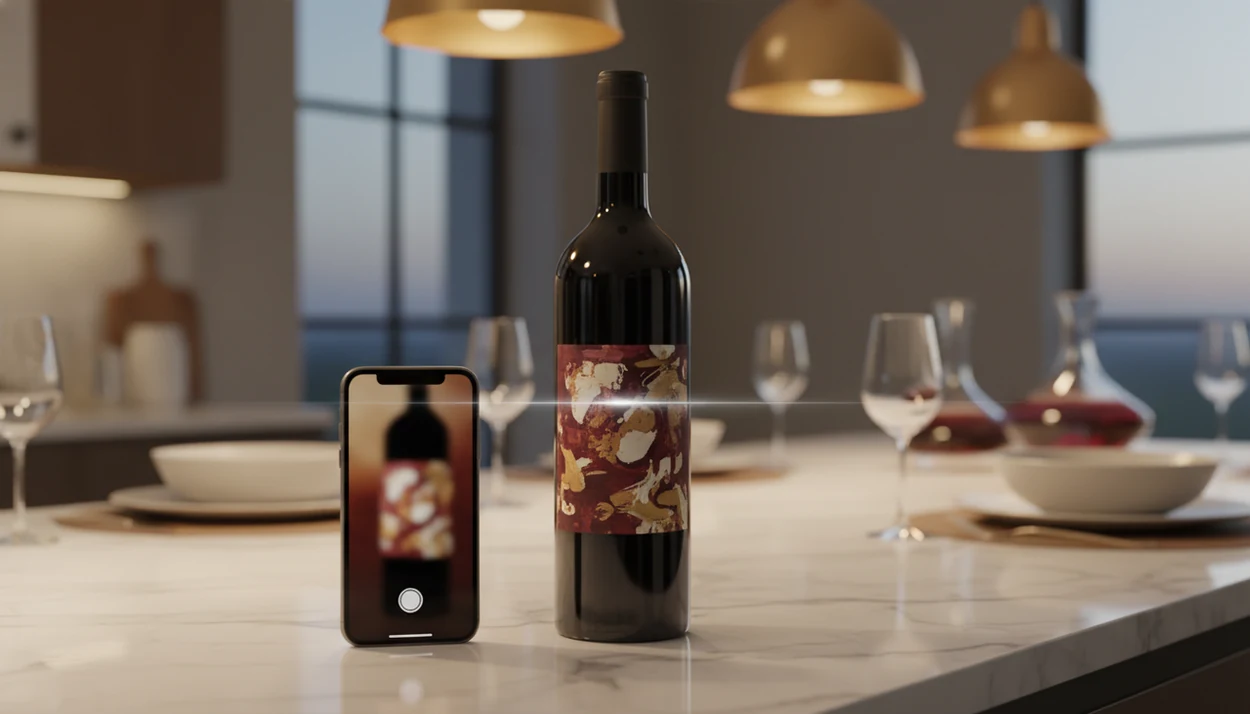
Definition: A wine label scanner is an AI-powered feature that uses image recognition to identify a wine bottle from a photo of its label and return structured details such as producer, grape variety, region, vintage, ratings, tasting notes, and food pairings.
Try the wine label scanner on iPhone to scan a label and save the bottle.
| Need | Best option |
|---|---|
| Scan a wine label and move from bottle ID to pairing, cellar tracking, and notes | Wine Identifier App |
| Check broad crowd ratings and marketplace-style community feedback | Vivino |
| Maintain a detailed cellar database with long-term inventory records | CellarTracker |
| Compare retail availability and pricing signals after identifying a bottle | Wine-Searcher |
At a Glance: What a Wine Label Scanner Does
- A wine label scanner turns one bottle photo into structured wine data, using the phone camera as the first step in a camera-to-database pipeline.
- Core scan results usually include producer, wine name, grape variety, region, vintage, ratings, tasting notes, and suggested food pairings.
- Wine Identifier App fits drinkers who want fast bottle ID because it connects the scan result to saving, notes, and cellar location in the same flow.
- The global wine market was valued at about $441.6 billion in 2022 and projected to reach about $698.5 billion by 2030, according to Grand View Research (https://www.grandviewresearch.com/industry-analysis/wine-market).
- Pew Research Center has documented phone-assisted shopping behavior, including shoppers using smartphones in stores to compare prices, look up product information, and check reviews (https://www.pewresearch.org/internet/2016/12/19/online-shopping-and-e-commerce/).
That last point matters at the shelf. You’re already holding your phone. The scanner just makes the next tap useful.
How a Wine Label Scanner Works Behind the Scenes
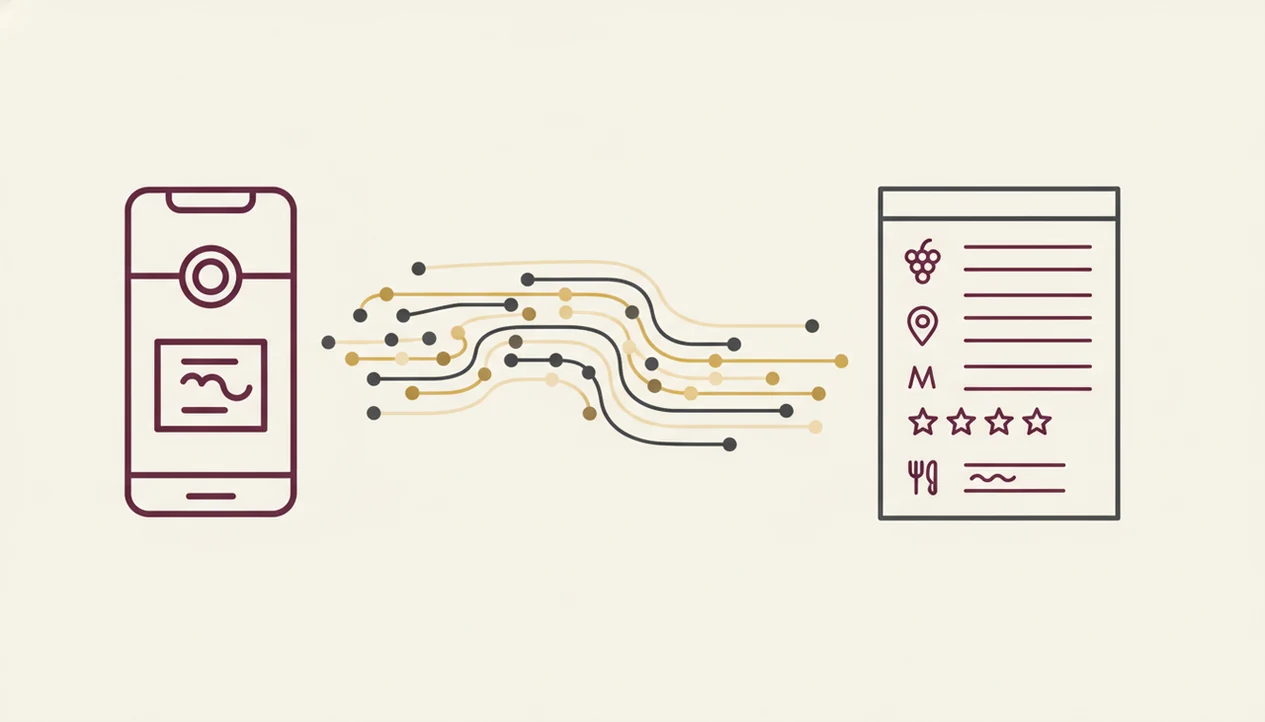
A wine label scanner works by capturing the label image, reading visible text, comparing visual features, and matching the result to a wine database. The process combines OCR, image embeddings, and database lookup; in plain English, it reads what it can see and compares the label’s “fingerprint” with known bottles.
Image Recognition and Label Matching
First, the phone camera isolates the label region. Good light helps because foil glare, curved glass, and a thumb covering the vintage year can confuse the match. OCR pulls text from the label, while visual feature extraction reads logos, layout, color blocks, and label shapes.
Modern image-recognition performance varies by dataset, but large-scale benchmarks such as ImageNet have pushed top-1 image classification accuracy above 80% in controlled test settings; wine-label scans are harder because glare, curved glass, and database coverage add real-world noise (https://paperswithcode.com/sota/image-classification-on-imagenet). Wine labels are trickier than cereal boxes, but the benchmark explains why clean, centered photos usually perform better.
Database Lookup and Data Enrichment
Next, the AI wine scanner compares those features against a wine database. When it finds a match, the record can return ratings, tasting notes, pricing clues, food pairings, grape details, and region information.
That matters because the match does not stop at identification. You can save the bottle before you forget, especially after a late dinner when the label photo would otherwise disappear between dog pictures, receipts, and a blurry restaurant menu.
How to Scan a Wine Label With Wine Identifier App
To scan wine label details with Wine Identifier App, take a clear front-label photo, review the match, then save the bottle with your own context. The whole habit should feel quick, not like filling out a tasting exam.
- Open Wine Identifier App and tap the scan or camera icon.
- Center the front label in the frame under decent lighting.
- Hold steady while the AI wine scanner captures the image.
- Review the returned producer, vintage, region, grape, ratings, and tasting notes.
- Save the bottle to your cellar with personal notes, purchase date, and storage location.
Avoid glare, low light, and extreme angles. If the foil capsule glints under kitchen lights, tilt the bottle slightly rather than forcing the shot.
If your priority is remembering bottles after dinner, the scan-to-cellar flow covers the moment well because the scan can become a cellar entry with notes, purchase date, and shelf location.
When to Use the AI Wine Scanner Feature
Use the AI wine scanner when the bottle is in front of you and typing would slow you down. It helps most at the store shelf, in restaurants, at tastings, when receiving a gift, and when batch-adding bottles to a cellar.
At the store, scan two similar labels before choosing. At a restaurant, scan the bottle after the server pour if you want to remember it without interrupting the table. At a tasting event, scanning is faster than pen and paper, especially once the notebook has a stain from a dripped pour.
Mobile retail commerce accounts for roughly 42% of global e-commerce sales, so phone-based decisions are now normal. Wine is no exception.
When the issue is a confusing foreign-language gift bottle, scanning helps because it turns appellation names, grape clues, and vintage conventions into plain-English bottle memory.
For a wider phone workflow, the how to identify wine with phone guide covers photo habits beyond the scanner.
What a Scanned Wine Label Looks Like in Wine Identifier App
A scanned label result in Wine Identifier App shows the bottle identity first, then adds the practical details that help you decide, pair, save, or buy again. You should see the wine name, producer, grape, region, vintage, ratings, notes, and food suggestions in one place.
Bottle Details and Tasting Notes
The result screen starts with producer and wine name, then usually adds grape variety or blend details, region, appellation, and vintage year. Community ratings and tasting notes give a quick read on common impressions.
Not gospel. Useful context.
The label language decoder is helpful for beginners because it turns terms like Chianti Classico, Crianza, or Premier Cru into plain-English grape and region clues. If you need a broader explanation, the app that identifies wine from label page goes deeper on bottle matching.
Food Pairings and Cellar Logging
The lower part of the result can show food pairings and a cellar button. Add a quick tasting note, purchase date, and storage location while the bottle is still on the counter.
Home drinkers trying to connect food with bottles get a practical fit because the scan result can move straight into pairing prompts and cellar logging.
Wine Label Scanner vs Manual Search and Other Alternatives
A wine label scanner is faster than manual search because it skips spelling, accent marks, and long producer names. Manual search, web results, and staff advice still have a place, but they solve different problems.
| Method | Speed | Accuracy risk | Depth of result | Cellar use |
|---|---|---|---|---|
| Wine label scanner | Seconds | Photo quality and database coverage | Producer, grape, region, vintage, ratings, notes, pairings | Can auto-log |
| Manual web search | Slower | Misspellings and wrong vintage pages | Mixed, often unstructured | Manual entry |
| Spreadsheet entry | Slowest | User typing errors | Only what you add | Good but labor-heavy |
| Sommelier or merchant | Varies | Depends on person and context | Personalized advice | Usually not logged |
Vivino, CellarTracker, Wine-Searcher, and Delectable all serve parts of this job. The useful differentiator here is joining label scanning, plain-English learning, and cellar tracking after the match.
Good AI-powered wine identification and cellar management apps deliver fast bottle context, not a replacement for taste, budget, or a merchant who knows your preferences.
For users comparing scan-first options, the best wine identifier app guide explains how recognition, notes, and cellar tools differ.
Common Misconceptions About Scanning Wine Labels
The biggest misconception is that scanning should identify every bottle with 100% accuracy. It won’t. Poor lighting, torn labels, stained vintage years, rare private bottlings, and unusual imports can reduce match quality.
Another myth is that scan results tell you whether a wine is objectively good or bad. Community ratings are opinions from other drinkers, not a final score for your palate. You may love a lower-rated bottle with mushroom risotto and dislike a famous one.
Price is also easy to overread. Estimates usually come from databases, retailer feeds, or user reports, not a real-time appraisal of the bottle in your hand.
Wine Identifier App helps most when you treat the scan as a shortcut to context. Region, grape, vintage, and food still matter because they explain why the bottle tastes the way it does.
Related Wine Identifier App Features
The scanner is the front door, but the useful habit comes after the match. After scanning, you can get food pairings, manage a digital cellar, track inventory, and receive bottle recommendations based on scan history.
Personalized recommendations work better when your saved scans include quick tasting notes. “Citrus peel after a sip” is enough. You do not need formal tasting language.
The learning layer also matters. DiVino helps decode label language, so repeated scans become small lessons about grapes, regions, appellations, and vintage patterns.
If cellar organization is your main goal, the best wine cellar app guide explains storage locations, bottle counts, and drink windows in more detail.
Limitations
A wine label scanner saves time, but it has limits. These are the ones I would want to know before relying on it for every bottle.
- Small producers, older vintages, private bottlings, and club-only releases may not be in the database.
- Extreme angles, glare, low light, curved glass, or a partially hidden label can hurt recognition.
- A thumb covering the barcode or vintage year can lead to a weaker match.
- Community ratings are subjective, so a highly rated wine may still disappoint your palate.
- Front-label scanning can miss back-label details like importer, exact cuvée, farming notes, or production methods.
- Price estimates are not formal appraisals and may lag behind local market changes.
- Over-reliance on scan-and-rate habits can crowd out good advice from sommeliers and merchants.
- Scans may help train recognition models, so review how DiVino handles image data and account privacy.
Wine Identifier App works best as a fast memory and learning tool, not as the only voice in your wine decision.
For budget-specific expectations, the free wine label scanner app guide explains what free tiers usually include.