
Download Wine Scanner App to Identify Bottles From Photos


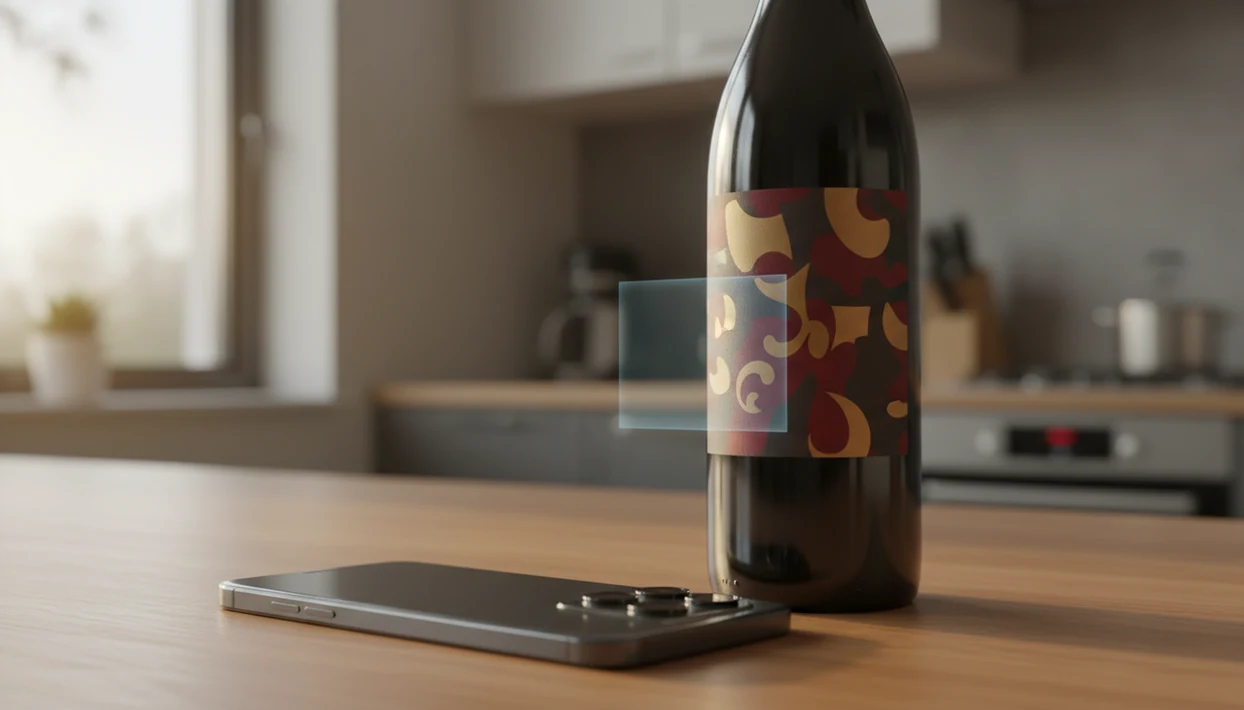
To download wine scanner app functionality on your phone, visit the App Store or Google Play and install Wine Identifier App, then point your camera at any wine label to see the producer, grape varieties, ratings, tasting notes, and food pairings. DiVino uses AI-powered image recognition to match bottle photos against a structured wine database, with cellar management tools and personalized recommendations built in.
Definition: A wine scanner app is a mobile application that uses AI image recognition to identify wine bottles from label photos and return details such as producer, region, grape varieties, ratings, prices, and food pairings.
- Install Wine Identifier App from the App Store or Google Play in under a minute
- Snap a photo of any wine label to see ratings, tasting notes, pairings, and prices
- Save scanned bottles to your digital cellar and get AI-powered recommendations over time
Try the wine scanner app on iPhone to scan a label and save the bottle.
At-a-Glance: What You Get When You Download Wine Scanner App
- AI label scanning: The scanner reads the front label from your phone camera, including producer names, logos, and visible vintage years.
- Bottle details: Scan results can show producer, region, grape varieties, ratings, price clues, and quick tasting notes.
- Cellar tracking: You can save bottles to favorites or a digital cellar instead of leaving six similar bottle photos buried between dog pictures and receipts.
- Food pairing prompts: Pairing suggestions help with weeknight tomato pasta, supermarket goat cheese, or leftover roast chicken.
- Platform access: Install wine scanner access on iOS or Android, using the phone you already carry.
For casual drinkers who need fast bottle memory, the scan, favorite, and cellar save happen in one phone workflow.
How Wine Label Scanning Technology Works
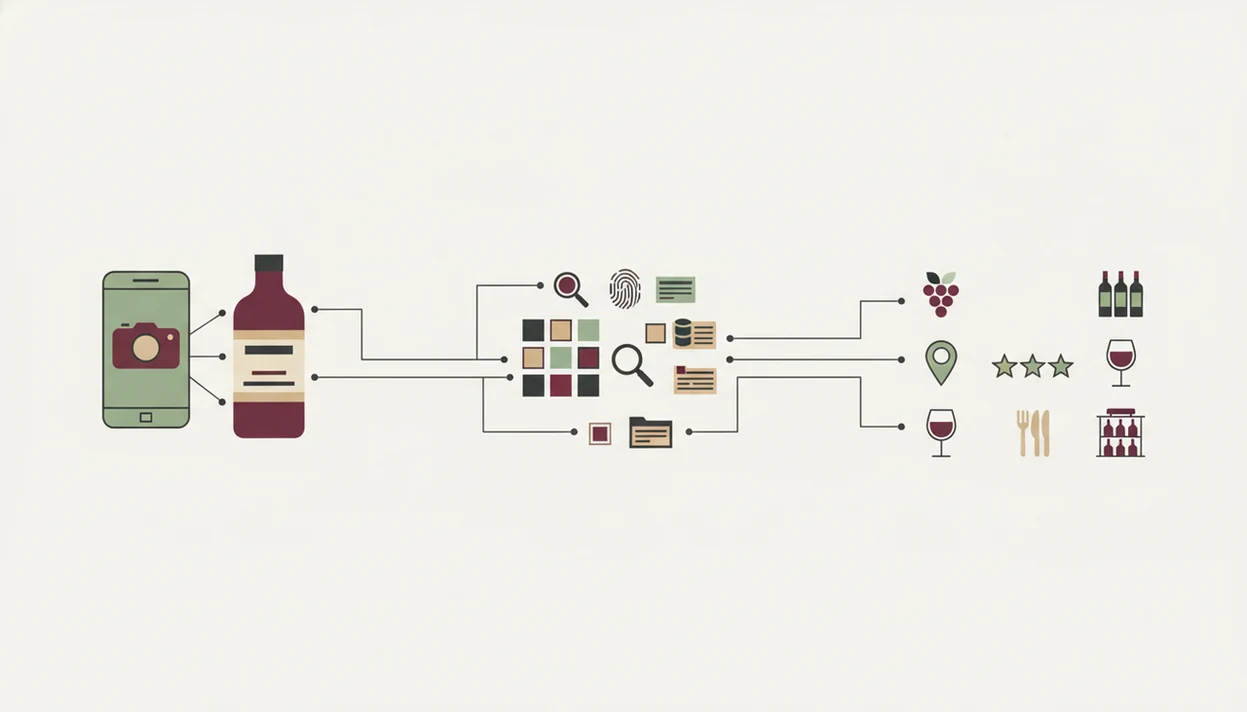
Wine label scanning starts with a camera image, then an AI recognition model extracts text, logos, color blocks, and design patterns. In plain English, the app compares what your phone sees against known wine records.
A model uses image embeddings, which are compact visual fingerprints, to match the label against a structured wine database. When the match is strong, the database returns producer, vintage, region, grape varieties, ratings, prices, and tasting notes. Community ratings and curated notes are layered on top, so a scan does more than name the bottle.
Most mobile time is spent in apps rather than browsers, according to Statista (https://www.statista.com/statistics/1262892/mobile-internet-traffic-distribution-worldwide-by-apps-browsers/), which is why a dedicated scanner can feel faster than typing a producer into a search bar at 10:40 p.m. while plates are still out. Wine Identifier App also learns from saved scans over time, so recommendations become less generic as your bottle history grows.
Good wine scanner apps deliver label recognition, structured bottle data, and saved taste history, not a mystical judgment about whether you have “good taste.”
How to Install Wine Scanner and Start Scanning
To install wine scanner features, start with the store listing, then test the camera on one real bottle. The first scan should take less time than typing a stained vintage year into a browser.
- Open the App Store or Google Play and search for Wine Identifier App.
- Tap Install, then grant camera permission when prompted.
- Create a free account or sign in so saved bottles can follow you.
- Point your camera at the full wine label in good lighting.
- Review the producer, vintage, region, grape varieties, ratings, and pairings on screen.
- Save the bottle to your cellar or favorites list before you forget.
If you want the broader install page, the download wine identifier app guide covers setup for label recognition in more detail.
Save it now. Later is where bottle names disappear.
When to Use a Wine Label Scanner Download
A wine label scanner download is useful whenever the bottle is in front of you and typing would slow the decision. That usually means stores, restaurants, tasting rooms, and your own kitchen counter.
In a shop, scan before buying so you can compare ratings, prices, grapes, and food matches. Pew Research reported that 76% of U.S. adults buy things online using a smartphone (https://www.pewresearch.org/internet/2021/06/03/mobile-technology-and-home-broadband-2021/), so checking a bottle while standing in an aisle is normal behavior now. At a restaurant, scan the bottle the sommelier brings, especially when tiny region names sit under dim light. At home, use Wine Identifier App to turn loose bottles into a cellar list.
At tastings, save each pour before the next one lands. Empty glass, tasting flight card, scribbled grape guess on a receipt. That’s exactly when a quick tasting note beats memory.
When the issue is remembering “I liked the red one from dinner, but I have no idea what it was,” Wine Identifier App handles it through scan history and favorites.
What Wine Identifier App Looks Like After Download
After download, the first screen centers on a scan button and camera viewfinder. The first job is simple: scan the front label, check the result, then save the useful detail.
Scan Results and Bottle Details
A result card shows the label image beside producer, vintage, region, grape varieties, ratings, and tasting notes. You may also see food pairing ideas tailored to the scanned bottle, which helps when the mushroom risotto is already on the stove. If your main interest is dinner matching, the download wine pairing app page goes deeper.
Cellar Management Dashboard
The cellar dashboard shows saved bottles, notes, drinking windows, and favorites. Recommendations become more useful as you add scans because the feed has real bottle history to learn from.
If the priority is turning random bottle photos into a usable home list, scan results can be saved directly into cellar records. For inventory-focused setup, compare it with the download wine cellar app workflow.
Wine Scanner App vs Alternative Wine Identification Methods
Wine scanner apps are faster than manual lookup when the label is visible, because the camera replaces typing producer, vintage, and region. Alternatives still help, but they usually solve only one part of the job.
| Method | What it does well | Main drawback |
|---|---|---|
| Dedicated wine scanner app | Scans labels, saves bottles, adds pairings and history | Needs good photos and database coverage |
| Mobile browser lookup | Useful for one-off research | Slower on small labels and awkward in stores |
| Barcode-only scanner | Works when the barcode is clear | Misses bottles without useful barcode records |
| Spreadsheet cellar log | Flexible for collectors | Manual entry gets old fast |
| Generic top-wines list | Easy browsing | Not personalized to your scans or food |
The global wine market was valued around $441.6 billion in 2023, according to Grand View Research (https://www.grandviewresearch.com/industry-analysis/wine-market), which helps explain why large app databases matter. Vivino, CellarTracker, Wine-Searcher, and Delectable all show the same reality: wine identification improves when many bottles and user records can be matched.
For beginners trying to avoid manual wine research, Wine Identifier App is often easier than spreadsheet logging because the camera captures the bottle first and the cellar note comes afterward. New drinkers may also like the wine identifier app for beginners guide.
Tips for Accurate Wine Label Scanner Results
Accurate wine label scanner results depend mostly on photo quality, label condition, and database coverage. Tap, check, adjust.
Use bright, even light and avoid foil glare across the producer name. Center the full front label without cutting off the edges. Hold steady for one or two seconds so the AI can process the image before you move the bottle. If the back label has tiny importer text on cream paper, scan the front first, then use the back label only for confirmation.
Some labels are just harder. Non-Latin scripts, torn paper, stained vintage years, and private-label bottlings may reduce accuracy. Very small-production wines may not appear in any database, even if the photo is sharp.
If your priority is reliable first scans, Wine Identifier App works best when the label is flat, lit from the side, and saved before the bottle goes back in the rack.
Limitations
Wine Identifier App is useful, but no wine label scanner download can identify every bottle or verify every claim on a label. These limits matter, especially for collectors.
- Low light, reflections, candle glare, or partial labels can cause a wrong match or no match.
- Small wineries, older vintages, and private-label bottlings may be missing from the database.
- Community ratings reflect user taste, sample size, and bias, not an objective quality score.
- AI recommendations depend on scan history; two saved bottles will produce broader suggestions than fifty.
- Some wine apps monetize through affiliate links, which can affect how buying suggestions are presented.
- Frequent camera use, location prompts, and background activity can affect battery life and privacy comfort.
- No scanner replaces manual checks for provenance, storage conditions, authenticity, or auction-level value.
- Barcode scans can fail when a thumb covers half the code or the retailer uses a custom sticker.
However, those limits do not erase the everyday value. They just mean a scan should be treated as a fast starting point, not a collector certificate.
FAQ
Is the wine scanner app free?
The download is free, with core scanning available after installation. Some advanced features or expanded tools may depend on the current app plan.
Does it work on Android and iPhone?
Yes, it is available for both major mobile platforms. You can use the wine identifier app for iPhone or Android version depending on your device.
Can I scan wine labels offline?
Most wine label identification needs an internet connection because the photo is matched against a live wine database. Saved bottles may remain visible offline depending on device storage.
How accurate is wine label scanning?
Accuracy is strongest with clear, well-lit labels from wines that exist in the database. Damaged labels, glare, unusual scripts, and obscure bottlings can reduce accuracy.
Does it suggest food pairings?
Yes, pairing suggestions are based on the scanned bottle style, grape, and region. Pairings are guidance, not strict rules.
Can I track my wine cellar?
Yes, you can save scanned bottles to a digital cellar with notes, favorites, and drinking windows. This helps replace loose camera-roll photos with organized bottle records.
What data does the app collect?
Wine scanner apps commonly request camera access and may process label photos, account details, saved bottles, and optional location signals. Review the privacy settings before granting permissions.
Why won't it recognize my bottle?
A scan may fail because of poor lighting, glare, label damage, missing database records, or a very small-production wine. Try a flatter angle and include the full front label.