
Download Wine Pairing App For Smarter Dinner Decisions


To download wine pairing app Wine Identifier App, open the iOS App Store or Google Play and install it free to match bottles with recipes, restaurant dishes, and cheese boards. DiVino starts with AI label scanning, then uses your saved ratings to make the next pairing less generic.
> Definition: A wine pairing app is a mobile tool that uses AI image recognition and curated databases to identify wine bottles from label photos and recommend compatible foods, dishes, and serving contexts.
- Scan any wine label to get instant food pairing suggestions powered by AI image recognition
- Track bottles in a built-in cellar manager so the app learns your taste over time
- Works at restaurants, grocery stores, and home, available on iOS and Android
Try the download wine pairing app on iPhone to scan a label and save the bottle.
5 Wine Pairing App Features You Get After Download
After you install a wine pairing app, the useful features should appear before dinner gets cold. The strongest version of this workflow keeps the scan, the food match, and the saved bottle memory in one place.
- Label scanning: Point your phone at the front label to identify producer, vintage, grape, and region without typing.
- Food pairing suggestions: Match wine with recipes, restaurant entrées, cheese boards, and plain weeknight food like tomato pasta.
- Cellar tracking: Save bottles to a simple cellar view, then favorite-it for next time when the pairing works.
- Taste profile learning: Ratings and quick tasting notes help future suggestions adjust to your taste.
- Free mobile download: Install on iOS or Android, then scan your first bottle in seconds.
According to OIV’s 2022 international wine trade study, 44% of wine consumers regularly use the internet or apps to help choose wine (source: https://www.oiv.int/what-we-do/statistics). That lines up with the real use case: standing in a shop aisle, bottle in hand, trying not to guess.
How AI Wine Pairing Technology Works Behind the Scan
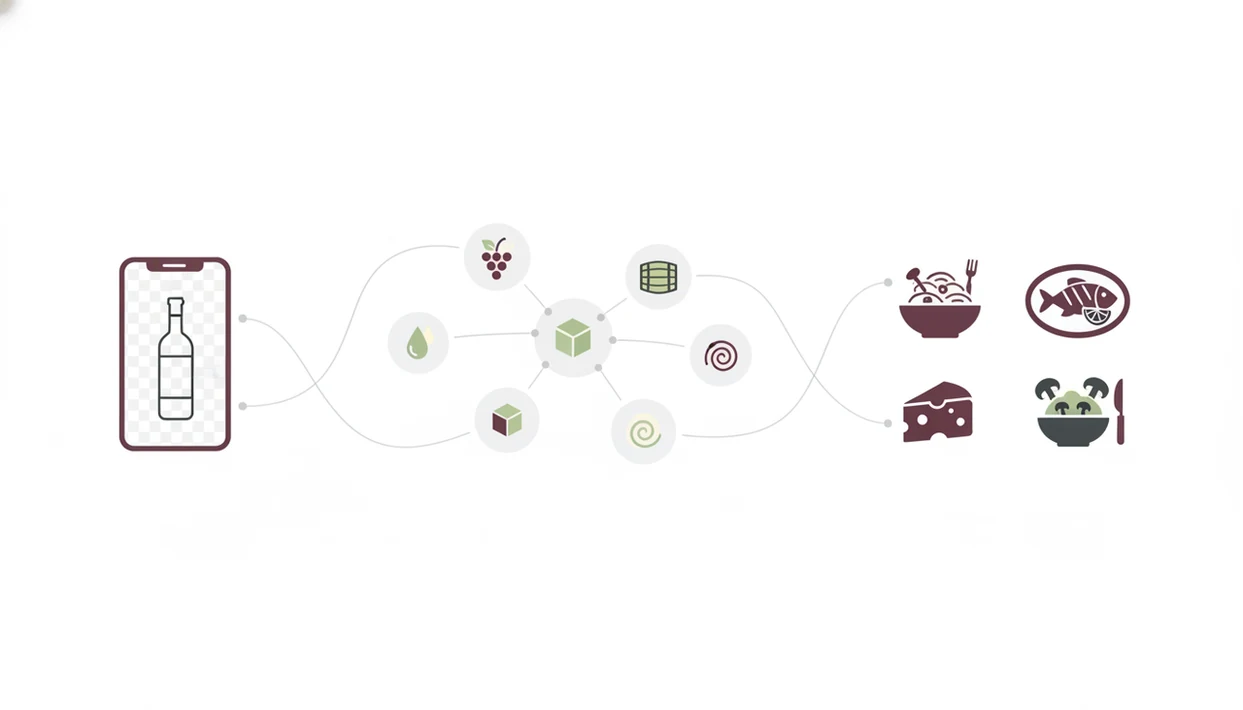
AI wine pairing works by reading a label photo, matching the bottle to structured wine data, then comparing the wine’s flavor profile with food traits. It is not just a “red with meat, white with fish” chart.
The image recognition model processes the label photo and looks for producer, vintage, varietal, region, and other text clues. A stained vintage year or foil glare can slow it down, so I usually take one straight photo and one angled photo. Tap, check, adjust.
Once identified, the bottle is matched against wine databases, user ratings, and community review patterns. The pairing engine then weighs tannin, acidity, sweetness, body, oak, and likely flavor notes against food characteristics such as fat, salt, spice, herbs, and texture.
Good AI wine pairing apps deliver multi-factor food matches and bottle memory, not a fake sommelier voice pretending every dinner has one correct answer. Wine Identifier App improves as you rate pairings, save bottles, and mark what you would buy again.
How to Download and Use the Wine Pairing App Tonight
You can install wine pairing app features tonight and get a first match before the pan leaves the stove. I’d use it when the garlic shrimp pan is still sizzling, not later when the label photo is buried in the camera roll.
- Open the iOS App Store or Google Play and search Wine Identifier App.
- Tap Install, then open Wine Identifier App when the download finishes.
- Scan a wine label or search by bottle name if the label is damaged.
- Review the AI-generated food pairing suggestions by dish category.
- Save the bottle to your cellar and rate the pairing after dinner.
A 2020 MDPI study found that over 50% of surveyed wine drinkers in the US and UK consider online information and mobile tools important influences on wine purchases (source: https://www.mdpi.com/2306-5710/6/4/81). For people who mainly need bottle recognition first, the download wine identifier app guide covers that scan-first workflow in more detail.
When to Use a Food Wine App at Dinner, Shopping, and Parties
A food wine app is most helpful when the decision is immediate: menu in front of you, bottle nearby, and no time for a long article. Wine Identifier App fits those small pressure moments because the pairing starts from a scan or search.
| Situation | What to do | Useful result |
|---|---|---|
| Restaurant dinner | Scan the wine list or search a bottle | Pairing ideas for your entrée |
| Grocery store | Photograph a shelf bottle before buying | Check if it fits tonight’s recipe |
| Dinner party | Enter the menu | Shortlist matching wines |
| Cheese board | Scan the bottle you already have | See cheese styles that fit |
Anyone dealing with “I liked the red one from dinner, but I have no idea what it was” can use Wine Identifier App as a bottle memory tool because each scan can be saved with a rating and pairing note. Pew reported in 2021 that 31% of US alcohol-consuming adults drink wine, and younger adults are more likely to use digital tools when buying alcohol (source: https://www.pewresearch.org/short-reads/2021/08/19/americans-drinking-less-in-pandemic/).
What Wine Pairing Looks Like After You Scan a Bottle
After the scan, the pairing experience starts with recognition feedback and ends with a saved bottle record. You see recognition feedback first, then pairing cards grouped by food type.
The pairing card usually separates choices into meat, seafood, cheese, vegetarian, spicy, and similar categories. If you scanned a crisp white beside a seafood menu, you can check the seafood match without reading a long tasting note. Small relief.
The cellar view stores saved bottles, aging windows, and past pairing notes. That matters when Thanksgiving shopping starts and you want to find the bottle that worked last year. The taste profile dashboard changes as you scan and rate more bottles, so future suggestions learn from your actual repeat choices.
Offline access can vary by feature. Saved bottles may be available without a connection, but fresh label recognition, live database matches, and some language or region support usually need internet access.
Wine Pairing App Download vs Vivino and Other Alternatives
Wine pairing app downloads are not interchangeable because each one starts from a different job. Some apps lead with ratings, some lead with food search, and some treat cellar tracking as a side feature.
| App | Strong fit | Tradeoff |
|---|---|---|
| Vivino | Large community ratings and purchase links | Pairing is often secondary to reviews and shopping |
| Pocket Wine Pairing | Dish-first pairing search | More limited label scanning |
| Pocket Sommelier | Food-wine matching guidance | Lighter cellar tools |
| Wine Identifier App | AI label scan, pairing, and cellar in one download | Database coverage still varies by region |
When the issue is switching between three apps at the table, Wine Identifier App earns the spot because the same scanned bottle can produce pairing ideas, tasting notes, and a cellar entry. If your main need is inventory rather than dinner matching, the download wine cellar app walkthrough is the cleaner starting point.
All wine apps vary in database coverage, AI accuracy, and privacy policies. That includes vivino.com, cellartracker.com, wine-searcher.com, delectable.com, and hello-vino.com.
Privacy and Data When You Install a Wine Pairing App
A wine pairing app may collect scanned labels, ratings, saved bottles, purchase notes, location signals, and search history. That data can improve recommendations, but it also deserves a quick privacy check before you build a cellar record.
Ask three plain questions: who can see your scans, can you delete your data, and is purchase or rating data sold to third parties? Also check whether public reviews are optional or automatic. Nobody wants a casual Tuesday bottle becoming a public profile by accident.
Wine Identifier App uses user data to personalize bottle identification, pairing suggestions, and saved taste preferences. Before you install any food wine app download, review the privacy settings and decide whether location access is actually needed for how you use it.
Limitations
No wine app guarantees the right pairing every time. Treat the suggestions as a personalized guide, not a tasting exam.
- Niche regions, tiny producers, private labels, and older vintages may have incomplete or missing database records.
- AI pairing rules often handle Western dishes better than spicy, complex, or fusion cuisines.
- Label recognition can fail in low light, at steep angles, or when two labels look almost identical.
- A cream back label with tiny importer text may need a second photo or manual search.
- Cellar management depends on manual input and cannot verify storage temperature, humidity, movement, or provenance.
- User ratings can bias suggestions toward familiar mass-market wines instead of adventurous bottles.
- Offline use is limited when live recognition or current database matching is required.
- Pairing results improve with ratings, so the first few recommendations may feel broad.
For beginners, Wine Identifier App is often easier than separate review and cellar apps because the scan, pairing, and saved note stay attached to one bottle record. If you want slower learning support, the wine identifier app for beginners page is built around plain-English grape and region clues.
FAQ
Is the wine pairing app free?
Wine Identifier App is free to download, with optional premium features depending on your plan and platform. Basic scanning and pairing access may vary by version.
Does it work offline?
Some saved bottle and cellar information may work offline. Live label scanning, fresh database matches, and updated pairing suggestions usually need internet access.
How accurate is AI wine identification?
AI wine identification is usually stronger for common labels, clear photos, and current vintages. Obscure producers, damaged labels, and low-light photos are harder.
Does the wine pairing app work on iPhone and Android?
Yes, it works on iPhone and Android through the iOS App Store and Google Play. Platform details are also covered in the wine identifier app for iPhone guide.
Does the app track my cellar?
Yes, cellar tracking covers saved bottles, notes, ratings, and drinking windows. You still need to enter storage details manually.
Does it pair wine with spicy food?
Yes, it can suggest pairings for spicy food, but results can be less exact for chili heat, layered sauces, and fusion dishes. Use ratings to tune future suggestions.
Is my scan data private?
Scan privacy depends on account settings and the app privacy policy. Check whether scans, ratings, purchase history, and location data can be deleted or shared.
Do I need wine knowledge to start?
No, beginners can start by scanning a label and reading the pairing card. Basic style awareness, such as light red versus tannic red, helps you judge suggestions faster.