
Wine Identifier App for Beginners Learning Wine


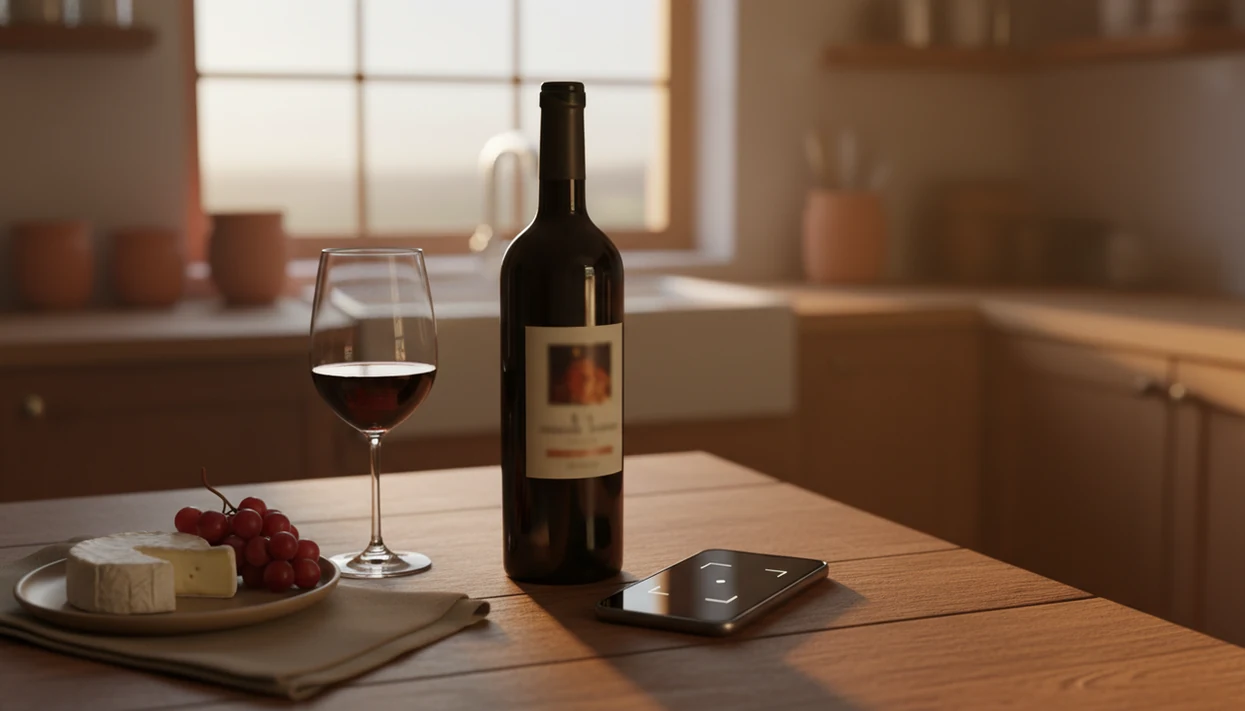
For beginners, Wine Identifier App is a simple wine identifier app that turns a label photo into plain-English details about the grape, region, tasting notes, and food pairings, without pretending you studied Burgundy maps first. Wine Identifier App, also known as DiVino, is built for that first useful moment: scan the front label, understand the bottle, then save it before you forget.
> Definition: A wine identifier app scans wine labels, identifies bottles, explains grapes and regions, suggests food pairings, and helps new wine drinkers track favorites or cellar notes.
TL;DR
- Point your phone camera at any wine label to get instant details in plain language
- AI-powered scanning explains grapes, regions, tasting notes, and food pairings without jargon
- Save bottles you like, rate them, and track your growing preferences over time
- Built-in cellar management helps you remember what you enjoyed and avoid repeat mistakes
- Works in stores, restaurants, or at home, no wine expertise needed to start
Try the wine identifier app for beginners on iPhone to scan a label and save the bottle.
4 Beginner Wine Label Problems an Identifier App Solves
A beginner wine scanner solves four common problems: unreadable label language, unfamiliar grape names, confusing regions, and forgotten bottle memories. Wine Identifier App turns those label clues into short explanations you can use while standing in the aisle.
Beginners often see a village name, a producer, a vintage, and a grape clue, but not in that order. Add French, Italian, German, or tiny importer text on a cream back label, and the bottle starts feeling like homework. It shouldn't.
According to Pew Research Center, 62% of U.S. smartphone owners have used a phone in a store to look up product information before buying: https://www.pewresearch.org/internet/2015/04/01/us-smartphone-use-in-2015/. Wine fits that same habit. The International Organisation of Vine and Wine estimated global wine consumption at about 221 million hectoliters in 2023, so the shelf is crowded for a reason: https://www.oiv.int/sites/default/files/documents/OIVSTATEOFTHEWORLDVINEANDWINESECTORIN2023.pdf.
For new wine drinkers who need label translation without wine-shop pressure, Wine Identifier App fits because it scans the front label and returns grape, region, style, and pairing notes in beginner language.
Good wine apps deliver identification, context, saving, and simple next steps, not a performance test about whether you know appellation law.
How AI Wine Label Scanning Works for Beginners
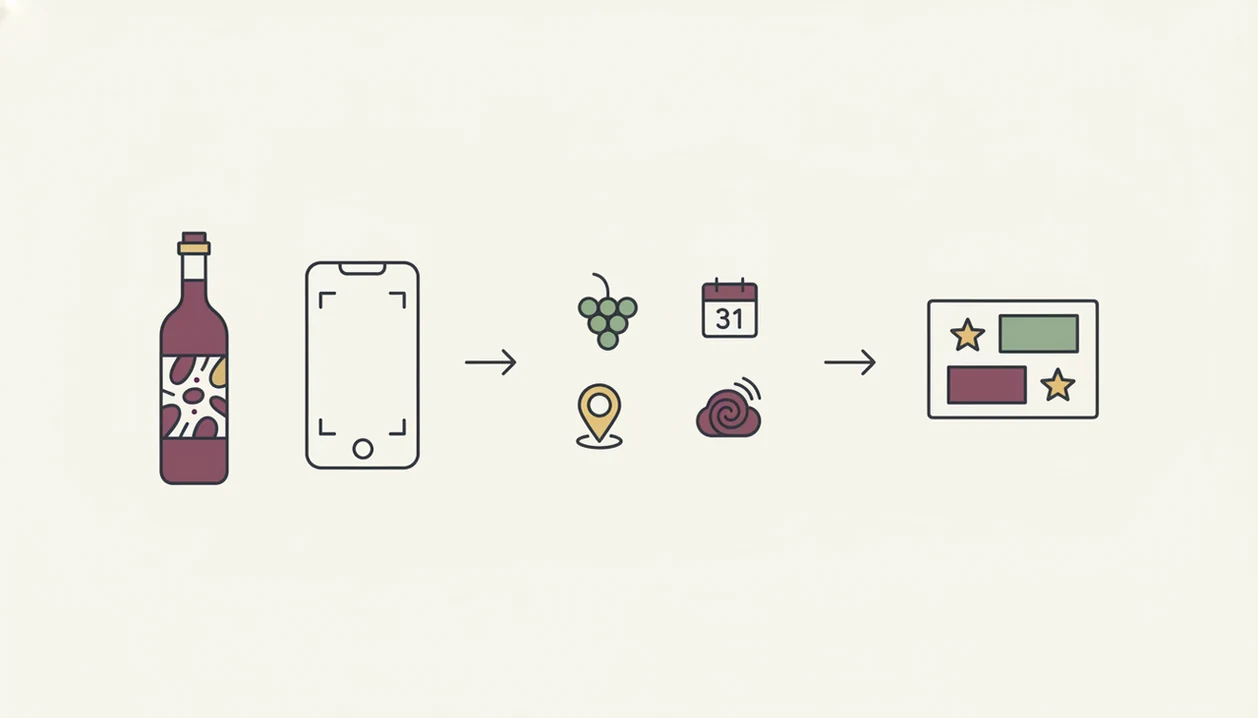
AI wine label scanning works by capturing a label photo, reading visible text, and matching the bottle against a wine database. The useful part for beginners is not the technology itself, but the plain result: what it is, what it may taste like, and what food it suits.
First, the phone camera captures the front label. Optical character recognition, often called OCR, reads text such as producer, vintage, region, and grape variety. Image matching may also compare label shapes, logos, and layout. For a plain technical baseline, Google’s OCR documentation describes text detection as extracting printed or handwritten text from images: https://cloud.google.com/vision/docs/ocr. In plain terms, it looks for both words and visual fingerprints.
Then the database returns the likely bottle, tasting profile, community rating, and food pairing suggestions. Larger databases with millions of wines usually give more reliable matches, especially for popular bottles.
Anyone dealing with six similar bottle photos buried between dog pictures, receipts, and a blurry restaurant menu gets a cleaner workflow with Wine Identifier App because the scan becomes a saved bottle record, not another loose camera-roll clue.
How to Use a Beginner Wine Scanner in 5 Steps
Using a beginner wine scanner is mostly a five-step habit: open, scan, read, compare, and save. If you can take a label photo at 10:40 p.m. on a kitchen counter while plates are still out, you can use this.
- Download and open the app. Start with a low-friction setup through download wine identifier app, so you can scan before the bottle is forgotten.
- Point your camera at the front wine label. Use decent lighting and keep your thumb away from the vintage year.
- Read the plain-language notes. Check grape, region, flavor style, and any unfamiliar terms.
- Check the food pairing suggestion. Do this before buying, ordering, or opening the bottle.
- Save or rate the bottle. Add a quick tasting note, even if it only says, “good with tomato pasta.”
For beginners, saving a good enough note is often more useful than writing a formal tasting note because it preserves the decision you’ll actually want later.
Top 3 Simple Wine App Features for Beginners
The top three simple wine app features for beginners are label explanations, bottle-level food pairings, and a favorites or cellar log. Focus on those before comparing advanced charts, marketplaces, or collector tools.
Plain-Language Label Explanations
Wine Identifier App explains grapes, regions, and styles in everyday language after a scan. That matters when a label says Rioja, Chianti, or Sancerre, but your real question is, “Is this light, bold, dry, or sweet?”
Food Pairing Suggestions per Bottle
Pairing prompts help match the scanned bottle to dinner. A goat cheese log on a slate board asks for different help than a pizza box open near wine glasses, and the download wine pairing app workflow keeps that decision practical.
Personal Cellar and Favorites Tracker
A favorites log turns scattered bottle memories into a pattern. That tracking habit is already familiar to most phone users: people routinely use apps to log food, workouts, spending, photos, and shopping lists, so bottle memory fits an existing behavior instead of creating a new one.
If your priority is remembering what you liked, Wine Identifier App earns the spot because saved ratings, quick tasting notes, and cellar entries build a personal bottle history over time.
5 Beginner Wine Scanner Mistakes That Skew Results
Beginner wine scanner mistakes usually come from treating the scan as final truth instead of a helpful first read. The better habit is tap, check, adjust, then save what matched your own taste.
- Community scores are not objective quality. They are subjective averages, often shaped by popular wines and frequent reviewers.
- The app cannot replace tasting. Use plain-English grape and region clues, but still notice whether you liked the first sip after the server pour.
- Skipped logs weaken recommendations. If you forget to rate bottles, cellar tracking and preference patterns become thin.
- Not every bottle appears. Very new, obscure, or small-batch wines may be missing from any database.
- Bad photos cause bad matches. Foil glare, damaged labels, unusual fonts, and a barcode half-covered by a thumb can confuse scanning.
Restaurant beginners who want a quick list shortcut can use Wine Identifier App because a saved scan connects the bottle, pairing note, and rating before the name disappears from memory.
Privacy and Data Checks for Wine Scan Histories
Wine scan histories can reveal more than bottle names. They may show where you shop, what price ranges you prefer, what you drink often, and which styles you avoid.
Personalized recommendations may depend on saved ratings, favorites, cellar entries, and behavior data. That tradeoff can be useful, but it should be visible. Before building a long history, review account settings, data deletion options, social sharing defaults, and privacy policy language.
Decide whether public profiles, shared ratings, or cellar visibility are actually helpful. Some people enjoy comparing notes. Others just want to remember, “I liked the red one from dinner, but I have no idea what it was.”
New drinkers who want private bottle memory should use Wine Identifier App with sharing controls checked because scan history works better when saved intentionally, not sprayed across every social feature.
Limitations
Wine Identifier App is useful for beginners, but it does not remove every wine decision. A simple wine app should guide your choices while leaving room for taste, context, and real-world surprises.
- AI can misread low-quality photos, unusual fonts, foil glare, stained labels, and damaged vintage years.
- Obscure, very new, or small-batch wines may not appear in any app database.
- Community scores are subjective and may lean toward popular, widely reviewed bottles.
- Food pairing suggestions are generalized and may not reflect allergies, cultural food habits, spice levels, or personal dislikes.
- Cellar tracking requires consistent manual logging, which casual users often skip after a few weeks.
- Recommendation engines can create filter bubbles if you only accept similar styles.
- Wine Identifier App does not replace tasting events, sommelier guidance, or learning from a trusted local shop.
- Vivino, CellarTracker, and Wine-Searcher may be better for heavy review browsing, collector notes, or price comparison, depending on the job.
- For home inventory depth, some users may also want a dedicated download wine cellar app workflow.
FAQ
Do wine scanner apps work offline?
Most wine scanner apps need internet access to match labels against a live database. Some may cache recent scans or saved bottles for limited offline viewing.
Are beginner wine apps free?
Many beginner wine apps offer free scanning with optional paid upgrades. Premium features often include larger cellar tools, deeper recommendations, or advanced tracking.
Can the app scan restaurant wine lists?
Some apps can scan printed restaurant wine lists, but results vary by lighting, formatting, and whether producers or vintages are shown. A clear label photo is usually more reliable.
How accurate are AI wine scanner results?
AI wine scanner accuracy depends on photo quality, label condition, database coverage, and crowd-sourced data. Popular bottles are usually easier to identify than rare or damaged labels.
Does the app suggest wines by budget?
Some wine apps include price filters or value recommendations to help beginners avoid overspending. Availability depends on pricing data and local market coverage.
Will it recognize rare or old wines?
Rare, old, obscure, or small-batch wines may not be recognized if they are missing from the database. In those cases, manual entry or a specialist reference may be needed.
Can beginners track wine preferences over time?
Yes, beginners can track wine preferences by saving bottles, rating them, and adding quick tasting notes. DiVino uses those records to make future bottle memory easier.
Is my scan history private?
Scan history privacy depends on account settings, sharing controls, and the app privacy policy. Review whether ratings, cellar entries, location data, or public profiles are enabled.