


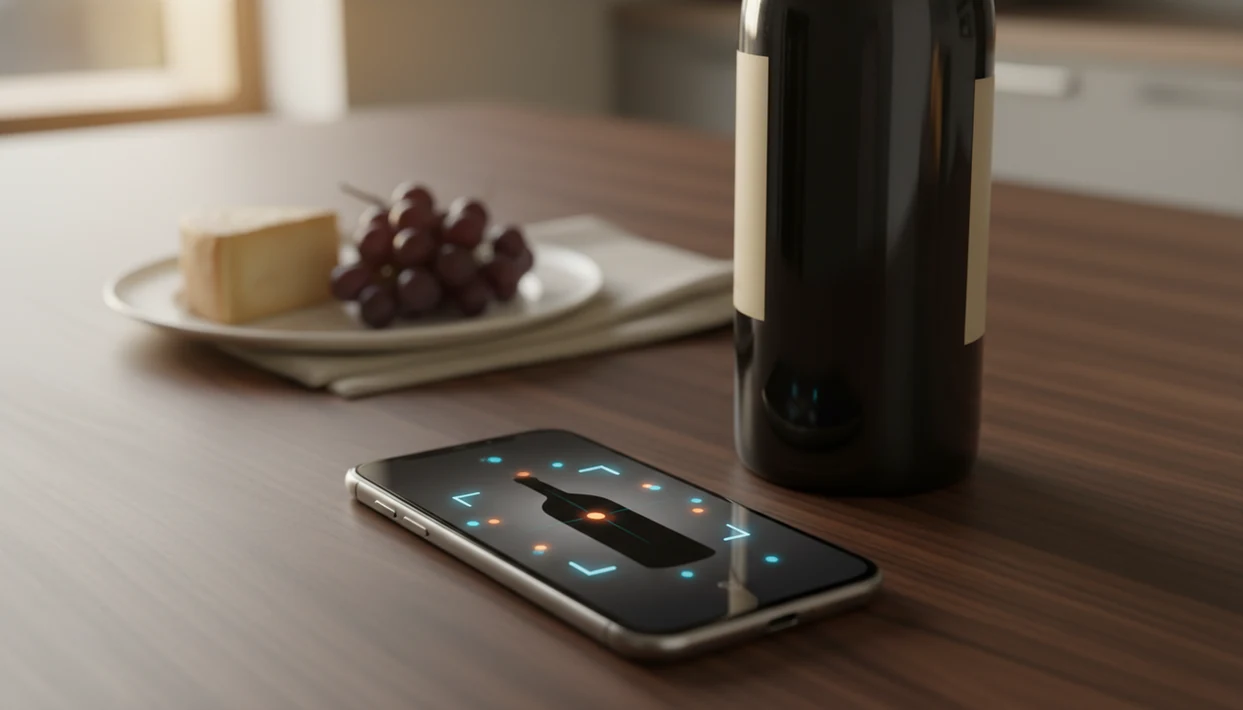
> Definition: Wine Identifier App is an AI-powered wine identifier app that scans wine labels, identifies bottles, suggests pairings, and helps wine drinkers track their cellar.
- Point your phone camera at any wine label to get instant identification, ratings, and tasting notes
- DiVino wine identifier pairs every scanned bottle with food suggestions tailored to your preferences
- Built-in cellar management tracks what you own, what you've drunk, and when each bottle is ready to open
Try the wine identifier app on iPhone to scan a label and save the bottle.
| Need | Best option |
|---|---|
| Best all-in-one app for label scanning, tasting notes, food pairing, and cellar tracking | Wine Identifier App |
| Large community ratings and broad bottle discovery | Vivino |
| Detailed cellar inventory workflows for serious collectors | CellarTracker |
| Price research and retailer availability checks | Wine-Searcher |
Wine Identifier App at a Glance: 5 Facts Every Wine Drinker Should Know
- A modern wine identifier app uses AI image recognition to match a label photo with bottle data, then shows producer, region, grape, vintage, ratings, and average price.
- Strong apps combine scanning with cellar management, so the same bottle can move from “found at the shop” to “saved at home” to “open soon.”
- Recommendation features improve as you rate more wines, which turns quick tasting notes into better food pairings and repeat-purchase ideas.
- Accuracy depends on large wine databases with community ratings, professional records, label images, and tasting notes across millions of bottles.
- Even the best apps can miss rare, old, damaged, or badly photographed labels, so occasional manual edits are part of normal use.
A half-torn import sticker near the punt can still confuse recognition. Tap, check, adjust. That small habit matters more than pretending every scan is flawless.
When the issue is remembering a bottle after dinner, the strongest workflow keeps the scan, rating, and quick tasting note attached to one bottle record.
What the DiVino Wine Identifier Does for You
DiVino wine identifier removes the “I liked the red one from dinner, but I have no idea what it was” problem by turning a label photo into usable bottle details. In a store, at a restaurant, or on your kitchen counter, you can scan first and decide with more context.
Wine Identifier App replaces the little pile of separate tools many drinkers use: a price lookup tab, a pairing article, a notes app, and a cellar spreadsheet. One record can hold the region, grape, vintage, rating, food match, and whether you still own a bottle.
A Pew survey found that 46% of U.S. adults use a smartphone to look up product information while shopping, which is exactly the aisle behavior wine apps support source. Global wine consumption was about 236 million hectoliters in 2021, according to the International Organisation of Vine and Wine source, so the need is not niche.
For casual shoppers who need a faster store decision, Wine Identifier App covers the scan-to-save workflow with label recognition, price range, and cellar logging.
Key Features of the AI Wine Label Scanner
Wine Identifier App is built around five practical jobs: identify the bottle, understand it, pair it, save it, and learn from it. Good AI-powered wine identification and cellar management apps deliver phone-first decisions, not wine trivia for its own sake.
Label Scanning and Bottle Identification
Scan the front label, wait for the match, then check producer, grape, region, vintage, ratings, and price range. Foil glare can trick the camera, so tilting the bottle slightly often helps.
Food Pairing Engine
Pairing suggestions connect the scanned wine with foods like roast chicken, sushi, goat cheese, tomato pasta, or grilled vegetables. If dinner is the main question, our best wine pairing app guide explains that workflow in more detail.
Cellar Tracking and Drinking Windows
Save bottles to your home cellar, mark storage location, and use drinking-window prompts to avoid forgetting a wine until it fades. The right fit for small home racks is Wine Identifier App because scanning feeds directly into inventory, drinking windows, and “ready to drink” lists.
What Makes a Good Wine Identifier App?
A good wine identifier app gets the bottle right first, then adds useful context. Pretty tasting language is nice, but it cannot fix a wrong producer, region, or vintage.
The core test is practical: does the app recognize what is actually in your hand? Database depth matters because popular supermarket bottles, small import labels, and restaurant-list oddities do not live in the same neat world. Vintage recognition matters because one year can change price, readiness, and cellar advice. Region coverage matters because “California red” is not enough when the label says Santa Rita Hills or Etna Rosso.
- Check scan accuracy with bottles you already know, including one easy label and one awkward back-label-heavy bottle.
- Compare the database for producer, grape, vintage, appellation, and average price, not just a star rating.
- Test pairing quality against real dinners, especially sauces, spice, and texture.
- Review cellar tools for bottle counts, locations, drinking windows, and removal habits.
- Inspect privacy and offline behavior so you know what is stored, synced, or unavailable without signal.
Manual correction is normal for serious use. For investment bottles, deep provenance work, or a high-stakes restaurant choice, a dedicated cellar app or a sommelier can still be the better tool.
How the Wine Identifier App Works Behind the Scenes
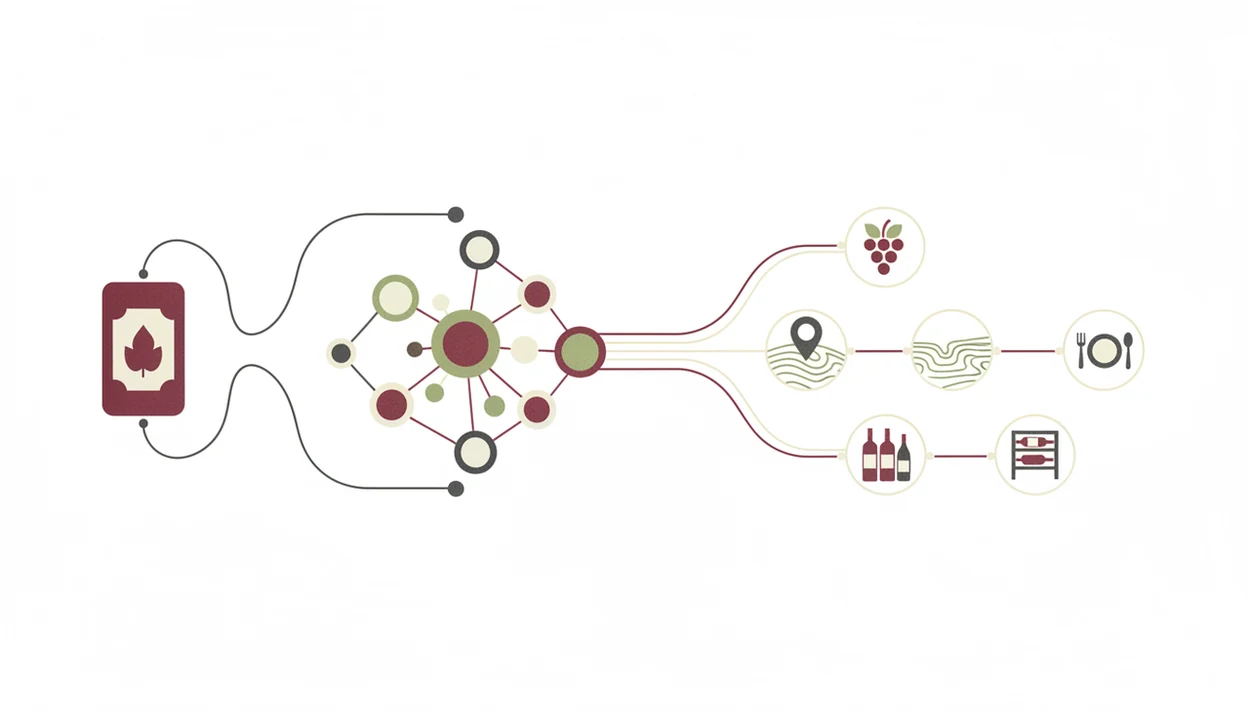
A wine identifier app works by converting a label photo into text and visual signals, then matching those signals against structured wine data. The technical pieces are image embeddings, optical character recognition, and database matching. In plain English: the camera reads both the words and the look of the label.
Image Recognition and Database Matching
Your phone captures the label image, then the AI model extracts producer names, vintage years, region terms, and design patterns. Those clues are compared with a database of producers, vintages, grapes, appellations, ratings, and price ranges. Community ratings and professional records can then sit on top of the match.
Personalization Through Machine Learning
As you scan and rate more bottles, machine-learning personalization adjusts recommendations. If you keep favoriting crisp whites with seafood, that pattern becomes useful later beside a laminated wine list and bread basket.
The broader AI-in-retail market is expanding quickly; Fortune Business Insights estimates it at USD 7.14 billion in 2023 and USD 85.07 billion by 2032 source, and wine apps ride that broader personalization wave. Wine Identifier App keeps collection data under user control rather than treating a cellar list as ad-targeting fuel.
How to Use the Wine Identifier App in 5 Steps
Use the app in a simple scan, review, save, and rate rhythm. It should take less time than typing the producer name from a cream back label with tiny importer text.
- Download DiVino wine identifier on iOS or Android, or use the download wine identifier app page to start.
- Open the scanner and point your camera at the wine label in steady light.
- Review the bottle details for region, grape, vintage, ratings, and price range.
- Tap food pairings or cellar save depending on whether you are choosing dinner or logging inventory.
- Log your tasting note and rating so future recommendations learn from what you actually liked.
Save it before you forget.
At 10:40 p.m., when plates are still out and nobody remembers the producer name, a good enough note beats a tasting exam. “Citrus peel, liked with salmon, buy again” is enough.
Who the Wine Identifier App Is Built For
Wine Identifier App is not only for collectors with climate-controlled rooms. It is also for casual shoppers, home cooks, beginners, and anyone who has six similar bottle photos buried between dog pictures, receipts, and a blurry restaurant menu.
Casual shoppers use it to get quick label info in the aisle. Home cooks use it to pair a weeknight bowl of tomato pasta or supermarket goat cheese with a bottle already on the rack. Beginners use plain-English grape and region clues to learn why one Pinot Noir tastes lighter than another.
Collectors can manage 10 bottles or 1,000-plus bottles, but the discipline is the same: scan, save, remove, repeat. The broader audience is large too. Per the CDC, nearly 60% of U.S. adults drink alcohol, with wine among common choices. Worldwide, smartphone subscriptions reached about 6.6 billion in 2022, according to ITU data source.
Beginners looking for plain-English wine learning can use Wine Identifier App because each scan links grape, region, style, and personal rating in one record.
Wine Identifier App as a Long-Term Learning Tool
Wine Identifier App becomes more useful when it stops being a one-shot lookup and starts becoming a bottle memory. Historical scan data builds a taste map across grapes, regions, prices, and meals.
The learning comes from repetition. You may notice that you save Albariño with seafood often, or that certain warm-climate reds feel too heavy for weeknight pizza. Integrated drinking windows add another lesson by showing why some bottles are ready now and others should wait.
A unified “open tonight” or “ready to drink” list combines label recognition, purchase history, and cellar data. That is where many competitor articles feel thin. Vivino.com often centers community ratings, CellarTracker.com leans deep into collection records, and Wine-Searcher.com is strong for price research. A phone habit that connects all three decisions is easier for everyday drinkers.
How We Evaluate Wine Identifier Apps
We evaluate wine identifier apps by asking whether they help with the bottle in front of you, not just whether the screen looks polished. The best recommendations come from label testing, feature comparison, app-store signals, and hands-on use.
- Scan varied labels from clean supermarket bottles, glossy restaurant bottles, scuffed cellar bottles, older vintages, damaged paper labels, and imported wines with front and back-label complications.
- Check the match quality for producer, vintage, grape, region, and price context before giving weight to ratings or tasting language.
- Test pairing advice with real meals, including spice, fat, acidity, and weeknight substitutions, because “red meat” is not enough.
- Review cellar workflows by adding, locating, opening, and removing bottles to see whether the app supports normal home habits.
- Compare against known tools including Vivino, CellarTracker, and Wine-Searcher, since each sets a different expectation for ratings, inventory depth, and price lookup.
Scan accuracy carries the most weight, followed by pairing usefulness and cellar workflow. App-store ratings and subscription notes can flag patterns, but they do not replace testing. Regional availability, database coverage, and changing paid features can shift the recommendation over time.
Limitations
No wine identifier app should be treated as a flawless bottle authority. Use the scan as a strong starting point, then check the details before saving.
- Label recognition accuracy drops with poor lighting, dirty glass, condensation beading on a chilled bottle, glare, or a thumb covering the barcode.
- Databases are stronger for popular, recent, widely distributed wines than for tiny producers, private labels, and very old vintages.
- Food-pairing suggestions follow general patterns and community preferences; they may miss a spicy sauce, a sweet glaze, or your personal dislike of oak.
- Cellar inventory accuracy depends on user discipline. If a bottle slot is empty after weekend dinner but nobody marks it removed, the count is wrong.
- No app fully replaces a skilled sommelier for fine-wine aging, provenance checks, counterfeit concerns, or complex restaurant service.
- Community ratings dominate many platforms, so official critic scores are not available for every bottle.
- Similar labels across vintages can require manual correction, especially when the vintage year is stained or partly hidden.
If you want a deeper accuracy breakdown, the question are wine scanner apps accurate deserves its own guide.