
Benefits Of Wine Cellar Tracking For Collectors


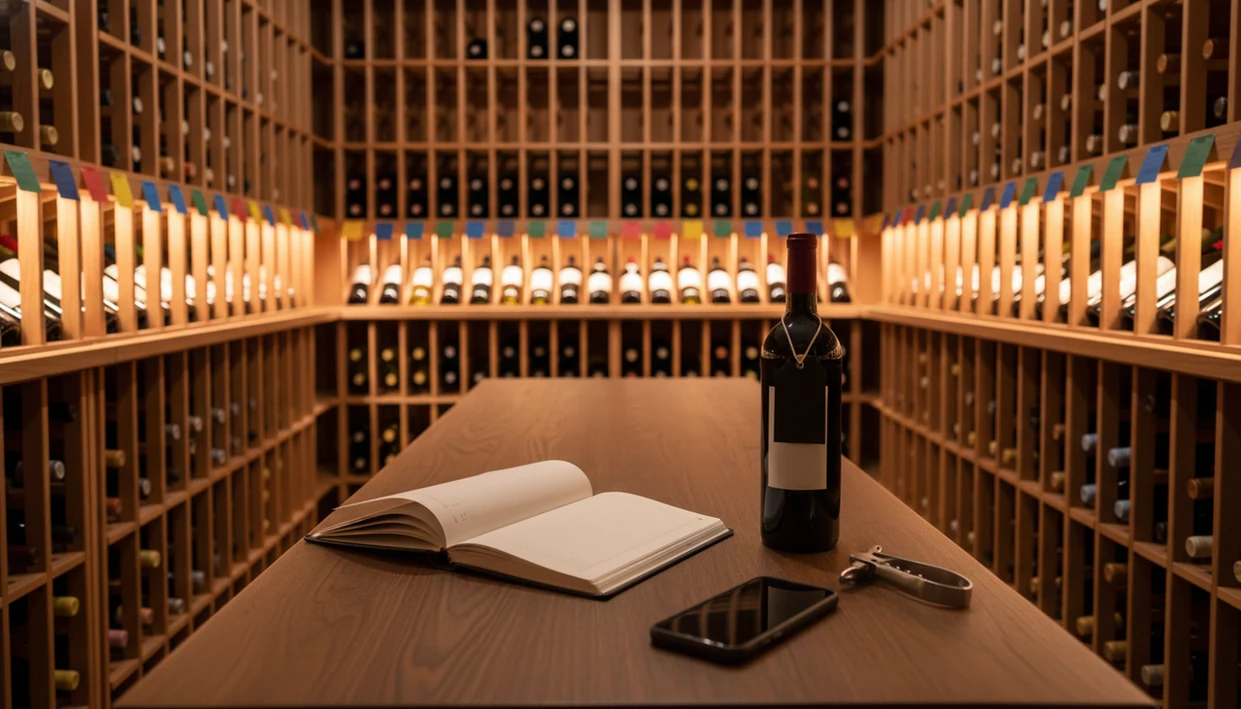
The benefits of wine cellar tracking include drinking bottles at their peak, eliminating duplicate purchases, knowing exactly where every wine is stored, and owning a portable digital record of your entire collection. Whether you manage twenty bottles or two thousand, a structured cellar inventory saves money, reduces waste, and turns scattered guesswork into confident decisions.
> Definition: Wine cellar tracking is the practice of maintaining a live, searchable inventory of every bottle you own, recording location, vintage, drinking window, purchase price, and tasting notes, so you can organize, time, and enjoy your collection with precision.
TL;DR
- Tracking your cellar prevents missed drinking windows and wasted bottles
- A live inventory stops duplicate purchases and reveals spending patterns
- AI-powered label scanning eliminates manual data entry and enriches each record automatically
- Exportable data means you own your cellar history regardless of which app you use
- Even small collections benefit; budget and space constraints make accurate tracking more impactful, not less
Try the benefits of wine cellar tracking app on iPhone to scan a label and save the bottle.
What Wine Cellar Tracking Means For Your Collection
Wine cellar tracking means keeping a current record of what you own, where each bottle sits, and when it should be opened. It turns a shelf of bottles into a searchable collection.
That matters because wine choice is noisy. Global wine production reached roughly 260 million hectoliters in 2023, according to the OIV State of the World Vine and Wine Sector report, so even familiar regions can become hard to remember once you start buying across grapes, vintages, and producers. A magnum bottle wedged on the bottom rack is easy to forget until it has aged past the moment you wanted to pour it.
The old version was a spreadsheet. It worked, but only if you typed everything correctly after every purchase. Modern tools now scan the front label, pull in plain-English grape and region clues, and let you save it before you forget.
Small habit. Big difference.
Tools like Wine Identifier App fit this newer phone-first pattern, alongside spreadsheet-style cellar records and dedicated inventory tools.
Five Key Benefits Of Wine Cellar Tracking
The main cellar inventory benefits are better timing, faster bottle retrieval, fewer duplicate buys, cleaner records, and smarter future purchases. These are practical gains, not collector vanity.
- Better drinking timing: A tracked bottle can carry a drinking window, so you see what should be opened soon and what can wait. For collectors, cellar tracking is often easier than memory because vintage and drink-window data stay attached to the bottle record.
- Instant bottle finding: Location fields such as rack, shelf, row, or bin stop the “I know it’s here somewhere” search. The location note matters most when bottles look almost identical in low cellar light.
- Duplicate purchase control: Before reordering, you can check whether three bottles are already hiding behind a case of white Burgundy.
- Owned structured data: Ratings, regions, purchase prices, and quick tasting notes stay in one exportable record instead of scattered across receipts.
- Preference patterns: Over time, the records show what you actually finish, rebuy, or ignore.
A good ai-powered wine identification and cellar management app should identify the bottle, enrich the record, and keep your history portable, not turn wine into a guessing game with fancy labels.
How Wine Cellar Tracking Works Behind The Scenes
Wine cellar tracking apps work by turning label photos and bottle events into structured inventory data. The app identifies the wine, enriches the record, and updates the bottle’s status as it moves through your collection.
First, label scanning uses AI image recognition. In plain terms, the app compares visual patterns on the label with known bottle data. Then it may add region, grape, producer, vintage, critic information, and a suggested drinking window from wine databases. I still check the vintage manually when the year is stained or the foil glare cuts across the label.
The inventory side behaves like a simple state machine. A bottle enters when you buy it, moves when you change its rack or shelf, and exits when you mark it consumed. Cloud sync keeps the same record available on more than one device. Local exports or backups protect the file if you switch tools.
Predicted drinking windows usually come from vintage, grape variety, wine style, and normal storage assumptions. They guide decisions; they don't taste the bottle for you.
Before You Start Tracking Your Wine Cellar
Before you scan the first label, set up the rules you will actually follow. A little preparation keeps the inventory from becoming another half-finished weekend project.
- Choose a location system that is consistent enough to survive real use: rack A, shelf 2, row left, bin 4, or whatever matches your room. Avoid vague labels like “back wall” unless there is only one possible back wall.
- Gather the loose evidence first: purchase receipts, delivery emails, old tasting notes, and bottle photos sitting in your camera roll. They help fill in prices, vintages, and forgotten producers without pulling every cork-facing bottle out twice.
- Decide which fields are required before saving a bottle. For most collectors, vintage, purchase price, physical location, and drinking window are the minimum useful record.
- Check export options before committing to an app. CSV export is the boring feature that matters when you want your history outside one platform.
- Start with one rack or shelf instead of the whole cellar. Finishing a small zone builds the habit without turning tracking into inventory fatigue.
How To Track Your Wine Cellar With An AI-Powered App
The easiest way to start is to scan each bottle, confirm the details, assign a location, and build the habit of updating the record when bottles move or leave. Start with one shelf, not the whole cellar.
- Scan a bottle’s label to auto-identify the producer, cuvée, and vintage where possible.
- Confirm enriched details such as vintage, region, grape, and drinking window before saving.
- Assign a physical location using rack row, shelf number, bin, box, or fridge zone.
- Log purchase price and tasting notes while the memory is fresh, even if it’s only “good with tomato pasta.”
- Review inventory regularly and mark bottles as consumed after dinner, not three weeks later.
- Export or back up your data on a recurring schedule so your cellar history is not trapped.
At 10:40 p.m., with plates still out on the kitchen counter, nobody remembers the producer name. Scan the front label then. If you want the full phone workflow, the how to catalog wine cellar with phone guide covers the setup in more detail.
Wine Cellar Finances And Spending Patterns
Why track wine cellar spending if wine is already in the house? Because purchase-price logging shows the real value sitting in racks, bins, and overflow boxes.
The average U.S. household spends roughly 1% of annual expenditures on alcoholic beverages, according to the Bureau of Labor Statistics Consumer Expenditure Survey. That sounds small until repeat purchases pile up quietly. A purchase price noted beside vintage can reveal that your “casual” weeknight reds cost more over six months than the special bottles you planned carefully.
A cellar tracker also shows consumption rate. If twelve bottles of crisp white disappear every summer and tannic reds sit untouched, your budget is telling you something useful. For home collectors, purchase-price tracking is often the simplest way to reduce waste because it connects buying habits with what actually gets opened.
A dedicated cellar tracker helps when you want bottle counts, locations, and costs in one place instead of guessing from old card statements.
Drinking Windows And Bottle Timing Through Cellar Inventory
Cellar tracking helps because not every wine improves with age. Many everyday wines are intended for near-term drinking; WSET notes that most wines are made to be consumed soon after purchase, while only a minority of fine wines are built for decades.
That is the missed detail behind many disappointing openings. A fresh white held too long can lose the citrus snap that made it useful with seafood or supermarket goat cheese. A simple red can taste tired before anyone thinks to check it.
A good inventory flags bottles approaching or passing their suggested window. It also lets you sort by “drink soon,” which is much easier than pulling every bottle out by hand. When a wine list decision starts with dinner, not collecting, timing becomes practical. Lemony roast chicken on the cutting board needs a bottle ready now, not a trophy waiting for 2040.
Use the window as a prompt. Then taste and adjust your notes.
Data Ownership And Export In Wine Cellar Tracking Apps
Good cellar tracking should make your records more portable, not less. The misconception is that using an app always means the company owns your cellar history.
Look for CSV or spreadsheet export before you commit. That one feature lets you move producer names, vintages, purchase prices, tasting notes, and locations into another platform later. Cloud backup is useful when your phone breaks. Local storage or scheduled exports are useful when you want your own copy outside the app.
I’ve seen the messier version: six similar bottle photos buried between dog pictures, receipts, and a blurry restaurant menu in the camera roll. That is not data ownership. That is a search problem.
Wine Identifier App, CellarTracker, and other cellar tools can be useful, but the export button matters. A broader app that tracks wine cellar inventory comparison should always include portability, not just scanning.
Common Mistakes When Starting Wine Cellar Tracking
The most common mistake is building a beautiful inventory once, then forgetting to update it. A cellar record drifts the moment you drink, gift, or move a bottle without marking the change.
Location shortcuts also cause trouble. “Basement rack” is not enough if you have four racks and mixed cases below them. Use row, shelf, bin, or box names you will still understand next winter.
AI identification saves time, but it is not perfect. Obscure labels, damaged capsules, private bottlings, and old vintages may need manual checks. A barcode half-covered by a thumb can also send the app down the wrong path, so tap, check, adjust before saving.
Another mistake is treating tracking like storage protection. It is not. Heat, light, and vibration still damage wine. If you need help choosing software, a best wine cellar app guide should be read alongside basic storage advice.
Limitations
Wine cellar tracking is useful, but it has real limits. The record only helps when the bottle and the data stay connected.
- It only works if you update inventory when you buy, move, drink, sell, or gift bottles.
- AI label recognition can miss obscure producers, damaged labels, stained vintage years, and unusually designed bottles.
- Predicted drinking windows are estimates based on style, vintage, and normal storage assumptions, not guarantees of peak quality.
- Digital tracking does not fix poor storage. Heat, light, vibration, and dry corks can still ruin a bottle.
- Very small, fast-turning collections may not need a full setup if every bottle is opened within a few weeks.
- Purchase-price tracking shows what you paid, but current market value may require separate pricing data.
- Notes are only as useful as they are honest. “Nice red” will not help much later.
Still, for anyone who has said, “I liked the red one from dinner, but I have no idea what it was,” tracking solves a very real problem.
FAQ
How many bottles do I need before cellar tracking is worth it?
Cellar tracking can be useful at 10 to 20 bottles, especially when space or budget is limited. Smaller collections benefit because one duplicate purchase or missed drinking window matters more.
Does cellar tracking prevent wine from spoiling?
No. Cellar tracking helps you open bottles at better times, but it cannot correct heat, light, vibration, or poor humidity.
Can AI scan every wine label accurately?
No. AI handles most commercial labels well, but obscure, damaged, stained, or unusual labels may require manual entry.
Is cellar tracking only useful for expensive wines?
No. Everyday wines often have shorter drinking windows, so tracking can help you enjoy them before freshness fades.
What happens to my cellar data if I switch apps?
If the app supports CSV or spreadsheet export, you can move your cellar history to another platform. DiVino and similar tools should be judged partly on export options.
Do I need to log every wine bottle manually?
Not usually. Wine Identifier App and other label-scanning tools can automate much of the entry, though you should verify key details.
How accurate are predicted drinking windows in cellar apps?
Predicted drinking windows are informed estimates based on grape, vintage, style, and storage norms. They are helpful planning tools, not guarantees.
Can cellar tracking show my wine collection's value?
Yes, if you log purchase prices and update records consistently. Some tools can also estimate current value using market data.