
Is There an App That Tracks Wine Cellar Inventory?


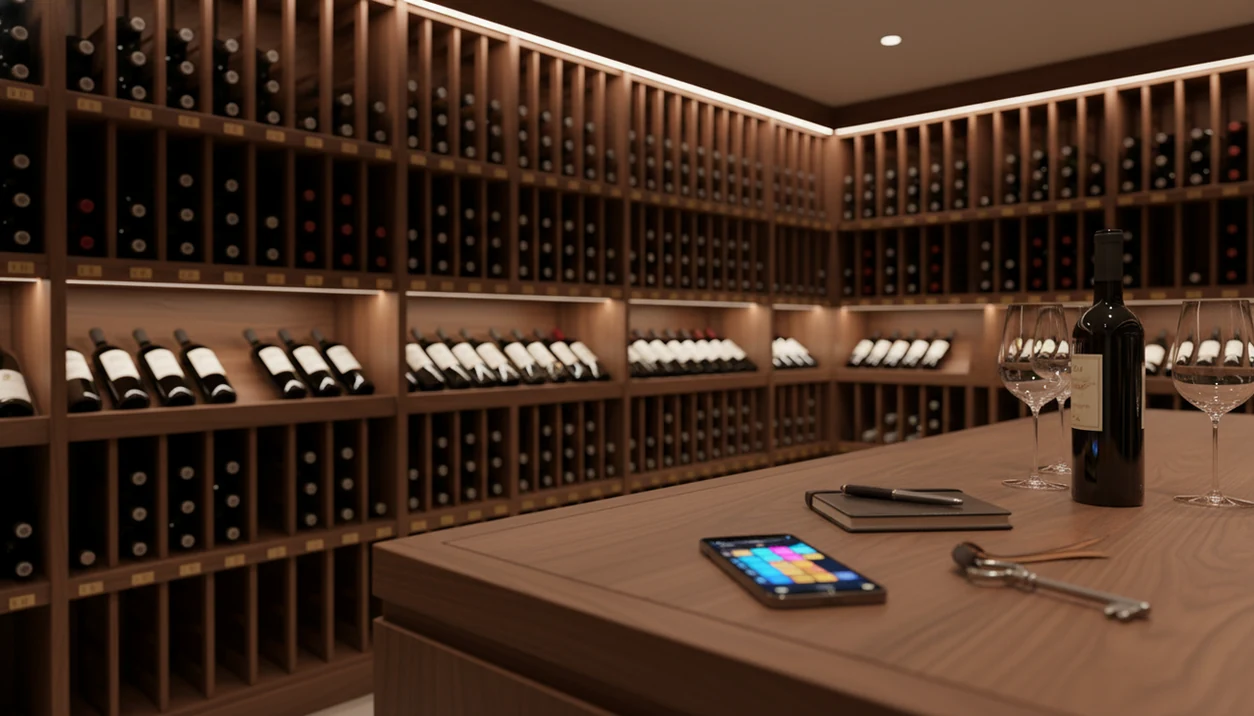
Yes, an app that tracks wine cellar inventory lets you scan labels, log bottles by rack or bin, monitor quantities and values, and receive drink-window alerts so you don't miss a wine at its peak. Strong options use AI-powered label recognition to auto-populate producer, vintage, and region fields, turning your phone into a practical cellar management system.
Wine Identifier App (DiVino) is one phone-first example: it is strongest when the job is label scanning, bottle logging, and cellar reminders rather than formal appraisal.
Definition: A wine cellar inventory app is a mobile or desktop tool that catalogs every bottle you own by identity, location, quantity, value, and optimal drinking date, using label scanning or barcode lookup against a large wine database.
TL;DR
- Modern wine inventory apps use AI label scanning to auto-log bottles with producer, vintage, and region data.
- Precise location mapping, rack, bin, row, and off-site storage, is the feature that separates serious cellar apps from simple lists.
- Drink-window alerts, value tracking, and data export are must-have features for any collection over 20 bottles.
Try the wine inventory app on iPhone to scan a label and save the bottle.
What a Wine Cellar Inventory App Actually Does
A wine cellar inventory app is a structured bottle record, not just a prettier notes app. It logs what each wine is, where it sits, how many bottles remain, what it may be worth, and when it should probably be opened.
The practical job is simple: scan the front label, confirm the vintage, assign the bottle to a location, then save it before you forget. That works for a 24-bottle wine fridge, a hallway rack, or a larger cellar split across home shelves and off-site storage. At 10:40 p.m., when plates are still out and nobody remembers the producer name, the habit matters.
Nearly everyone can run one now: Pew Research Center reports that 90% of U.S. adults own a smartphone (https://www.pewresearch.org/internet/fact-sheet/mobile/), and OIV wine statistics show why digital wine tools keep getting more specialized around buying, storing, and tracking bottles (https://www.oiv.int/what-we-do/statistics).
Small cellars drift too.
How AI-Powered Wine Inventory Tracking Works
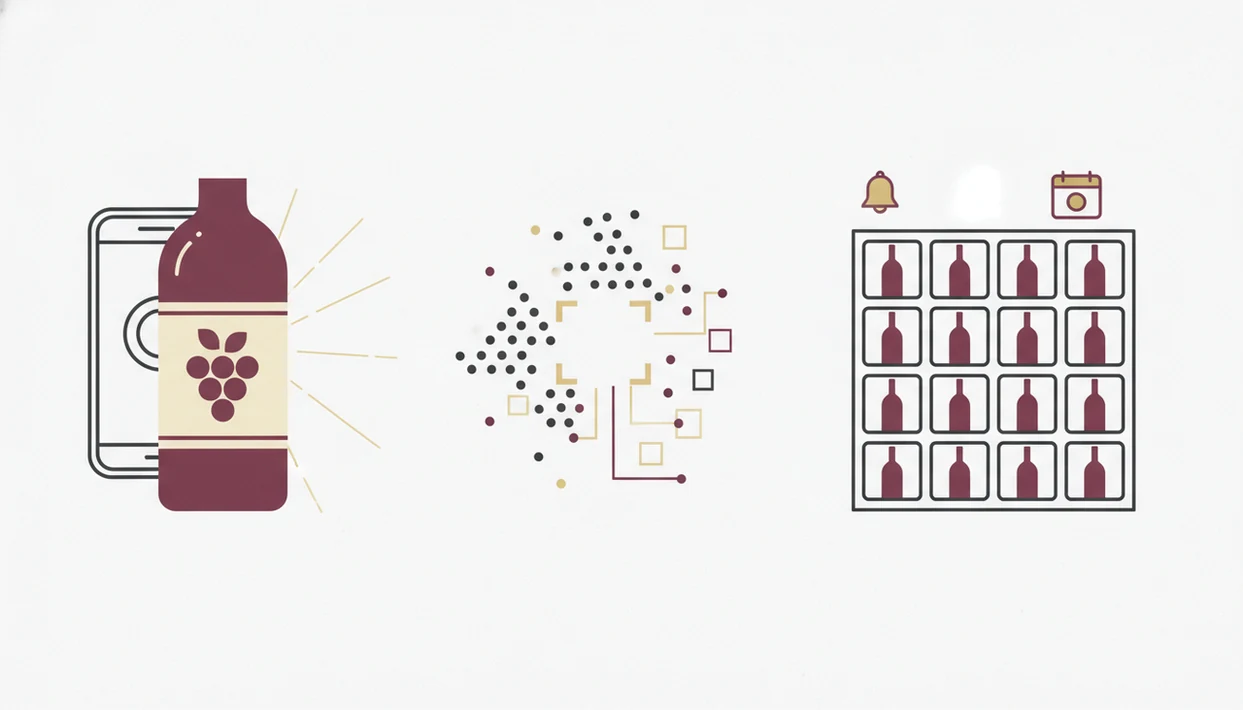
AI-powered wine inventory tracking works by turning a label photo into searchable bottle data. The camera captures the label, an image recognition model reads text and visual cues, and the app matches those signals against a wine database.
In plain English, the app looks for clues: producer name, vintage year, region, grape, importer text, and sometimes the shape or layout of the label. A dusty bottle tilted toward a window may still scan well, but foil glare or a stained vintage can confuse the match. You should always tap, check, adjust.
Drink-window tools add another layer. They combine vintage curves, community tasting data, critic information, and sometimes your own ratings. Recommendation algorithms generally improve by learning from user-item interactions, ratings, and behavior patterns; for background on recommender-system methods, see the ACM Computing Surveys overview at https://dl.acm.org/doi/10.1145/1864708.1864721.
Good AI-powered wine identification and cellar management apps deliver faster bottle entry and better reminders, not a guarantee that every old label, rare producer, or damaged barcode will identify itself correctly.
Requirements Before You Start Tracking Cellar Bottles
Before you track cellar bottles, prepare the phone, the storage map, and the naming rules. A little setup prevents the classic mess: six similar bottle photos buried between dog pictures, receipts, and a blurry restaurant menu.
- Camera-ready device: Use a smartphone or tablet with a decent camera, because label scanning depends on sharp text and steady focus.
- Storage map: Count racks, bins, shelves, fridges, and off-site lockers before adding bottles.
- Naming convention: Choose simple labels like “Home Rack A, Row 2” or “Wine Fridge, Top Shelf.”
- Lighting plan: Use daylight or a phone flashlight so cream back labels and tiny importer text are readable.
- Setup discipline: Keep the first session short and orderly; Localytics reported that 21% of users abandon an app after one use, so a clean first pass matters more than entering every bottle perfectly (https://uplandsoftware.com/localytics/resources/blog/21-percent-of-users-abandon-apps-after-one-use/).
If you are starting from zero, a wine cellar setup timeline helps you stage racks, labels, and app entry without doing everything in one evening.
How to Use a Wine Inventory App to Track Every Bottle
To use a wine inventory app well, build the storage structure first, then add bottles into that structure one by one. For most home cellars, the method is more important than the app logo.
- Create storage zones for the home rack, wine fridge, kitchen shelf, and any off-site locker.
- Scan each bottle’s label to auto-populate producer, vintage, region, grape, and bottle size.
- Assign each bottle to its exact zone, row, bin, shelf, or slot position.
- Set drink-window alerts and maturity reminders for wines you do not want to forget.
- Log every purchase, move, and consumed bottle so counts stay accurate after dinner.
- Review your “ready to drink” list weekly and export reports when you need a backup.
For a casual drinker, scanning first and correcting second is usually easier than typing every field because it reduces blank records and duplicate names. If you want the full phone workflow, the step-by-step how to catalog wine cellar with phone guide covers label photos, back labels, and cleanup.
Must-Have Features in a Wine Cellar Inventory App
A useful wine inventory app should do three things well: find the bottle, explain when to drink it, and protect the data. Feature lists can look long, but these are the ones that change daily use.
Multi-Site Storage Management
Multi-site storage management lets you separate “Home Rack,” “Wine Fridge,” and “Off-Site Locker” without dumping everything into one list. Precise location mapping matters more once you pass 20 bottles, especially when the same producer appears in three vintages.
Drink-Window and Ready-to-Drink Alerts
Drink-window alerts turn stored bottles into a weekly decision list. The app should flag what is entering maturity, what should wait, and what might be fading. A ready-to-drink list is often more useful than sorting by price.
Data Export, Backup, and Privacy
Data export should include CSV, spreadsheet, or PDF formats for insurance, estate planning, or switching apps. Privacy controls also matter for high-value collections. Tools like Wine Identifier App, CellarTracker, and Vivino approach this differently, so compare export and backup rules before committing.
Common Mistakes When Tracking Wine Cellar Inventory
The most common cellar tracking mistake is skipping storage setup and adding every bottle to one giant list. That feels fast on day one, but it fails the first time you need the second bottle of a case.
Another mistake is trusting every AI scan without checking vintage, cuvée, or bottle size. A red wax seal flakes on the counter, the label looks dramatic, and the app may still choose the wrong bottling. Verify the small fields before you favorite-it for next time.
Counts drift quickly when moves and consumed bottles are not logged. One pizza night, two opened reds, and suddenly your “available” list lies. Apps also do not replace professional valuation, insurance schedules, or estate documents. Export your data regularly, and keep a spreadsheet backup somewhere boring and findable.
For broader feature comparisons, the best wine cellar app guide is useful when you are choosing between simple lists and fuller cellar systems.
How to Verify Your Wine Inventory App Is Accurate
A wine inventory app is accurate only if the digital list matches the physical cellar. Run a small audit every quarter before errors become normal.
Pull 10 random entries and confirm that each bottle is present in the listed rack, row, bin, or fridge shelf. Then compare the app’s total bottle count against a manual shelf count. It is not glamorous. It works.
Cross-check value estimates against recent retail or auction data, especially for expensive bottles. Open the export file in a spreadsheet and make sure columns, vintages, and locations appear correctly. If a bottle is missing or mis-shelved, fix it immediately in the app. For collections over 50 bottles, quarterly spot-checks are usually easier than one painful annual rebuild because errors stay small.
Limitations
Wine cellar inventory apps solve many organization problems, but they do not remove judgment or maintenance. The weak point is often the human habit around the phone, not the software.
- AI label scanning is not flawless; damaged, hand-written, wet, or very rare labels often need manual entry.
- Drink-window recommendations use general vintage curves and community data, not your exact storage temperature history.
- Location accuracy depends on user discipline; a mis-shelved bottle breaks the system even if the record is perfect.
- Apps depend on developer support, so data may be at risk if a service closes and you never exported it.
- Cloud-stored collection data can carry privacy and security risks for high-value cellars.
- Value estimates are approximations, not substitutes for professional appraisal or formal insurance records.
- Free tiers often limit bottle count, exports, valuation, or advanced reminders.
- Restaurant list shortcuts and pairing prompts help with decisions, but they should not override your budget or taste.
Apps such as Wine Identifier App can reduce typing and camera roll clutter, but you still need to review the details.
FAQ
Is there a free wine cellar app?
Yes, some wine cellar apps offer free tiers. Free plans often limit bottle count, exports, valuation tools, or advanced drink-window reminders.
Do wine inventory apps work offline?
Many wine inventory apps can show saved cellar data offline. Most still need internet access for label scanning, database lookup, cloud sync, and value updates.
Can I track cellar bottles on Android?
Yes, many major wine inventory apps support Android as well as iOS. AI-powered options, including Wine Identifier App, are commonly built for phone-first cellar tracking.
How accurate is AI wine label scanning?
AI wine label scanning is often accurate on clean, well-lit labels. Manual verification is still needed for rare producers, damaged labels, unusual cuvées, and older bottles.
Is a wine inventory app worth it for small collections?
Yes, a wine inventory app can be useful for 20 to 50 bottles. Drink-window reminders and location tracking help prevent forgotten wines and duplicate purchases.
Can I export my wine cellar data?
Many wine cellar apps allow CSV, spreadsheet, or PDF export. Export is useful for insurance, estate planning, backup, or switching to another app.
Do cellar apps show bottle values?
Many cellar apps estimate bottle values using market, retail, or auction-style data. These estimates are helpful references, but they are not professional appraisals.
What is a drink-window alert?
A drink-window alert is a notification that suggests when a wine may be entering its ideal drinking period. It usually relies on vintage curves, maturity data, and tasting history.