
Wine Cellar Setup Timeline: A Phased Plan for App-Based Tracking


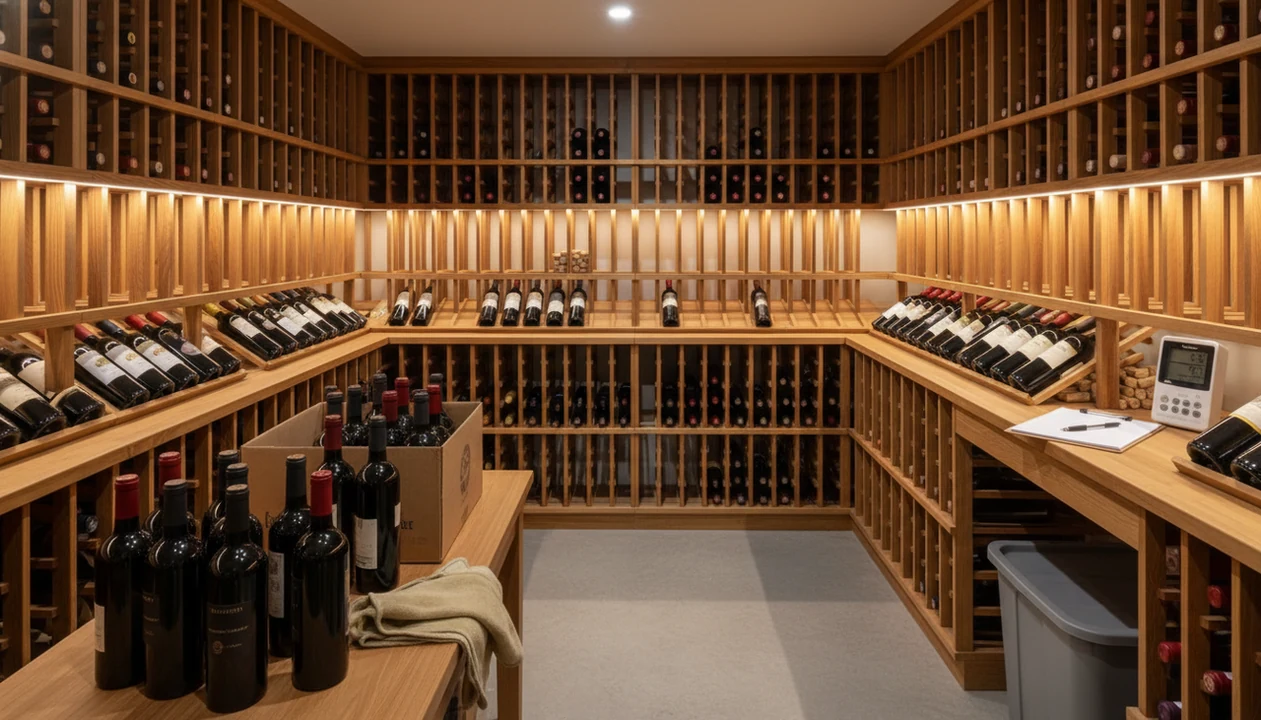
A practical wine cellar setup timeline spans roughly four phases: environment stabilization, physical organization, digital cataloging with an AI wine identifier app, and ongoing maintenance. Rushing any phase risks inaccurate inventory, misplaced bottles, or wines stored in unsafe conditions. Plan each stage with clear time-boxes so your cellar catalog timeline stays on track and your wine inventory plan endures long after setup day.
Definition: A wine cellar setup timeline is a phased schedule that moves a collection from unorganized shelves to a climate-stable, digitally cataloged cellar managed through an app-based wine inventory plan.
TL;DR
- Stabilize temperature, usually 55 to 58°F, and humidity, usually 60 to 70%, before touching a single bottle.
- Physically sort and rack wines by region, style, grape, or drink window before scanning into an app.
- Build a maintenance cadence, quick updates on every add or remove plus a quarterly audit, to keep your digital cellar accurate.
Try the wine cellar setup timeline app on iPhone to scan a label and save the bottle.
Wine Cellar Setup Timeline Phases and App-Based Inventory Scope
A wine cellar setup timeline is a phased schedule that moves a collection from unorganized shelves to a climate-stable, digitally cataloged cellar managed through an app-based wine inventory plan. The four practical phases are environment prep, physical organization, digital cataloging, and ongoing maintenance.
This is not a one-weekend project unless the collection is tiny and the room is already stable. A 40-bottle rack in a closet may take a few evenings. A mixed 300-bottle cellar with loose cases, gift bottles, and older labels can take several weeks.
Early grouping choices shape everything after that. If you sort by region, Burgundy and Oregon Pinot Noir may live far apart. If you sort by drink window, tonight’s bottle is easier to find.
AI label scanning becomes the bridge between the rack and the phone. Still, the first decision is physical: where will each bottle live when the scan is done?
The magnum on the bottom rack always changes the plan.
Cellar Catalog Timeline Requirements Before Bottle Sorting
Before bottle sorting begins, the cellar catalog timeline needs the room, racks, tools, and naming rules in place. Missing one of these turns setup into stop-start work, which is how duplicate Cabernet ends up hiding behind Syrah.
- Insulation: Many cellar design guides use R-19 walls and R-30 ceilings as a rule of thumb for stable storage rooms.
- Cooling or passive stability: The space should be able to hold about 55 to 58°F before serious inventory work starts.
- Monitoring tools: Put a hygrometer and thermometer where you can read them without moving bottles.
- Racking: Install shelves first, or at least confirm delivery dates and measurements before sorting.
- Phone setup: Have a smartphone ready with a wine identifier app installed and camera access enabled.
- Zone convention: Decide names like Wall A, Rack 2, Row 4 before scanning starts.
If you want a deeper phone-first setup, the how to catalog wine cellar with phone guide covers that workflow in more detail.
How a Wine Cellar Setup Timeline Works
A wine cellar setup timeline works because each phase removes a source of error before the next one begins. The sequence protects the bottles first, then gives every bottle a fixed place, then turns that place into a searchable digital record.
Start with stabilization because moving bottles into a warm, dry, or swinging room can damage wine and force a second reshuffle. Once the room holds steady, rack addresses become the control system: Wall A, Rack 2, Row 4 is a physical coordinate, not a vague memory. That address keeps one bottle from being scanned twice under slightly different names.
- Stabilize the cellar environment before you sort, so the storage conditions are safe and the layout will not need to be undone.
- Assign clear rack zones and row names before scanning, so each bottle has one home.
- Scan labels to convert producer, vintage, region, and grape details into searchable app records.
- Verify the scan against the actual bottle, especially when labels are stained, faded, or unusually designed.
- Audit the cellar on a schedule, because drinking, gifting, buying, and moving bottles slowly pull the catalog away from reality.
Phased Wine Inventory Plan Logic for Rack Mapping
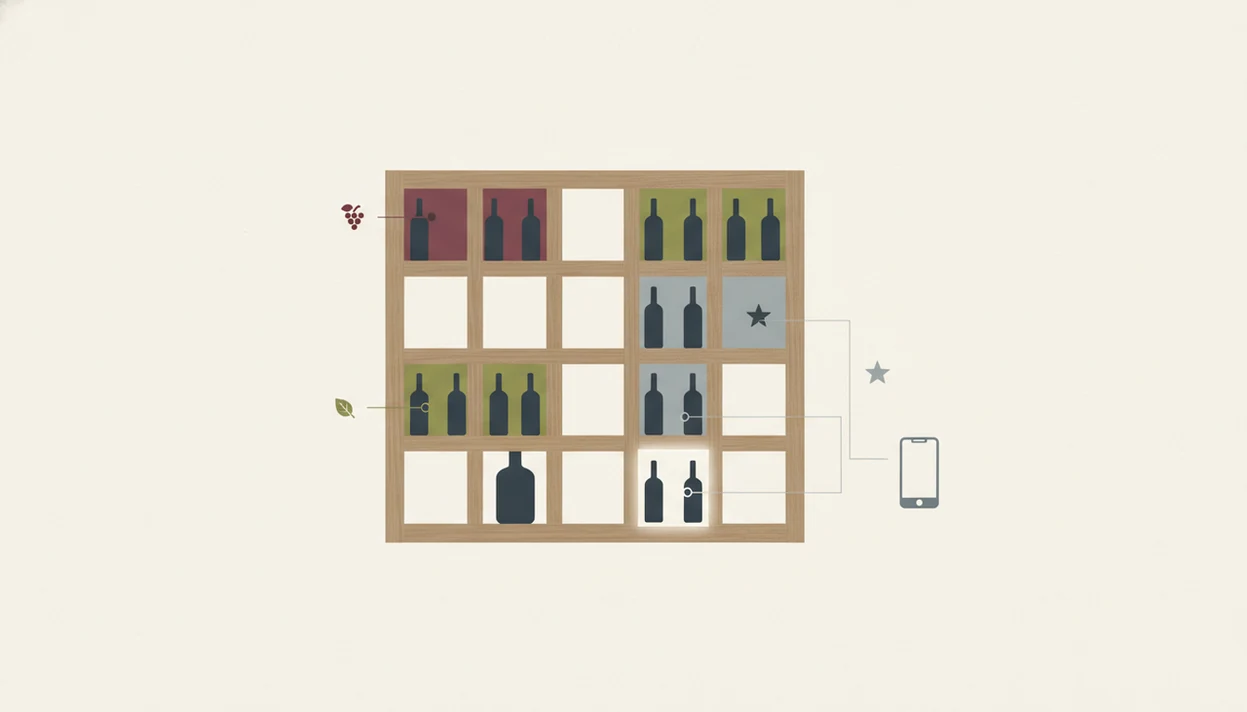
The logic behind a phased wine inventory plan is simple: protect the wine first, place the bottles second, catalog them third, then maintain the record. Temperature swings matter because long sorting sessions often leave doors open and bottles exposed.
How a wine cellar setup timeline works is through sequencing. Environmental control sets the safe boundary. Physical sorting gives each bottle a real address. Digital cataloging records that address. The maintenance layer keeps the app from becoming a pretty but wrong list.
AI label recognition uses image matching and text extraction to identify producers, vintages, grapes, and regions. In plain English, the camera reads the label and compares it with known wine data. That speeds entry, but it does not replace your eyes.
Good AI-powered wine identification and cellar management apps deliver faster label entry, rack mapping, and drink-window reminders, not a guarantee that every stained vintage year or obscure estate will scan correctly.
Check the cream back label too. Tiny importer text can save a mistaken entry.
Step 1 — Temperature and Humidity Stabilization (Days 1–3)
Days 1 to 3 should focus on stabilizing the room, not moving bottles. Aim for 55 to 58°F and 60 to 70% relative humidity before you start pulling cases apart.
Run the cooling unit, or monitor a passive cellar, for at least 48 to 72 hours. Record readings morning and evening. Controlled storage around 55°F slows wine aging, while temperatures above 70°F can speed aging and increase spoilage risk, according to cellar storage research summarized by Heritage Vine source.
Next, check insulation gaps, sunlight, and vibration. A humming freezer against the cellar wall is not harmless if it shakes the same rack all week.
Humidity matters too. The 60 to 70% range is commonly recommended to help preserve corks and reduce label damage. The Wine & Spirit Education Trust also advises storing wine away from heat, light, vibration, and major temperature swings: https://www.wsetglobal.com/knowledge-centre/blog/2022/september/28/how-to-store-wine-at-home/
Foil glare is annoying. Heat damage is worse.
Step 2 — Bottle Sorting and Rack Zone Labels (Days 3–7)
Days 3 to 7 are for physical order: choose a grouping scheme, label rack zones, and place bottles before scanning begins. The main options are region, grape, style, or drink window.
Region works well for collectors who think in Bordeaux, Rioja, Napa, and Barolo. Grape works better if you reach for Pinot Noir, Cabernet, Riesling, or Syrah. Style is useful for weeknight choices: sparkling, white, rosé, red, dessert. Drink window is the practical choice when too many bottles are quietly aging past their useful moment.
Use temporary tags that match your planned app zones. Painter’s tape is fine. “North Wall, Rack 1, Row 3” beats “middle shelf near the old bag.”
Place bottles on their sides, then check corks, capsules, seepage, and stained labels. Separate near-term bottles from long-term aging bottles.
This phase stretches with collection size. Fifty bottles may take an evening. Five hundred can take a week.
Step 3 — AI Label Scanning and Digital Cellar Buildout (Days 7–14)
Days 7 to 14 are the digital buildout phase: scan by rack zone, verify each entry, and connect every app record to a physical location. Batching matters because it prevents loose bottle photos from becoming another camera roll cleanup problem.
Open your wine inventory app and scan the front label in good lighting, then photograph the back label when the vintage, importer, or appellation is clearer there. A barcode half-covered by a thumb is a small mistake, but it can slow the whole batch.
Manually verify vintage, producer, region, and drink window before saving. Older labels, cellar-stained paper, and niche producers often need correction. AI label tools can speed the first pass, but you still decide whether the entry is right.
Map each bottle to its rack, row, and position. Add purchase price and provenance while the receipt or tasting room note is still nearby.
Save it before you forget.
For larger collections, a dedicated cellar tracker workflow helps keep locations and bottle counts from drifting.
Step 4 — Drink Windows, Bottle Values, and Export Backups (Days 14–21)
Days 14 to 21 turn a basic catalog into a usable wine inventory plan. Add drink windows, estimated values, and a backup before calling the first pass finished.
Start with drink-by dates. You can enter them bottle by bottle, or group similar wines by grape, region, vintage, and style. A young Barolo and a supermarket Malbec do not need the same patience. Neither does a weeknight bowl of tomato pasta.
Next, record purchase price or estimated value. This helps with insurance, resale decisions, and the simple question, “Should we open this with pizza boxes on the counter?”
Export a CSV or enable cloud sync as your baseline snapshot. Then compare the app total with the physical count.
For app selection and feature differences, the best wine cellar app guide explains what to check before committing your whole cellar record to one system.
How to Use a Wine Identifier App During the Cellar Setup Timeline
Use this workflow when you want app actions tied to the physical cellar setup instead of scattered notes. The goal is a bottle record you can trust when someone says, “I liked the red one from dinner, but I have no idea what it was.”
- Download Wine Identifier App and create rack zones that match your physical layout.
- Scan each bottle’s label using the AI recognition camera in steady, bright light.
- Review and correct auto-filled details including vintage, producer, grape, and region.
- Assign rack position, drink window, and value to every saved entry.
- Set a recurring quarterly audit reminder so the cellar does not drift out of sync.
- Export or sync a cloud backup after every major update, not only at setup.
For home users, app-based cataloging is often easier than a spreadsheet because label photos, locations, and reminders live beside the bottle record.
That small shortcut matters at 10:40 p.m., when plates are still out.
Cellar Catalog Timeline Mistakes That Delay Setup
The biggest cellar catalog timeline mistakes are doing the digital work too early, trusting scans without checks, and skipping location rules. These errors look small on day one. They become messy once bottles move.
Cataloging before stabilizing temperature and humidity can waste effort. If the room is too warm or too dry, you may need to move everything again. Storing bottles upright or in sunlit spaces also causes trouble, even when the rack labels look tidy.
Assuming AI scanning needs zero manual review is another delay. Restaurant candlelight on cursive script might look charming, but it is not ideal for clean recognition. So scan in better light and check the result.
Skipping zone names creates duplicates. “Rack left” becomes “left rack” becomes “lower left,” and suddenly one bottle has three possible homes.
A one-time inventory is fragile. Without add, remove, and audit habits, accuracy drifts within months.
Wine Inventory Plan Verification Checklist
A wine inventory plan is finished only when the physical cellar and digital catalog match. Use one final verification pass before you treat the setup as complete.
- Confirm the physical bottle count matches the app total.
- Check that every entry has a rack position, vintage, and drink window.
- Export a backup and store it off-device.
- Set a quarterly audit calendar event.
- Pull one random bottle and verify that the app location, vintage, producer, and count match reality.
Make the test mildly inconvenient. Choose a bottle from the back row, not the one sitting near the door.
If you still prefer a manual file, compare it honestly with an app that tracks wine cellar inventory. The deciding factor is usually maintenance, not setup beauty.
For small home cellars, a good enough note beats a tasting exam because it gets updated more often.
Limitations
A wine cellar setup timeline is a planning tool, not a guaranteed calendar. The room, bottles, labels, and owner’s available time all change the pace.
- No standardized research-backed X-day timeline exists for home cellar setup. Practical estimates depend on collection size, construction, and owner availability.
- AI label recognition speeds cataloging, but it is not foolproof. Damaged labels, dim lighting, stained vintage years, and niche producers reduce accuracy.
- Environmental stabilization can take longer in poorly insulated rooms, garages, basements with heat swings, or hot climates.
- A digital wine inventory plan only stays accurate with regular maintenance. Without quick updates and audits, data can drift within months.
- The grouping strategy chosen at setup may not scale if the collection doubles or your taste shifts from Napa Cabernet to Loire Chenin.
- App-based tracking depends on phone access, cloud availability, account access, and software updates.
- Value estimates are useful for insurance notes, but they are not formal appraisals.
A setup can be useful before it is elegant.
FAQ
How long does it take to catalog 100 wine bottles?
With stable racks and an AI scanning app, 100 bottles usually take one long session or two shorter evenings. Add more time if many labels are old, damaged, or missing clear vintages.
Can I skip environment stabilization before cataloging wine?
No, you should stabilize temperature and humidity before major cataloging. Moving bottles through an unsafe room can risk quality and force you to redo the layout.
Does AI wine label scanning work on old or damaged labels?
AI wine label scanning can work on some old labels, but damaged paper, faded ink, and obscure producers often need manual verification. Always check vintage, producer, and region before saving.
How often should I audit my wine cellar inventory?
Audit the full cellar quarterly, and update the app every time you add, move, or remove a bottle. That cadence keeps the digital count close to reality.
What is the best way to group bottles in a wine cellar?
The best grouping method depends on how you choose wine: region for collectors, grape for everyday drinkers, style for fast meal pairing, and drink window for aging control. Pick one primary system and use zones consistently.
Is a wine cellar app better than a spreadsheet for inventory?
A wine cellar app is usually better for label scanning, bottle photos, rack mapping, and drink-window alerts. A spreadsheet can work for small collections if you maintain it carefully.
Do I need a climate-controlled room for a home wine cellar?
You need stable storage, not always active cooling. A passive cellar may work if it holds safe temperature and humidity, but warm or variable rooms usually need climate control.
Can I set drink-window alerts in a wine cellar app?
Yes, Wine Identifier App supports drink-window notifications after you add dates to bottle records. Set the drink window during cataloging, then enable reminders for bottles nearing that range.