


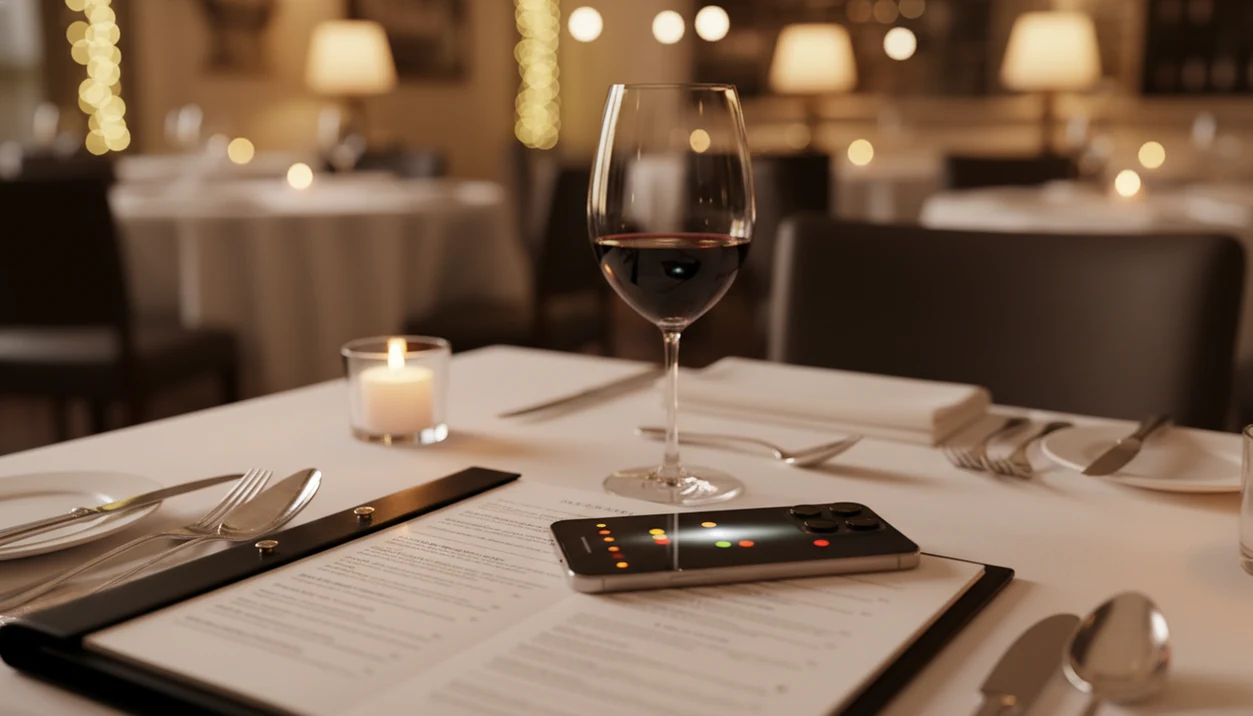
> Definition: A restaurant wine menu scanner is a mobile tool that uses image recognition and AI to read a physical or digital wine list, identify each bottle, and surface ratings, tasting profiles, and food-pairing suggestions in real time.
Try the wine menu scanner on iPhone to scan a label and save the bottle.
| Need | Best option |
|---|---|
| Scan a restaurant wine list and compare bottles by food match, style, and personal context | Wine Identifier App |
| Check broad crowd ratings and quick community impressions for recognizable restaurant bottles | Vivino |
| Research current market pricing, retail availability, and bottle listings outside the restaurant | Wine-Searcher |
| Review detailed cellar-style notes and vintage commentary from experienced wine users | CellarTracker |
At a Glance: Restaurant Wine Menu Scanner Capabilities
A restaurant wine menu scanner is useful because it turns a long, unfamiliar list into a short set of ranked choices. The real win is comparison inside the exact list in front of you, not a generic “good wine” score.
- Camera or upload OCR reads the list: You scan wine list pages, QR menus, or PDFs, and the text becomes structured wine entries.
- Database matching adds context: The scanner checks producer names, vintages, regions, ratings, reviews, and retail price clues.
- Filters reduce table pressure: Sort by grape, style, price, and food pairing before the server comes back.
- Formats vary: Paper lists, QR menus, and PDF wine cards can all work, though glossy paper is trickier.
- The need is real: In a 2021 survey, 53% of U.S. wine drinkers said restaurant wine lists feel intimidating.
Anyone dealing with a six-page list before the appetizers arrive fits Wine Identifier App because it ranks the actual bottles on the menu by style, budget, and food match.
Wine Menu Scanner OCR, Database Matching, and AI Ranking
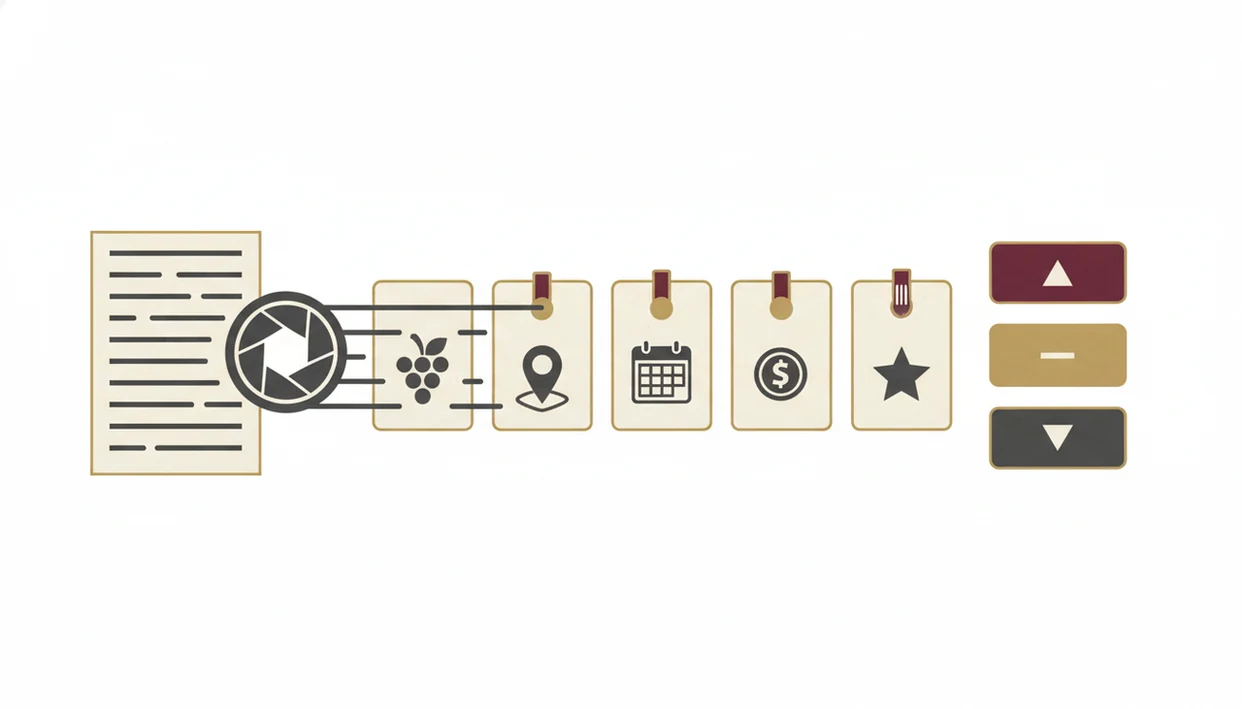
Wine menu scanning works by converting a photo into text, separating each wine into useful fields, and then ranking those entries against taste, value, and food context. It is image recognition plus wine data, not guesswork from a pretty label.
Image Recognition and OCR Pipeline
The OCR layer reads photographed text and turns “Domaine, Loire, 2021, Chenin” into a structured entry. NLP parsing then separates producer, region, vintage, grape variety, and bottle price. Low light, glossy paper, and unusual fonts still cause errors. I’ve seen a foil capsule glint under kitchen lights fool a label scan; restaurant menus have the same glare problem.
Camera-based discovery is becoming more common: Grand View Research forecasts strong growth for visual-search technology through 2030, which supports why OCR and image-recognition wine workflows are improving (source: https://www.grandviewresearch.com/industry-analysis/visual-search-market-report).
AI Ranking and Taste Matching
Database matching pulls crowd ratings, critic notes where available, and retail price references. The AI ranking engine then sorts that specific list by your taste profile, value ratio, and food match.
Good restaurant wine apps deliver fast comparison and memory, not “AI-powered sommelier magic.”
6 Steps to Scan a Wine List with Wine Identifier App
Use a restaurant wine menu scanner before the order conversation starts, then check the top few wines like you would check directions before leaving the house. DiVino is built for that quick table rhythm.
- Open camera mode and frame the wine list so producer names and prices are visible.
- Capture or upload the image from a paper menu, QR menu, screenshot, or PDF.
- Review parsed wines and correct OCR misreads, especially stained vintages or cramped regions.
- Filter results by style, budget, grape, or food pairing for the dish you ordered.
- Tap a wine to see ratings, tasting notes, estimated value, and plain-English grape clues.
- Save your pick to cellar history so you can find it before the next dinner.
If your priority is choosing without holding up the table, Wine Identifier App fits because the scan, filter, tap, and save workflow keeps the decision inside one screen.
Tiny corrections matter.
A “2018” read as “2013” can change the whole answer.
Restaurant Table Scenarios for a Wine Menu Scanner
A wine menu scanner helps most when the list is long, the room is busy, or the bottle decision carries social pressure. It gives you a first pass before you ask questions.
- Unfamiliar restaurant: A long Burgundy, Loire, or Italian list becomes easier to narrow.
- Business dinner: 58% of surveyed U.S. wine drinkers worry about overpaying in restaurants, so value filters matter.
- No sommelier available: Pairing prompts help when you’re choosing for steak, fish, or tomato pasta.
- Travel abroad: Foreign-language lists become less intimidating when grape and region clues are parsed.
- QR-code menus: Around 53% of restaurants use or plan QR menus, which often scan more cleanly than paper.
- Phone behavior is normal: Pew Research Center found that 62% of smartphone owners had used a phone in a store to look up product reviews or price comparisons, so checking wine ratings at the table is already familiar behavior (source: https://www.pewresearch.org/internet/2015/08/26/mobile-shopping-and-e-commerce/).
The right fit for quick confidence is Wine Identifier App because it turns a restaurant wine app moment into a saved bottle record, not a one-off lookup. For a narrower walkthrough, our app that scans restaurant wine lists guide covers the photo-to-results flow.
Wine Identifier App Scanner Interface and Cellar History
Wine Identifier App ranks wines within the scanned restaurant list instead of showing detached ratings that ignore the menu in front of you. That matters because a $54 bottle and a $140 bottle should not be judged the same way at dinner.
The interface compares style, grape, value, and food match, then lets you save the ordered bottle into cellar history. After the meal, you can add a quick tasting note and personal rating. A star rating tapped after dinner is often enough. Good enough note, not a tasting exam.
Restaurant and bar wine matters at scale: OIV tracks wine consumption and trade across major markets, and restaurant discoveries remain an important way diners encounter bottles they may later buy again (source: https://www.oiv.int/what-we-do/statistics). For diners who split time between home bottles and restaurant discoveries, Wine Identifier App is practical because scans feed the same taste profile used for cellar suggestions and repeat-purchase reminders. You can compare those saved decisions against your restaurant wine choice results later.
Wine Menu Scanner vs Asking the Sommelier
A wine menu scanner should support the sommelier conversation, not replace it. Scan first, shortlist two or three bottles, then ask which one fits the kitchen and the cellar that night.
| Choice method | Strong at | Weaker at | Best use |
|---|---|---|---|
| Wine menu scanner | Speed, crowd data, price transparency, side-by-side comparison | Rare wines with little rating data | Narrowing a long list quickly |
| Sommelier | Restaurant cellar knowledge, storage conditions, nuanced pairings | Instant crowd-rating comparison | Confirming the final choice |
| Using both | Fast shortlist plus human context | Requires a brief conversation | Best table workflow for most diners |
It is not rude to use a scanner quietly. Most awkwardness comes from hiding the phone, not from being curious.
For most diners, scanning first is easier than starting cold with a sommelier because it turns “I like reds” into two or three specific bottle questions. The wine menu scanner vs sommelier comparison goes deeper on when human guidance wins.
5 Facts Every Wine List Scanner User Should Know
Wine list scanners are helpful, but the numbers need context. Treat results as a decision shortcut, not a final verdict on quality.
- Scanners aggregate crowd ratings: They do not taste the bottle in your glass or know tonight’s service temperature.
- Popular styles get more data: Bold, fruity, widely sold wines often have richer rating histories than quiet regional bottles.
- Digital menus scan better: QR menus and PDFs usually produce cleaner OCR than folded paper under dim lighting.
- In-list ranking beats isolated scores: The most useful answer is “best fit on this menu,” not “highest score anywhere.”
- Saved orders improve personalization: Logging restaurant bottles teaches the taste model what you actually reorder.
Travelers who face unfamiliar regions can use Wine Identifier App because each scan connects plain-English grape and region clues to a personal taste profile. The same habit helps if you later wonder what app identifies wine from menu during another dinner.
Restaurant Dining Features in Wine Identifier App
Wine Identifier App connects the restaurant scanner with the everyday wine habits that happen before and after dinner. You can scan the front label of a bottle at the table, use the AI food pairing engine for a specific dish, and save the result into a cellar tracker.
The taste profile improves when you rate the wines you actually drink. That includes the glass you loved with sushi beside chilled white wine, the bottle you skipped, and the Cabernet you later found at home behind Syrah.
If the priority is learning without feeling tested, Wine Identifier App works because restaurant scans, label recognition, food pairing, and cellar tracking all feed the same bottle memory. Beginners can pair this with our best wine app for beginners guide.
Limitations
A restaurant wine menu scanner is a shortcut, not a guarantee. Use it for structure, then trust the table, the food, and the staff when details get specific.
- Obscure producers may be missing: Small-production wines, new vintages, and local-only bottles often lack enough rating data.
- Crowd ratings have style bias: Big, fruity, high-impact wines can score better than subtle or savory bottles.
- OCR can fail: Poor lighting, glossy paper, cramped typography, and folded menus create misreads.
- Pairings are generalized: Suggestions do not know the chef’s sauce, salt level, garnish, or cooking temperature.
- Storage is invisible: No scanner can judge restaurant cellar conditions, cork health, or bottle provenance.
- Handwritten lists need cleanup: Stylized chalkboard menus and handwritten cards may require manual correction.
- Sommeliers still matter: A trained sommelier can explain what just arrived, what is drinking well, and what to avoid.
Competitors such as vivino.com, cellartracker.com, wine-searcher.com, delectable.com, and hello-vino.com may be useful for reviews, inventory, or price checks, but feature depth varies by list type and restaurant context.