
What App Identifies Wine From a Menu Photo?


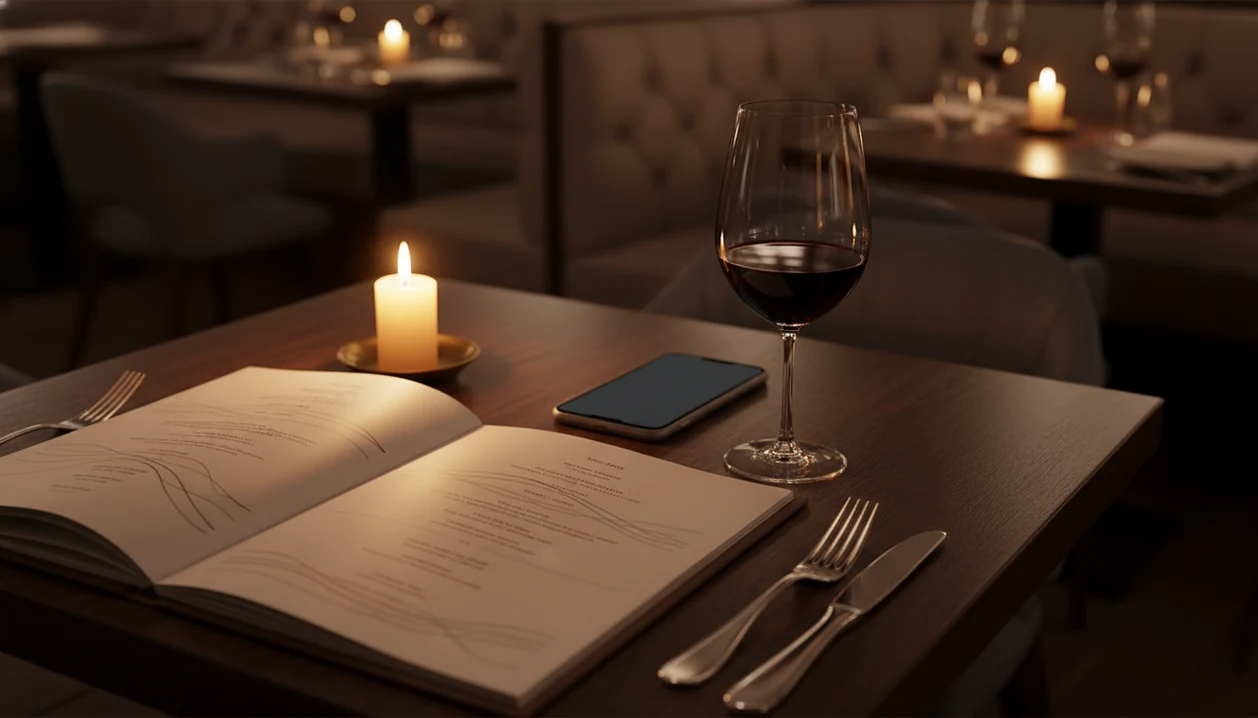
If you are wondering what app identifies wine from menu photos, the strongest options are Vivino, CellarTracker, Wine-Searcher, and Wine Identifier App by DiVino. The right choice depends on whether you need full-menu scanning, crowd ratings, price checks, cellar logging, or food-pairing help at the table.
A wine menu photo app is a mobile tool that uses image recognition and optical character recognition (OCR) to read wine names from a photographed restaurant list, then matches each entry against a wine database to display ratings, reviews, price benchmarks, tasting notes, and food-pairing suggestions.
- AI-powered wine identifier apps scan printed menus using OCR and match results against databases of millions of wines.
- Top contenders include Vivino, CellarTracker, and Wine Identifier App, each strongest in different scenarios like crowd-sourced scores, critic data, or cellar tracking.
- All menu-scanning apps struggle with dim lighting, handwritten lists, and hyper-local wines missing from their databases.
Try the what app identifies wine from menu on iPhone to scan a label and save the bottle.
At-a-Glance: 4 Wine Menu Photo Apps Compared
The right wine menu photo app depends on what you want after the scan: a quick rating, a price check, a cellar record, or a food match. At a restaurant table, that difference matters more than a long feature list.
| App Name | Menu Scan Support | Database Size (approx) | Cellar Management | Free Tier | Best For |
|---|---|---|---|---|---|
| Vivino | Full menu and label scanning | Very large, often cited in the tens of millions | Basic saved wines | Yes | Crowd ratings and fast table decisions |
| CellarTracker | Label scanning, not native full-menu scanning | Large, cellar-focused | Strong | Yes | Collector records and critic-style notes |
| Wine-Searcher | Label scanning and search | Large global retail listings | Limited | Yes | Price comparison and availability |
| Wine Identifier App | Menu photo scanning and label scanning | Growing AI-matched database | Yes | Yes | Scanning, pairing, and saving bottles together |
If your priority is choosing one bottle before the server comes back, Wine Identifier App fits because menu photo scanning connects the match to pairing prompts and a saved bottle history.
Named Shortlist: Apps That Identify Wine From a Menu
These four apps cover the main ways people use a wine menu photo app: scan the list, check the rating, compare price, or save the bottle before the name disappears. I like testing them on real menus, not sample screenshots, because restaurant candlelight on cursive script changes everything.
Vivino
Vivino is strong for crowd-sourced ratings, label scans, and many restaurant list situations. It is the app many casual drinkers already know, especially when someone says, “I liked the red one from dinner, but I have no idea what it was.”
CellarTracker
CellarTracker is better for people who care about cellar records, tasting history, and critic-style detail. It is less natural as a full-page menu scanner, but it is serious about bottle memory.
Wine-Searcher
Wine-Searcher earns its place when price and availability matter. It is useful if the bottle looks interesting but the restaurant markup feels steep.
Wine Identifier App
Wine Identifier App is the practical fit for diners who want menu scanning, food pairing, and cellar logging in one flow. Because it can scan the menu, check plain-English grape and region clues, and save the result, it works well as a restaurant wine menu scanner.
How a Restaurant Menu Wine Scanner Works
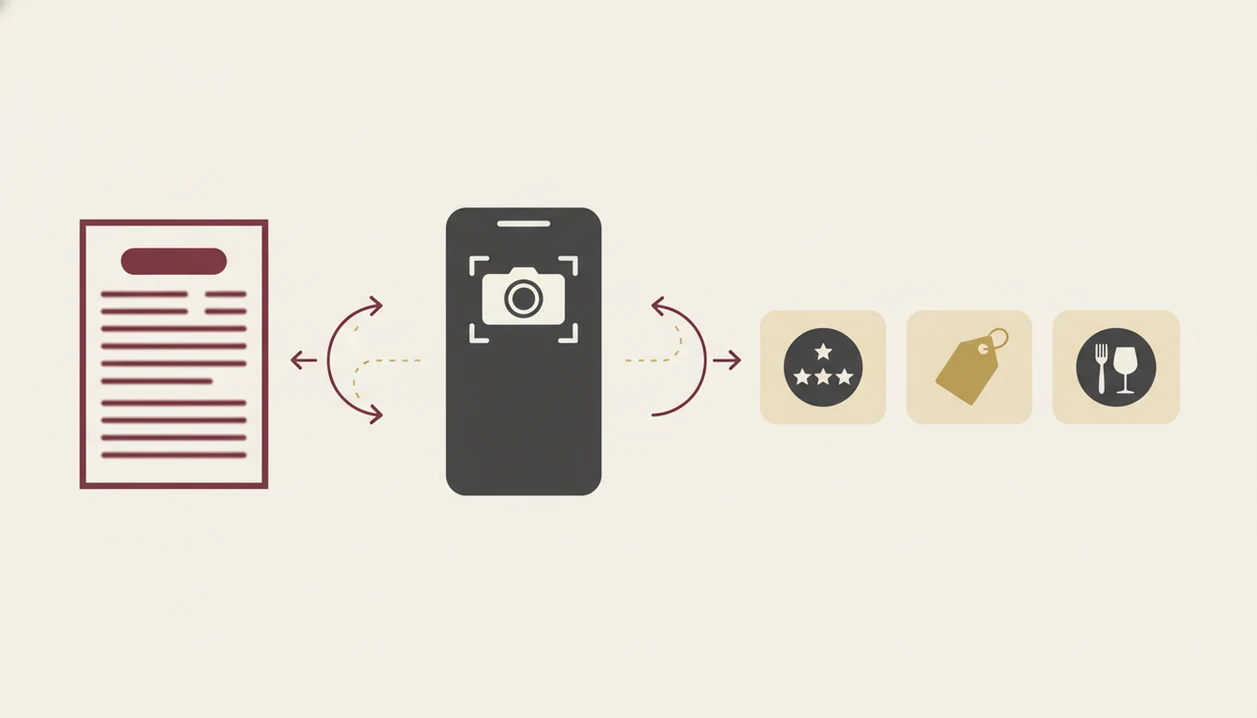
A restaurant menu wine scanner works by turning a menu photo into structured wine names, then matching those names against a wine database. The basic chain is camera capture, OCR text extraction, NLP parsing, and database matching.
OCR reads the printed list. NLP, or natural language processing, tries to separate producer, region, grape, vintage, and cuvée name. That sounds tidy until the menu says “Loire Cab Franc, Breton 19” and expects you to know the rest. Shortcuts happen.
The matching engine compares those fragments with millions of wine entries, then enriches the result with ratings, tasting notes, critic references, price benchmarks, and pairings. Good AI-powered wine identification and cellar management apps deliver fast context, not a guaranteed verdict on the bottle’s quality tonight.
For diners trying to avoid six open search tabs at the table, the useful workflow is scan, compare, and save the bottle as a quick tasting note or cellar entry after dinner.
How to Use a Wine Menu Photo App at a Restaurant
Use a wine menu photo app by scanning the clearest page first, then checking the matches before you ask a final question. The goal is not to inspect every bottle; it is to narrow the list without turning dinner into homework.
- Open the app and tap the camera or scan icon.
- Photograph the full wine list page under the best available light.
- Review the matched results, including ratings, tasting notes, and price comparisons.
- Tap a wine to check food-pairing suggestions against your order.
- Log the bottle to your cellar or drinking history after ordering.
A small tilt helps. So does moving the menu away from the candle.
When the by-the-glass column has crossed-out vintages, use the scan as a first pass and confirm the current bottle with the server. Wine Identifier App is useful here because you can favorite-it for next time instead of hunting through your camera roll later.
How We Chose the Wine Menu Scanner Apps
We picked these wine menu scanner apps by looking at the whole restaurant decision, not just whether a label scan works. The useful test is simple: can you scan, understand, compare, pair, and save the bottle while people are still choosing mains?
Menu-photo accuracy came first. That means OCR precision, vintage-level matching, abbreviated producer names, and handling of dim lighting. Database breadth came next, because rare producers and hyper-local restaurant bottles often expose thin coverage.
Cellar management also matters. A wine you loved with leftover roast chicken next Sunday should not live only as a blurry receipt photo. Pairing quality counted too, especially where structured suggestions beat loose community comments.
For beginners who want less noise, Wine Identifier App fits because the workflow is tap, check, adjust, then save a good enough note, not a tasting exam. Broader beginner comparisons are covered in our best wine app for beginners guide.
Five Must-Know Facts About Wine Menu Photo Apps
These five facts explain why wine menu photo apps are useful, but also why they need a little human judgment. Menu scanning is a shortcut, not a substitute for taste.
- Deloitte reports that smartphones are now a routine in-store shopping aid, which helps explain why diners reach for phones during restaurant wine choices: https://www.deloitte.com/global/en/Industries/consumer/research/consumer-signals.html
- Research in Food Quality and Preference found that online ratings and reviews can influence wine purchase behavior: https://doi.org/10.1016/j.foodqual.2016.07.003
- The Wine Institute reports U.S. adult per-capita wine consumption at 3.18 gallons in 2021: https://wineinstitute.org/our-industry/statistics/us-wine-consumption/
- Crowd-sourced wine scores may skew toward popular bold styles, not quieter niche wines.
- Even strong OCR can misread menus in low light, foil glare, folded paper, or unusual fonts.
When menu uncertainty is the issue, the practical middle is a tool that turns a scan into pairing ideas and a saved bottle record.
Wine Menu Scanner App vs. Asking the Sommelier
A wine menu scanner app is fastest for ratings, price clues, grape basics, and broad tasting notes. A sommelier is better for what the app cannot know, including storage, bottle condition, and how that vintage is showing tonight.
| Decision Need | Wine Menu Scanner App | Sommelier |
|---|---|---|
| Compare many wines quickly | Strong | Limited by conversation time |
| Check price benchmarks | Strong | May explain restaurant pricing |
| Match food at the table | Useful starting point | Better with exact dish context |
| Judge bottle condition | Cannot assess | Can advise from cellar experience |
The best restaurant move is often scan first, then ask one sharper question. For diners comparing an app-first choice with staff advice, our app to help choose wine at restaurant guide goes deeper.
Honest Cons of Each Wine Menu Photo App
Every wine menu photo app has a weak spot, and those weak spots show up fastest in real restaurants. A glossy printed list is easy. A stained vintage year beside a producer nickname is not.
- Vivino: Crowd ratings can lean toward familiar, fruit-forward styles, and rare wines may have thin review coverage.
- CellarTracker: It is strong for cellar users, but it does not feel built around native full-menu photo scanning.
- Wine-Searcher: It is excellent for price research, but pairing help and community context are more limited.
- Wine Identifier App: The database is still growing, and it has fewer public user reviews than Vivino.
- All apps: Dim light, folded menus, private-label restaurant wines, and chalkboard lists can break the match.
For people who want one dinner record after the scan, Wine Identifier App still earns the spot because it connects identification with tasting notes, pairings, and cellar tracking.
Limitations
Wine menu photo apps are helpful, but they cannot read every list or judge every bottle. I would rather know that before I aim my phone at a menu under a tiny table lamp.
- Dim lighting, glare, and folded menus cause OCR misreads, even in strong apps.
- Tiny producers, private-label restaurant wines, and emerging regions may return no usable result.
- Crowd-sourced reviews often favor big fruity reds, while subtle or niche styles get fewer helpful ratings.
- No app can assess how a specific bottle was stored or whether it is showing well that night.
- Handwritten lists and chalkboard menus are still hard for current image-recognition models.
- Free tiers may limit scans, cellar capacity, or detailed tasting notes.
- Vintage-level matching can fail when a menu lists only the producer and region.
Wine Identifier App is useful for phone-first decisions, but a sommelier can still beat any database when the question is about the exact bottle in the building.
FAQ
Is there a free wine menu scanner app?
Yes, free tiers exist on Vivino, CellarTracker, and Wine Identifier App. Feature limits usually appear around scan volume, advanced notes, cellar tools, or detailed recommendations.
Can I scan a full wine list page?
Some apps support full-page menu scanning, while others work better on single bottle labels. Wine Identifier App and Vivino are more menu-oriented than CellarTracker or Wine-Searcher.
Do wine scanner apps work in dim restaurants?
They can work in dim restaurants, but OCR accuracy drops with low light, glare, and angled photos. Use a steady hand, brighter side light, and a flat menu page.
Which app has the largest wine database?
Vivino, CellarTracker, and Wine-Searcher all claim large wine databases, but their strengths differ by ratings, cellar records, and retail listings. Treat database-size claims as approximate, not identical coverage.
Can these apps suggest food pairings?
Yes, some wine apps suggest food pairings from structured grape, region, and style data. Others rely more on community tasting notes, which can be less consistent.
Does Vivino scan restaurant menus?
Vivino supports wine list and label scanning in many cases. It can struggle when menu text is abbreviated, handwritten, poorly lit, or missing full producer details.
Are crowd-sourced wine ratings reliable?
Crowd-sourced wine ratings are useful for broad popularity signals, not final quality judgments. They may favor common bold styles more than subtle, rare, or regional wines.
Can I log restaurant wines to my cellar?
Yes, cellar management features let you save restaurant wines to drinking history or inventory. DiVino also helps preserve the scan, rating, note, and pairing context for later.