
Are Wine Scanner Apps Accurate For Labels, Vintages, and Obscure Bottles?


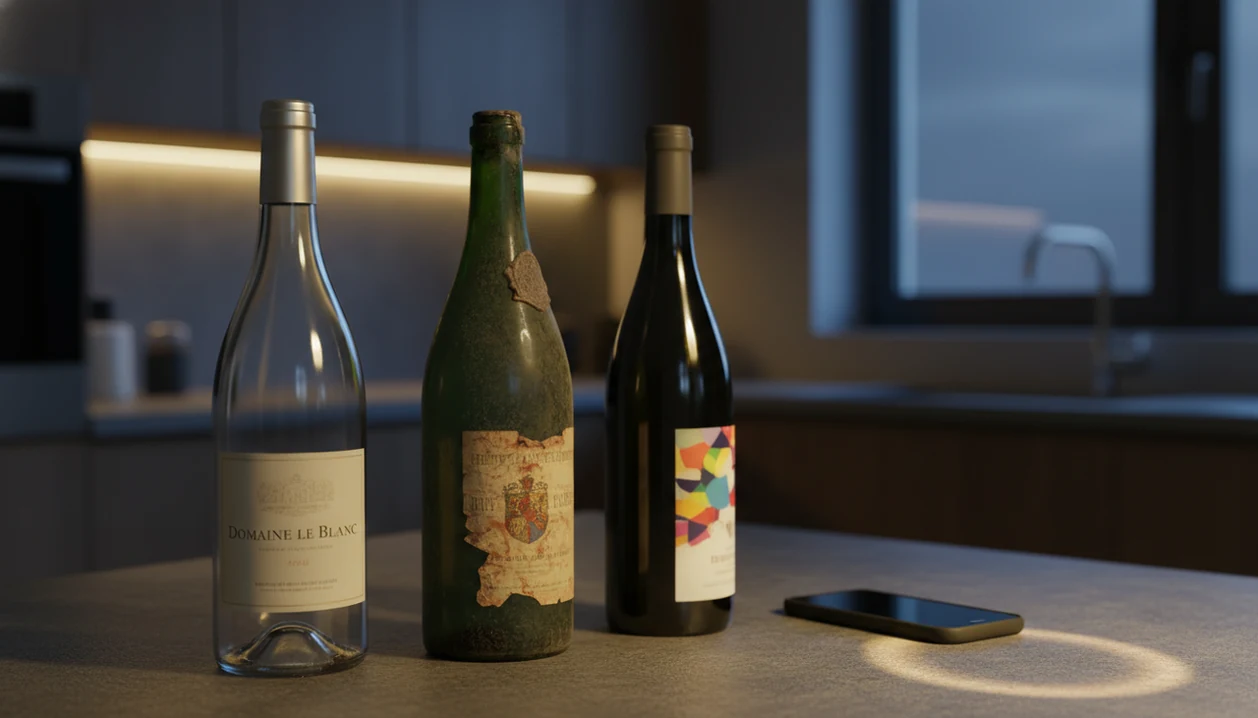
The short answer to “are wine scanner apps accurate” is: usually for mainstream bottles, but not reliably for every vintage, private label, damaged label, or obscure producer. Expect good matches on well-distributed wines, then verify the vintage, producer name, and fine-print details against the physical label before trusting the result.
Scope note: this article covers label-matching accuracy, not wine safety, legal compliance, or bottle authentication. For high-value purchases, suspected counterfeits, or insurance records, treat scanner results as a starting point and verify them with purchase records or a qualified wine professional.
Wine scanner accuracy refers to how reliably label-recognition apps identify the correct producer, wine name, grape variety, and vintage from a single photo of a bottle's label.
- Mainstream, widely distributed wines are identified with high reliability; niche and private-label bottles often fail.
- Vintage misreads are the most common accuracy gap, even correct producer matches can show the wrong year.
- Glare, low light, curved bottles, and non-Latin scripts sharply reduce recognition rates.
- No app has 100% database coverage; manual search and user corrections are essential fallbacks.
- Combining scanning with barcode data and text search yields far more reliable results than image recognition alone.
Try the wine scanner on iPhone to scan a label and save the bottle.
Wine Scanner Accuracy: Producer, Wine Name, Grape, and Vintage
Wine scanner accuracy means matching four separate fields correctly: producer, wine name, grape variety, and vintage. A scan can be partly right, which is why “found the bottle” is not the same as “verified every detail.”
There is no independent public benchmark that ranks wine label recognition accuracy across major apps. Most published claims are either anecdotal, based on user experience, or proprietary. These tools compare your photo with database records, not with a universal registry of every bottle ever made.
That matters when the label says Cabernet Sauvignon, Pinot Grigio, or Syrah. In the U.S., a wine labeled with a single grape variety generally must contain at least 75% of that grape under TTB labeling rules (27 CFR § 4.23: https://www.ecfr.gov/current/title-27/section-4.23), so a grape misread can change the wine’s basic identity. If you’re comparing broader app claims, the related guide on do wine identifier apps work explains the same issue from a more general scanning angle.
Tiny print still wins sometimes.
Wine Scanner Accuracy by Bottle Scenario
Wine scanner accuracy is highest when the bottle is common, the label is clean, and the app has seen similar photos before. It drops fast when the wine is obscure, private-label, damaged, or missing from public databases.
- High accuracy: Well-known producers, clear front labels, bright lighting, and standard label layouts usually produce dependable matches.
- Medium accuracy: Imported labels, script fonts, and older vintages can work if the database already contains matching reference images.
- Low accuracy: Private-label supermarket wines, club-only bottlings, and damaged labels often return weak matches or no result.
- Very low accuracy: Non-Latin scripts, minimalist art labels, and bottles absent from public databases are hard for most scanners.
- Best fallback: Scan first, then use barcode lookup or manual text search when the first match feels off.
I’ve had the phone camera hover over a stained label for twenty seconds, only to get the right producer and the wrong bottling. That is normal scanner behavior, not proof that the wine is unusual.
How Wine Label Recognition Technology Works
Wine label recognition works by capturing an image, extracting visual and text features, then matching those signals against wine database records. OCR reads printed words, while image fingerprinting compares label layout, artwork, color blocks, and logo shapes.
In plain English, the app is guessing from evidence. It is not tasting the wine, checking the cork, or contacting the winery. Database scale matters because the wine world is huge: the OIV estimated global wine production at about 258 million hectoliters in 2022 (https://www.oiv.int/sites/default/files/documents/OIVStateoftheworldVineandWinesectorin2022_2.pdf), and U.S. wine labels are governed by detailed federal labeling rules from the TTB (https://www.ttb.gov/wine/labeling). That is a lot of bottles, label variants, and vintage changes for any scanner database to cover.
Database Coverage and Its Limits
User corrections help. When someone fixes a producer, adds a missing vintage, or confirms a back label, that data can improve future matches. Tools like Wine Identifier App, Vivino, Wine-Searcher, and CellarTracker all depend on some mix of images, text, structured records, and community input.
Vintage remains hardest because it is often tiny, embossed, hidden near the neck, or printed in a different place each year. A good AI-powered wine identification and cellar management app gives you a faster bottle memory and cleaner cellar record, not a courtroom-level authentication verdict.
Five Factors That Reduce Wine Scanner Accuracy
Wine scanner accuracy drops when the photo hides the exact details the app needs. The most common failures come from lighting, label design, database gaps, and physical label damage.
- Glare: Reflections on glass can cover the producer name, vintage year, or sub-label.
- Low light: Dim restaurant tables and angled shots create blur, shadows, and partial text capture.
- Difficult design: Minimalist art labels, script fonts, and non-Latin character sets reduce readable clues.
- Missing records: Private-label wines and club-exclusive bottles may not exist in the app database.
- Label damage: Fading, tears, stains, and wrinkled paper can make one bottle look like another.
Take one straight photo before the bottle is empty. If the first scan fails, rotate the bottle and capture the back label too. A cream back label with tiny importer text often saves the match.
For privacy tradeoffs around saved label photos, wine app photo privacy is worth checking before you upload a full camera roll.
Why Vintage Misreads Are the Biggest Wine Scanner Accuracy Gap
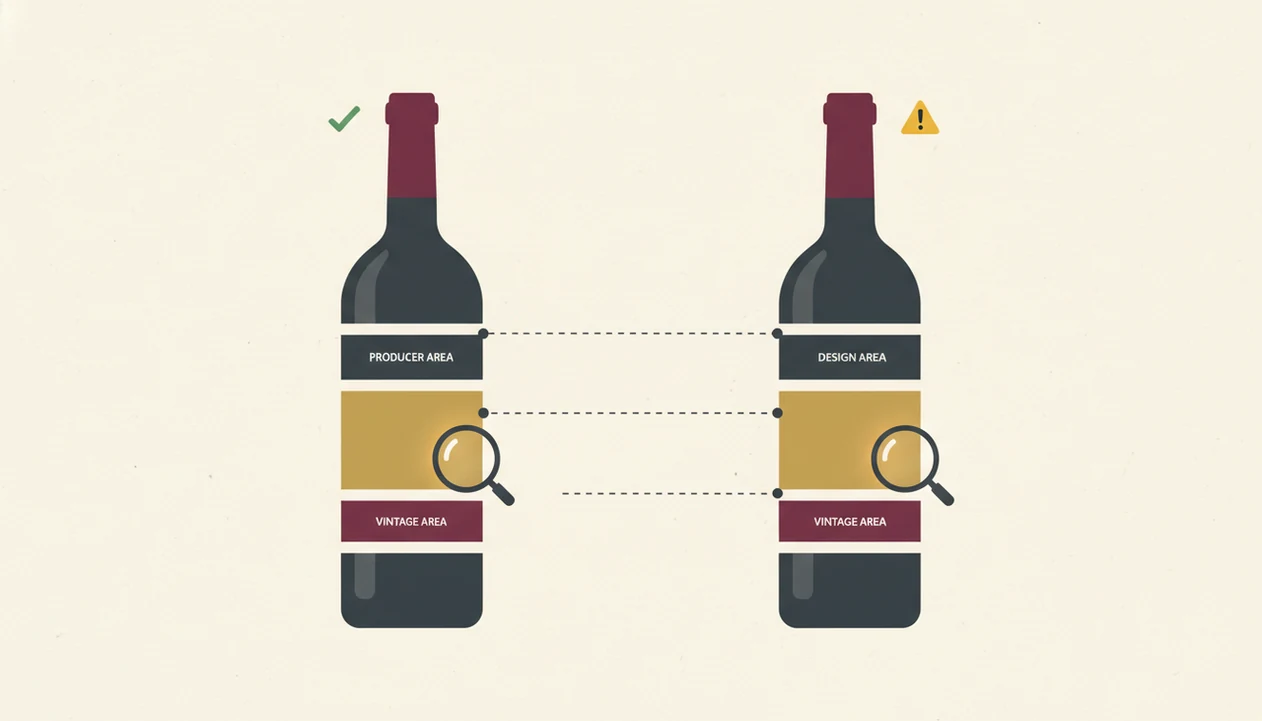
Why did the scanner get the wine right but the year wrong? Vintage text is often the smallest field on the label, and it may be embossed, foil-stamped, or printed far from the producer name.
The same producer and cuvée can keep nearly identical artwork across many years. To a scanner, a 2018 and 2019 bottle may look almost the same unless the vintage text is sharp and visible. To a drinker, that one digit can affect price, maturity, and drinking window.
For vintage-sensitive purchases, manual confirmation is the safest practice because the year controls value and timing more than most other label fields. I check the glass, then the shelf tag, then the app result. Tap, check, adjust.
Common Myths About Wine Scanner App Accuracy
Wine scanner apps are useful, but several myths make people trust them too quickly. The first myth is that a quick photo should be 100% accurate every time. It won’t be, especially with glare, old labels, or unusual producers.
Another myth is that a missing result means the wine is fake or low-quality. Often, it just means the bottle is private-label, local, or not yet represented in the database. A supermarket exclusive can be perfectly drinkable and still nearly invisible to scanner systems.
A third myth is that every app uses the same data. They don’t. Different apps have different image libraries, wine records, search logic, and user communities. Finally, scanning does not replace reading the physical label. If you want a deeper myth list, wine label scanner myths covers the common overclaims.
The bottle still has the final word.
Wine Scanner Accuracy by Data Field
Wine scanner accuracy varies by field: producer and wine name are usually stronger than grape, vintage, ratings, or regulatory detail. Treat the result as a structured first draft, then verify the parts that matter.
Because no public, independent benchmark publishes field-by-field accuracy rates for major wine scanner apps, the reliability levels below should be read as practical guidance, not measured percentages. When price, allergens, provenance, or cellar records matter, verify the physical label and seller documentation.
| Data field | Typical reliability | What to check manually |
|---|---|---|
| Producer | Generally reliable for top-selling wines | Similar producer names or estate sub-brands |
| Wine name | Usually reliable on clear mainstream labels | Cuvée, reserve, vineyard, or special bottling |
| Grape variety | Reliable when clearly printed | Blends, regional names, and translated labels |
| Vintage | Least reliable field | Always compare with the physical bottle |
| Ratings and reviews | Depends on community depth | Niche wines with very few reviews |
| Regulatory details | Not reliable | Allergens, additives, appellation compliance |
Regional labels can be tricky. Burgundy, Chianti, Rioja, and Champagne often emphasize place rather than grape. For obscure bottles, the scan may identify the style family but miss the exact record. If ratings matter to your decision, read are wine app ratings reliable before treating a score as settled.
Limitations
Wine scanners cannot verify everything a buyer, collector, or cautious drinker may need. They are convenience tools, not independent inspection systems.
- Older vintages and limited editions may have zero reference images in any app database.
- Reflections and angled shots can make AI match the wrong vintage, reserve tier, or sub-label.
- Apps cannot reliably interpret allergen warnings, additive disclosures, or appellation rules.
- User ratings for niche wines may be thin, biased, or based on very few reviews.
- No independent, peer-reviewed benchmark exists for wine label recognition accuracy.
- Private-label and supermarket-exclusive wines are structurally absent from many public databases.
- Barcode lookup and manual text search improve reliability, but they add extra steps.
- A scanner identifies a label image; it does not authenticate the bottle, cork, fill level, or provenance.
If authenticity is the concern, the better question is whether can wine app identify counterfeit bottles. For cellar value decisions, scan data should be checked against purchase records and current market listings.
When to Use a Professional Wine Authenticator
Use a professional wine authenticator when the bottle is expensive, headed to auction, needed for insurance, or suspected of being counterfeit. A scanner match can help identify the label, but it should not be treated as proof of authenticity or value.
For serious decisions, the question shifts from “what wine is this?” to “does this bottle’s story hold together?” That means checking provenance, fill level, capsule condition, cork clues, label wear, invoices, cellar records, seller history, and current market listings.
- Escalate high-value bottles, mixed auction lots, inheritance cellars, and insurance schedules to someone who can document findings.
- Compare the app result with receipts, release records, storage notes, and recent listings before accepting the vintage or bottling.
- Inspect the physical bottle details a scanner cannot judge, including capsule seams, ullage, cork branding, glass, and label aging.
- Choose the right professional: ask a sommelier for drinking context, a trusted retailer for retail history, an auction house for sale readiness, or an appraiser for formal valuation.
- Avoid relying on scanner matches when counterfeit risk is already on the table; that is exactly when human verification matters most.
FAQ
Can a wine scanner app identify old vintages?
Sometimes, but old vintages are often misidentified because exact reference images may be missing. Always verify the year on the physical label before saving or buying.
Do wine scanner apps work on private-label wines?
Private-label and store-brand wines are often absent from major app databases. A scanner may fail even when the wine is real and drinkable.
Does glare affect wine label scanning?
Yes, glare can hide the producer name, vintage, barcode, or key design features. Move the bottle away from direct light and rescan straight-on.
Are all wine scanner apps equally accurate?
No, apps use different databases, image-recognition methods, and user correction systems. The same bottle can produce different results across apps.
Can a wine scanner detect fake bottles?
No, a wine scanner identifies label matches; it does not authenticate provenance, cork condition, capsule integrity, or bottle history. Use specialist verification for suspected counterfeits.
Why did the wine scanner app show the wrong vintage?
Vintage years are small, inconsistently placed, and often similar across the same producer’s labels. Confirm the year manually before trusting the scan.
Do wine scanners read non-English labels?
They may read some non-English labels, but non-Latin scripts and uncommon languages reduce recognition accuracy. Manual search by producer or region can help.
Should I trust app ratings after scanning a wine?
Treat ratings as context, not proof of quality. For obscure wines, a few reviews may not represent the bottle well.
How can I improve wine scan accuracy?
Use bright indirect light, hold the phone straight, clean the label area, and capture the front label first. Then verify producer, wine name, grape, and vintage manually before saving in Wine Identifier App or DiVino.