
Wine App Photo Privacy For Labels, Menus, And Cellars


Hidden metadata, account links, and retention rules make wine app photo privacy a real concern for label scans, menu snapshots, and cellar images. A single upload can expose GPS coordinates, timestamps, device details, buying patterns, and the size or location of a private collection, while deletion and AI-training policies vary by provider.
> Definition: Wine app photo privacy is the set of practices, policies, and technical safeguards that govern how wine identification and cellar management apps collect, store, share, and delete the photos users take of wine labels, menus, and bottles, along with all embedded metadata and linked account information.
- Every wine label photo can carry hidden EXIF metadata including GPS coordinates, timestamps, and device details that link your drinking habits to real-world locations.
- Deleting a photo or tasting note inside a wine app does not guarantee it is erased from backups, analytics pipelines, or AI training datasets.
- 81% of U.S. adults are concerned about how companies use collected data source, yet most wine apps provide only high-level privacy descriptions.
Try the wine app photo privacy on iPhone to scan a label and save the bottle.
What Wine App Photo Privacy Covers
Wine app photo privacy covers the image, the hidden metadata inside it, and the account records connected to it. It applies to label scans, restaurant menus, receipt photos, cellar shelf images, and any bottle picture saved inside the app.
A front label may look harmless. The back label crowded with tiny print can reveal an importer, vintage, barcode, or store sticker. EXIF metadata may add GPS location, timestamp, and device model. If you took the photo at home, that can matter.
Privacy also includes linked account data. Email, social login, device ID, purchase history, tasting notes, ratings, and scan history can turn a loose bottle memory into an identifiable profile. Some apps also request geolocation beyond the photo itself, usually for nearby shops, restaurant suggestions, or regional recommendations.
For casual drinkers, the safest assumption is simple: a saved wine photo may be both an image and a location-linked record.
Scope And Disclaimer For Wine Photo Privacy
This page is privacy education for wine app users, not legal advice. It explains common photo-data risks so you can ask better questions before saving a label, menu, receipt, or cellar image.
App practices differ by provider, business model, server location, and the law that applies where you live. One app may strip EXIF data at upload, another may keep it for recognition or support, and another may change its policy after an update. The page covers practical risks tied to wine photos: hidden location metadata, account linking, scan history, AI recognition workflows, backups, deletion uncertainty, and third-party sharing. It cannot confirm a specific provider’s current retention system, private vendor contracts, legal compliance, security posture, or whether a particular upload has been used for model training.
Before uploading sensitive photos, use a quick check:
- Read the current policy for photo storage, metadata, deletion, AI training, and sharing language.
- Review the app permissions for location, camera, and photo-library access on your phone.
- Avoid uploading extras such as receipts, faces, home backgrounds, or full cellar shelves when a label crop will do.
- Ask the provider if the policy is unclear or the photo includes private collection details.
How Wine Label Photo Data Collection Works
Wine label photo data collection usually starts with camera or photo-library permission, then moves through upload, recognition, storage, and profile linking. The privacy risk is not only the picture; it is the photo plus time, place, account, and repeat behavior.
- Wine apps may request camera access, full photo-library access, limited photo access, and location permission.
- EXIF metadata can be stripped before upload, stripped at upload, or retained, depending on the app.
- Server-side OCR reads text from labels, while image recognition systems compare the photo against known bottle records.
- Email, device ID, scan history, and saved notes can link many photos to one persistent user profile.
- Aggregated datasets may be built from individual scans, and mobility research found that four spatio-temporal data points can re-identify 95% of people in a large dataset source.
EXIF Metadata And GPS Extraction
EXIF is the hidden technical data your phone may attach to an image. Think GPS, timestamp, camera model, and orientation. A phone camera over a stained label can capture more than the vintage year.
Server-Side AI Recognition Pipeline
Most recognition happens after upload. The app creates image embeddings, runs OCR, matches the bottle, and may save the result to improve future scans. For recognition basics, the related question is whether can AI identify wine from photo.
Wine App Data Safety Guarantees To Look For
A trustworthy wine app should make specific photo-data commitments, not vague promises about “security.” Look for direct language on metadata, encryption, retention, deletion, third-party sharing, and legal rights.
- EXIF stripping: The app should say whether GPS and device metadata are removed before upload or immediately at upload.
- Encryption: Photos should be encrypted in transit and at rest, with access limited to necessary systems and staff.
- Retention schedule: The policy should state how long label photos, menu captures, and cellar images are stored.
- Real deletion: Account deletion should remove photos and scan history, not only hide them from your view.
- No ad-tech transfer: The provider should say it does not sell or transfer photo data to profiling networks.
Tools like Wine Identifier App should be judged by those same plain checks, alongside Vivino, CellarTracker, Delectable, and other wine tools. Helpful AI-powered wine identification and cellar management apps deliver label recognition, bottle memory, and simple organization, not a blank check to keep private photos forever.
What Wine App Photo Privacy Does Not Cover
Wine app photo privacy does not protect every copy of a wine image. It only governs what the app provider controls, plus the safeguards described in its policies and settings.
If your phone is shared, unlocked, or compromised, someone may see your scans before the app ever uploads them. Insecure iCloud, Google Photos, or device backups can also keep copies outside the wine app. A friend at the table can screenshot the same bottle, tag the restaurant, or catch people in the background.
Privacy policies also have borders. Cross-border data flows can weaken enforcement, especially when servers, support teams, or vendors sit in different jurisdictions. Third-party APIs and cloud providers may have separate practices too.
That part is easy to miss.
A good app policy reduces risk, but it cannot clean up every duplicate in your camera roll.
At-A-Glance: Wine Photo Privacy Risks By Feature
Wine photo privacy risk changes by feature because each feature captures a different kind of life pattern. A one-off scan is different from a five-year cellar record.
| Feature | What the photo may reveal | Main privacy risk |
|---|---|---|
| Label scanning | GPS, timestamp, store sticker, bottle price inference | Links drinking and buying habits to places and dates |
| Menu capture | Restaurant location, menu prices, nearby people | Suggests spending pattern and possible companions |
| Cellar management | Inventory value, consumption frequency, home storage | Exposes collection size and possible home address risk |
| Social sharing | Public profile, friend interactions, venue tags | Spreads your data through other users’ settings |
| Ratings and notes | Taste pattern, purchase intent, repeat bottles | Builds a profile for recommendations or analytics |
Pew found that 81% of U.S. adults are concerned about how companies use collected data source. If you are also checking wine price data accuracy, remember that price lookups can add another inference layer.
Common Myths About Wine Label Photo Privacy
Wine label photo privacy is often underestimated because the subject feels ordinary. It’s just a bottle, until the image is tied to a kitchen counter, an account, a receipt, and a timestamp.
- Myth: Wine label photos are harmless and never personal data. A label photo can become personal data when linked to your account, GPS location, purchase record, or tasting history.
- Myth: Deleting a photo in-app erases it everywhere instantly. Backups, logs, support records, and derived analytics may persist after the visible scan disappears.
- Myth: Only social media leaks location. Wine apps may also collect location through photo metadata, venue features, nearby shop tools, or device permissions.
- Myth: AI recognition means no human ever sees your photos. Developers, moderators, vendors, or training teams may review sample images for debugging or quality checks.
- Myth: Most people do not care about this. Pew found that 81% of U.S. adults are concerned about how companies use collected data source.
“I liked the red one from dinner, but I have no idea what it was” is a real use case. It still deserves careful data handling.
How To Protect Your Wine App Photo Privacy
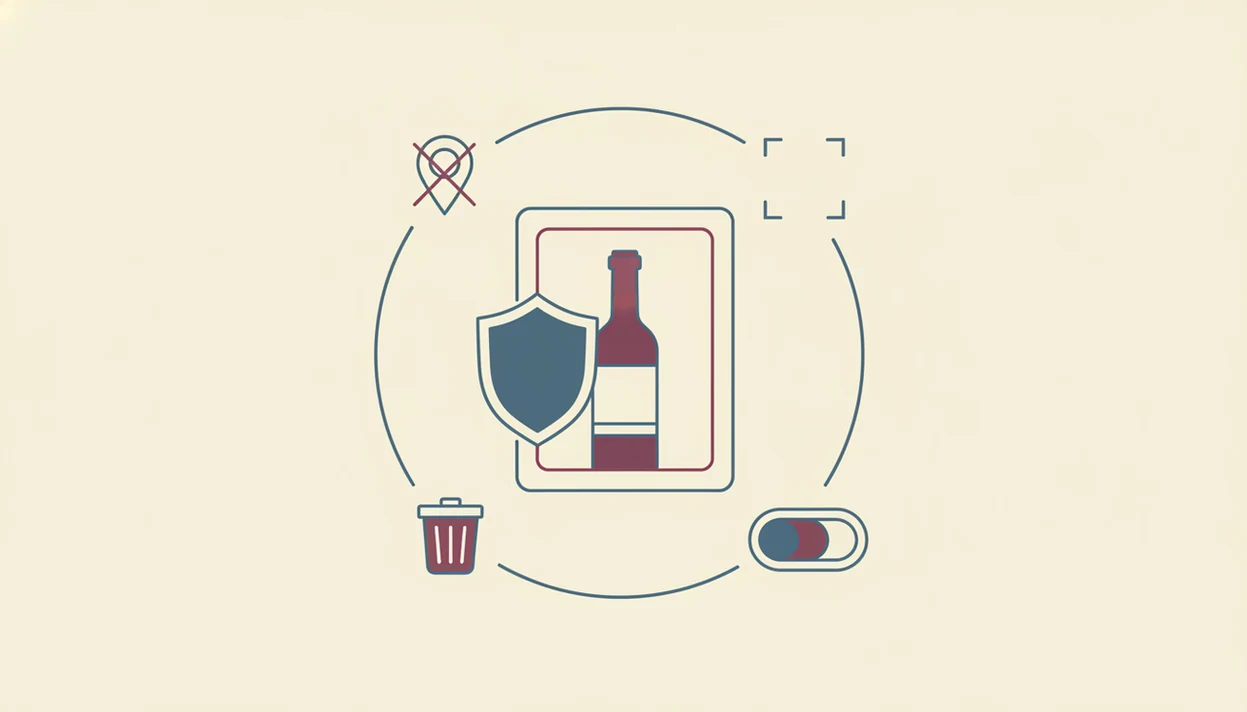
You protect wine app photo privacy by limiting what you upload, reducing location exposure, and using the app’s data-rights tools when needed. The goal is not paranoia; it is a good enough note, not a tasting exam.
1. Review the privacy policy for photo retention, deletion terms, AI training language, and third-party sharing. 2. Limit location access to “while using” or turn it off if you do not need nearby shop or restaurant features. 3. Choose limited photo-library access instead of full access when iOS or Android offers the option. 4. Check EXIF handling by looking for a clear statement that GPS metadata is stripped before or at upload. 5. Use export or deletion tools inside the app if you want a copy of your data or want scans removed. 6. Contact the provider through support or a data protection officer for GDPR or CCPA requests. For legal rights, use the official request paths described by regulators such as the California Privacy Protection Agency for CCPA/CPRA rights and the European Data Protection Board for GDPR rights.
For everyday use, scanning the front label and saving a quick tasting note is often safer than uploading receipts, table shots, and full cellar shelves because fewer background details travel with the bottle record.
Apps such as Wine Identifier App, Vivino, and CellarTracker can be useful, but the setting check still belongs to you.
When To Seek Privacy, Legal, Or Security Help
Seek outside help when the issue is no longer just a settings choice: failed deletion, disputed rights, account compromise, stolen devices, or sensitive home-location exposure. Wine photos can be ordinary notes, but cellar images tied to an address or valuable inventory deserve faster escalation.
- Contact the provider if export, access, correction, or deletion tools fail, stall, or return incomplete records. Use the official support channel or privacy contact, not only an app-store review.
- Document the trail by saving request dates, screenshots, ticket numbers, email replies, and the exact policy language that was live when you uploaded the photo.
- Seek legal advice if a GDPR, CCPA, or CPRA request is rejected, delayed beyond the stated window, or answered in a way that does not match your account history.
- Get security help after a hacked account, suspicious login, lost phone, stolen tablet, or shared-device exposure, especially if cloud photos or password reuse may be involved.
- Escalate location risk when cellar photos show a home address, GPS-linked storage space, alarms, doors, serial numbers, or a collection valuable enough to create theft concern.
Limitations
Wine app data safety has real limits, even when an app uses reasonable safeguards. The biggest issue is verification: users cannot see every server, backup, vendor, or model-training workflow.
- There is no large peer-reviewed research focused only on wine app photo privacy; most risk assessment comes from broader mobile-app and location-data studies.
- Users usually cannot independently verify whether EXIF stripping happens before upload or after storage.
- Full server-side deletion is hard to confirm, especially for backups, logs, and derived analytics.
- App store listings often highlight convenience, ratings, and AI features while giving only generic privacy summaries.
- Strong in-app settings cannot stop exposure from a stolen phone, shared tablet, weak passcode, or insecure cloud backup.
- GDPR and CCPA provide deletion and access rights, but enforcement varies across regions and company structures.
- Aggregated or anonymized datasets may still be re-identified when combined with outside location, purchase, or demographic data.
For cellar users, manual caution matters. A purchase price noted beside vintage may be useful later, but it also says something about collection value.
FAQ
Do wine apps store my location?
Many wine apps can store location through device permissions, photo EXIF metadata, or nearby-shop features. Check both the app settings and your phone’s location permission screen.
Can wine label photos reveal my address?
Yes, cellar photos taken at home may include GPS coordinates in EXIF metadata. If the app keeps that metadata, the photo can point back to your residence.
Does deleting a scan remove all data?
Not always. In-app deletion may remove the visible record while backups, logs, or derived analytics remain for a period of time.
What is EXIF data in wine photos?
EXIF data is hidden image metadata created by your phone. It can include GPS coordinates, timestamp, device model, camera settings, and image orientation.
Do humans review my wine photos?
They might. AI recognition can still involve developer review, moderation, support access, or third-party training samples.
Are wine app photos sold to advertisers?
Some apps may not “sell” photos, but they may still use scan history for recommendations, analytics, or aggregated profiling. Read the policy for sale, sharing, and advertising language.
How do I request my data deletion?
Use the app’s account deletion or privacy request tool first. If needed, contact support or the data protection contact and cite GDPR or CCPA rights where applicable.
Is cellar tracking riskier than label scanning?
Usually, yes. Cellar tracking can build a long-term record of inventory value, drinking frequency, storage location, and repeat purchases.
Which permissions should I restrict?
Restrict location, deny full photo-library access when possible, and allow camera access only when using the app. Wine Identifier App users should check the same phone-level permission controls as DiVino users on any shared device.