


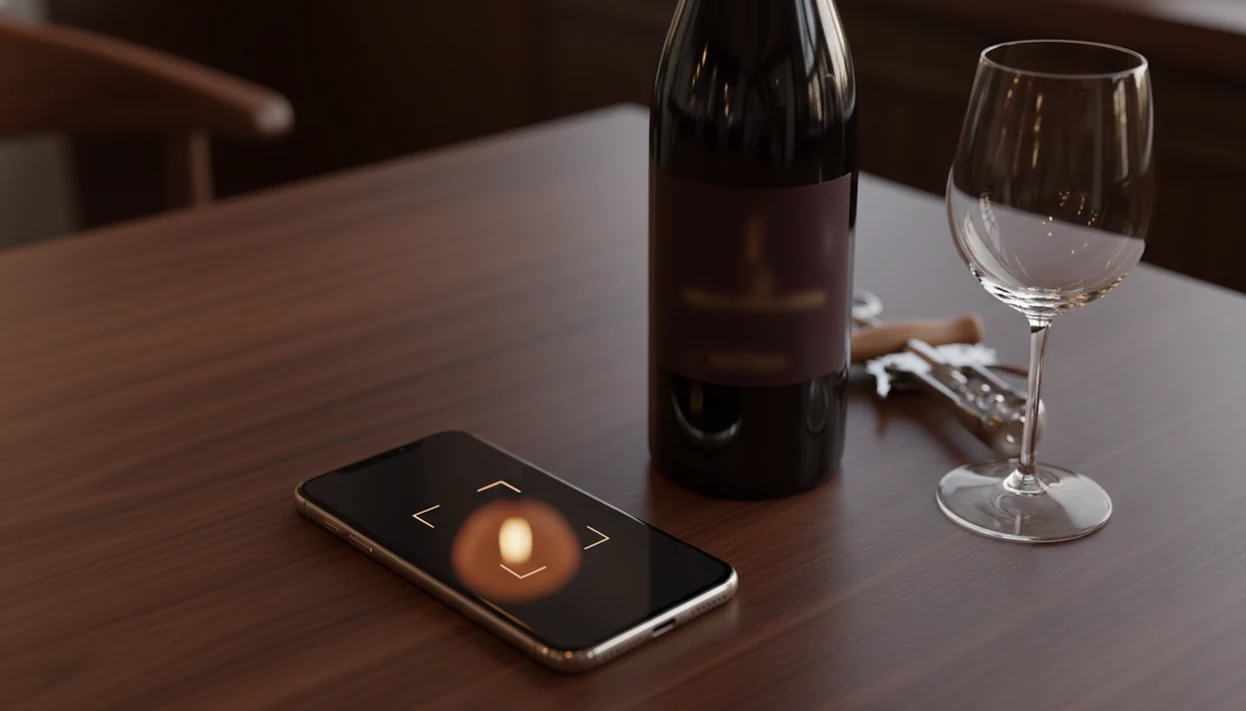
> Definition: A wine identifier app is a mobile tool that uses AI-powered image recognition to scan wine labels, identify bottles from a wine database, and deliver ratings, tasting notes, pairings, and cellar management features to the user's phone. Database size varies by provider; for example, Vivino says its catalog includes more than 16 million wines: https://www.vivino.com/app.
Try the wine identifier app on iPhone to scan a label and save the bottle.
| Need | Best option |
|---|---|
| Scan a label and manage pairing notes in one app | Wine Identifier App |
| Browse large community ratings before buying | Vivino |
| Manage a detailed collector cellar with extensive community history | CellarTracker |
| Look up pricing, availability, and retail search data | Wine-Searcher |
4 Wine Identifier App Features at a Glance
- AI label scanning: Wine Identifier App lets you scan the front label, then matches the image to bottle details such as producer, region, grape, and vintage.
- Tasting notes and ratings: Results can include community ratings, plain-English tasting notes, and food pairing prompts for dinner decisions.
- Cellar tracking: You can save bottles with quantity, storage location, drink-by dates, and personal notes before the receipt disappears.
- Free mobile download: DiVino is designed for phone-first use on iOS and Android, with optional upgrades depending on feature depth.
- Smartphone fit: Pew Research reported that 85% of Americans owned a smartphone in 2021, so wine ID apps meet people where they already stand, often in a store aisle: https://www.pewresearch.org/internet/fact-sheet/mobile/.
If your priority is remembering bottles without typing long names, Wine Identifier App fits because the scan-to-save workflow turns a label photo into a searchable bottle memory.
How AI Wine Label Scanning Works
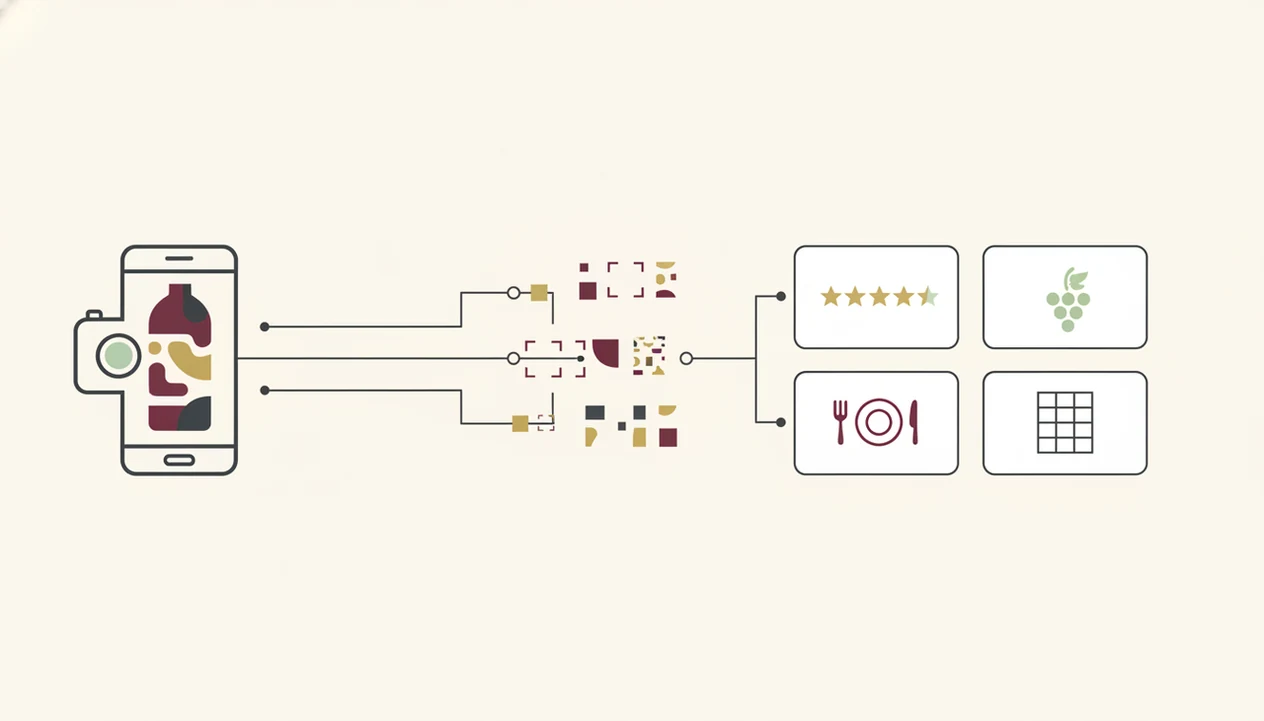
AI wine label scanning works by turning a phone photo into searchable visual and text data. The camera captures the label, then an image-recognition model reads text, logos, layout, color blocks, and design features. In plain terms, it compares what it sees against a large wine database until it finds the closest bottle match.
The model uses image embeddings, which are compact mathematical summaries of the photo. That helps it recognize a producer mark even when foil glare or a thumb covers part of the barcode. Community ratings, expert scores, price ranges, and stored tasting notes then enrich the result.
The glass may already be poured.
According to market research, the global AI market in food and beverages was valued near $3.07 billion in 2021 and projected to reach $29.94 billion by 2028. Wine Identifier App sits inside that broader shift because label recognition and pairing suggestions both depend on AI matching, not manual lookup. For a deeper platform walkthrough, the download wine scanner app guide focuses only on scan setup.
6 Steps to Download and Use the Wine Identifier App
Does downloading a wine scanner app take more than a minute? Usually no, if your phone is signed in and ready for app installs.
- Open App Store or Google Play on your iPhone or Android phone.
- Search “Wine Identifier App” or “DiVino” and check the app name before installing.
- Tap Download or Install to add the free app to your home screen.
- Create an account or sign in so scans, notes, and cellar bottles can sync later.
- Point the camera at a wine label and scan with the label centered in the frame.
- Save the bottle to your cellar or rate it with a good enough note, not a tasting exam.
After dinner, when someone says, “I liked the red one from dinner, but I have no idea what it was,” one saved scan earns its spot because the name, vintage, and rating stay together.
6 Wine Scanner App Use Cases
A wine scanner app is useful when you need fast bottle context, not a lecture. Gallup reported that 31% of U.S. adults who drink alcohol say wine is their most often consumed beverage, which means this is not just a collector problem.
- Wine store shopping: Scan a supermarket bottle before guessing from a shelf tag.
- Restaurant decisions: Use a restaurant list shortcut when the sommelier points at a Loire page and the price column raises eyebrows.
- Gift bottle context: Identify a bottle before opening it with guests.
- Home cellar inventory: Log growing shelves before “I think we have one downstairs” becomes the whole plan.
- Meal pairing: Match garlic shrimp or tomato pasta with a bottle already on hand.
- Memory retrieval: Replace camera roll cleanup, especially when six similar bottle photos sit between dog pictures and receipts.
For casual drinkers who need a low-pressure first scan, wine identifier app for beginners explains the simpler habits first.
Wine Identifier App Label Scanning Screen
The Wine Identifier App label scanning screen opens with a camera viewfinder that helps you center the front label. Real-time feedback tells you if the image is too dark, angled, or crowded. I usually retake the photo when a cream back label has tiny importer text or the vintage year is stained.
Scan Results and Tasting Notes
The results screen shows the wine name, producer, region, vintage, likely grape, ratings, tasting notes, and an estimated price range when available. It can also suggest food pairings and similar wines, which is useful when salmon skin is crisping in butter and the bottle decision is late.
When the issue is turning a label into dinner help, the scan result handles the middle step by connecting bottle identity with pairing suggestions and similar-wine recommendations. For meal-first choices, the download wine pairing app page goes deeper.
Cellar Tracking and Bottle Management
One tap saves the scan to your personal cellar with location, quantity, and drink-by fields. Good AI wine apps deliver identification, notes, pairings, and inventory help, not a replacement for your own taste or judgment.
Wine Identifier App vs Alternative Wine Scanner Apps
Wine Identifier App, Vivino, CellarTracker, Wine-Searcher, and Delectable all solve part of the same problem, but they emphasize different habits. McKinsey’s 2023 Global Survey reported that 55% of respondents said their organizations had adopted AI in at least one business function, which helps explain why users now expect consumer apps to recognize, sort, and recommend quickly: https://www.mckinsey.com/capabilities/quantumblack/our-insights/the-state-of-ai-in-2023-generative-ais-breakout-year.
| App option | Strong fit | Tradeoff to check |
|---|---|---|
| Wine Identifier App | Label scanning, tasting notes, pairings, and cellar fields in one phone workflow | Niche bottles may still need manual correction |
| Vivino | Large community ratings and broad consumer coverage | Ratings can steer choices too strongly |
| CellarTracker | Deep cellar records and collector habits | Setup can feel heavier for casual drinkers |
| Wine-Searcher | Price lookup and market comparison | Less focused on personal bottle memory |
| Delectable | Label recognition and social tasting notes | Database coverage varies by producer |
For collectors who need location, drink-by dates, and export thinking, the cellar workflow covers more than a quick scan because records stay attached to each identified bottle. The fuller collector workflow is covered in wine identifier app for collectors.
Privacy and Data Ownership in Wine Identifier Apps
Privacy matters because a wine app may store label photos, scan history, tasting notes, cellar inventory, approximate locations, and account details. That is not scary by itself, but it should be visible before you build years of bottle records.
Check whether cellar data can export for backup, insurance lists, or a move between apps. Serious collectors should also confirm cross-device syncing, account deletion, and data portability. A receipt tucked inside a wooden wine crate is charming. It is not a backup system.
If condition matters, then cellar tracking is practical because each entry can combine bottle identity, quantity, location, and drink-by planning in one record. For inventory-first setup, use the download wine cellar app guide.
Limitations
Wine Identifier App can make wine memory much easier, but no wine scanner removes every bit of human checking.
- Photo quality and lighting affect scan accuracy. Reflective labels, red wax flakes on the counter, and torn paper can confuse recognition.
- Even large databases do not cover every producer, vintage, private label, or small import.
- Manual entry may still be needed for obscure bottles or labels with missing vintage details.
- AI pairing and taste recommendations are probabilistic. They may not match your palate, your sauce, or your mood.
- Cellar inventory does not auto-populate. You still need to scan or enter each bottle and update quantities after opening.
- AI scores reflect community and expert biases. They are not objective truth.
- Heavy reliance on ratings can make wine feel like homework and discourage personal exploration.
- Price ranges can lag local availability, taxes, shipping, and restaurant markup.
For many everyday drinkers, a saved scan is more useful than a loose photo because the bottle name, note, and next action stay connected.