
Is There an App That Scans Restaurant Wine Lists? Yes — Here's How It Works


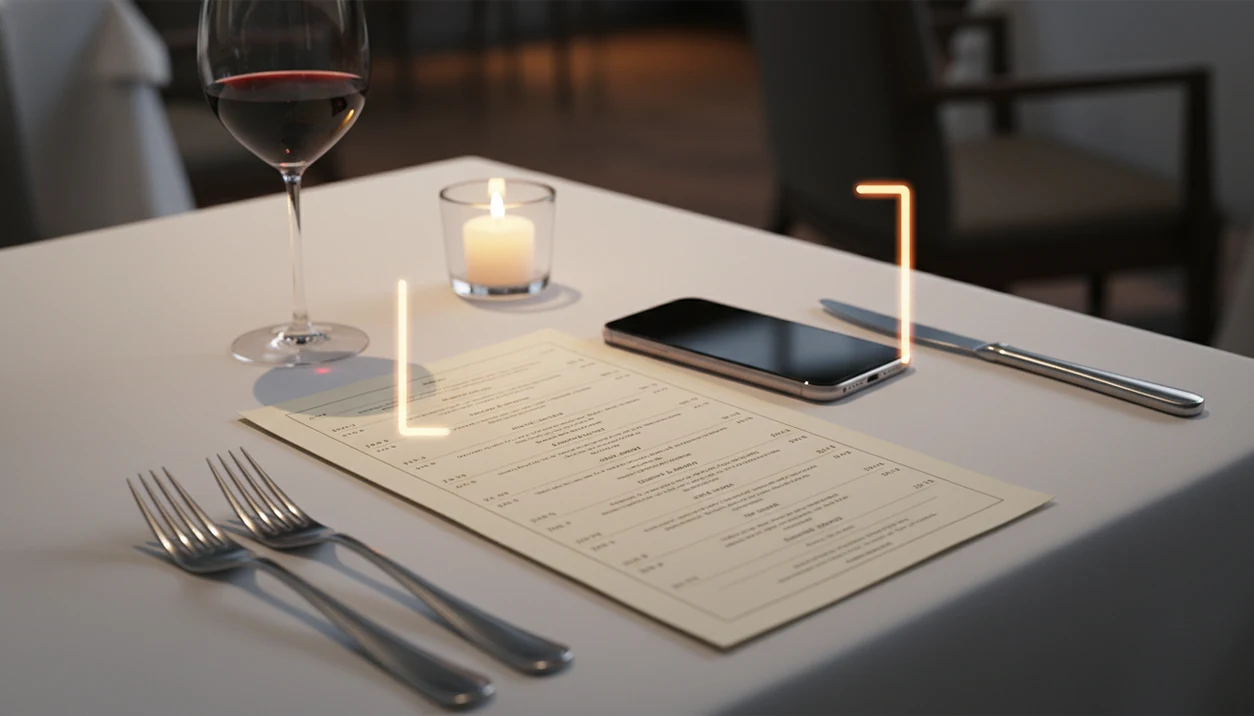
Yes, there is an app that scans restaurant wine lists using your phone's camera, OCR technology, and AI matching to instantly identify wines, surface ratings, compare prices, and suggest food pairings. Wine Identifier App lets you point your camera at any printed wine list, and within seconds each wine is matched against a large database so you can order with confidence instead of guessing.
> Definition: A wine list scanner app is a mobile tool that uses optical character recognition (OCR) and AI to read a printed or digital restaurant wine list, match each wine to a database, and display ratings, tasting notes, price benchmarks, and food pairings on your phone screen.
- Wine list scanner apps use OCR to convert a photo of a restaurant wine list into searchable text, then match each wine to a database for ratings and pairings.
- The same technology that scans wine labels also powers full-page wine list scanning, cellar logging, and personalized recommendations.
- OCR accuracy depends on lighting, font style, and database coverage, so expect occasional misses on obscure producers or stylized menus.
Try the app that scans restaurant wine lists on iPhone to scan a label and save the bottle.
What a Wine List Scanner App Actually Does
A wine list scanner app reads a restaurant wine list with OCR, then uses AI matching to connect each line to likely wines in a database. It turns a flat menu into tappable results with ratings, tasting notes, price benchmarks, grapes, regions, and food pairing ideas.
The main difference from Googling is speed. Instead of typing “Sancerre Domaine Vacheron 2021” under a tiny table lamp, you scan the page once and compare several bottles in one view. That matters when the wine list is folded around the dessert menu and everyone else has already picked salmon or steak.
A 2015 academic study found that expert ratings on restaurant wine lists changed consumer choices and made people more likely to choose higher-rated wines (https://doi.org/10.1016/j.foodqual.2015.03.009). Smartphone ownership also made table-side scanning practical; Pew Research Center reported that 77% of U.S. adults owned a smartphone in 2015 (https://www.pewresearch.org/internet/fact-sheet/mobile/).
For most diners, scanning the full list is faster than searching bottle by bottle because the app keeps the comparison in one place.
At a Glance: 6 Restaurant Wine List Scanner Features Compared
A wine list scanner app is useful only if it can read the menu, identify likely matches, and help you decide what to order. Some apps focus on crowd ratings, while others connect scanning with pairings, notes, and cellar records.
| Feature | What it does | Common in apps like |
|---|---|---|
| OCR scanning | Reads a printed or digital wine list page | Wine list scanner apps, Vivino, Wine Menu Scanner |
| Label scanning | Identifies one bottle from the front label | Wine label scanners, Vivino, Delectable |
| Barcode scanning | Uses the barcode when the label is unclear | Some retail-focused wine apps |
| Food pairing | Matches wines with dishes or ingredients | Pocket Sommelier, pairing-focused tools |
| Cellar logging | Saves bottles, vintages, notes, and locations | Cellar apps, CellarTracker |
| Personalization | Ranks options from your ratings and saved wines | Premium recommendation tools |
Vivino has offered wine list scanning, but free scan limits have tightened. Wine scanner tools are more useful when you want the scan, the quick tasting note, and the future bottle memory in the same phone habit.
How Wine List Scanning Technology Works Behind the Scenes
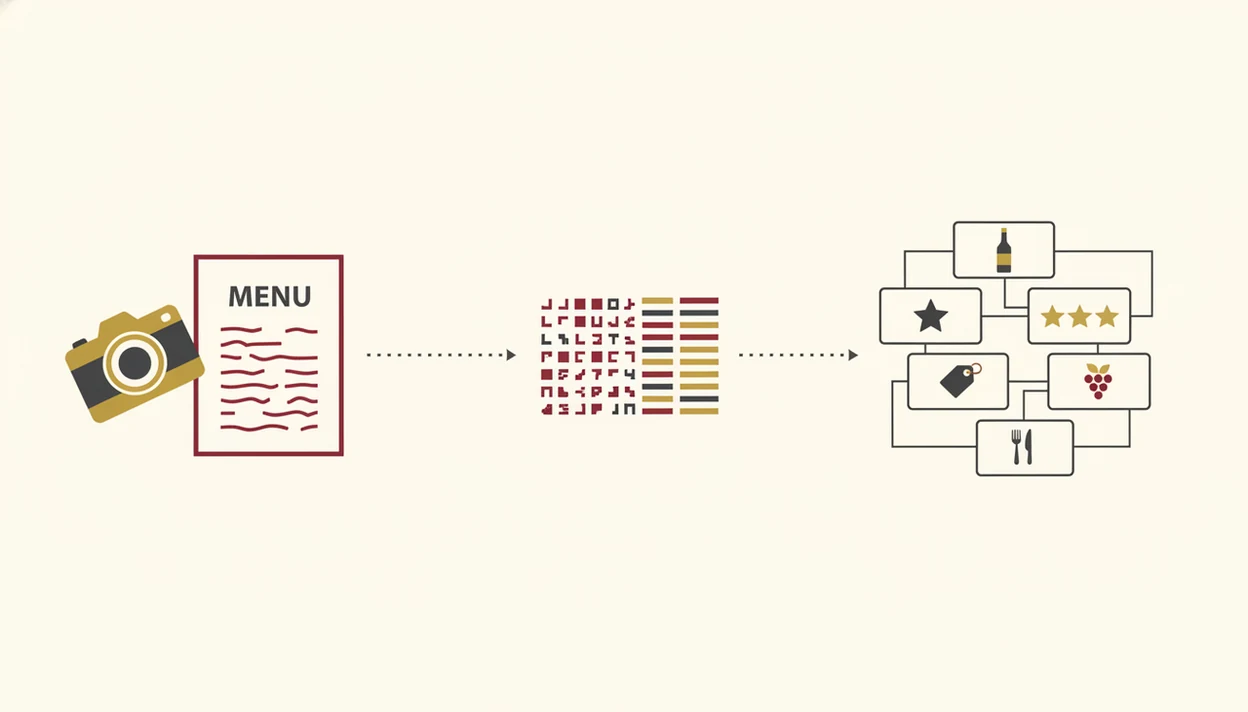
Wine list scanning works by turning a camera image into text, cleaning that text, then matching each wine line against a structured wine database. The important technical terms are OCR and fuzzy matching: OCR reads letters, and fuzzy matching handles messy real-world wine names.
OCR Capture and Text Cleanup
- Camera capture starts the pipeline. The app takes a photo, sharpens edges, corrects tilt, and tries to separate text from paper, glare, or menu shadows.
- OCR converts the image into raw text. It reads lines like producer, cuvée, region, vintage, bottle size, and price.
- Text cleanup removes noise. The app strips odd spacing, currency symbols, line breaks, and restaurant shorthand like “Burg.” or “BTG.”
Fuzzy Matching and Candidate Scoring
- Fuzzy matching compares imperfect text. The app weighs producer, region, grape, appellation, and vintage, even when the menu uses abbreviations.
- Candidate scoring ranks likely bottles. The highest match can show ratings, tasting notes, retail price benchmarks, and pairings.
Some wines never appear. Private labels, brand-new releases, typo-heavy menus, and tiny producers can fall outside the database.
How to Use a Wine List Scanner App at a Restaurant
To scan restaurant wine list pages well, treat the phone like a document scanner, not a quick snapshot. A steady, straight photo gives the app more useful text to match.
- Open the app and select wine list scan mode. Choose the full menu option, not the single bottle label scanner.
- Hold your phone steady over the wine list page in good light. Keep the page flat and shoot straight-on.
- Capture the photo, then retake it if glare or blur appears. Overhead bulbs and glossy covers can confuse OCR.
- Review matched wines and tap individual entries. Check ratings, quick tasting notes, grapes, regions, and food pairings.
- Compare price benchmarks against the restaurant price. A fair restaurant markup can still be worth it, but the benchmark helps.
- Save favorites or log the wine for later. Favorite-it for next time before the server takes the list away.
If OCR misses a wine, scan the front label when the bottle arrives. That backup step often fixes the match.
What You Need Before You Scan a Restaurant Wine List
You need a smartphone with a working camera, either iOS or Android, plus a wine list scanner app that is installed and updated. The update part sounds dull, but old OCR models are the reason some people get strange matches from clean menus.
Good light helps. If the restaurant is dim, angle the list toward the table candle or use your phone flash politely. A glossy menu under glass may need two tries.
Set up your taste profile before dinner if the app supports it. Rate a few wines you already know, save a quick tasting note, and mark styles you avoid. Some apps cache limited data, but most need an internet connection for database matching and price lookup.
Tiny font is the enemy.
Common Myths About Wine List Scanner Apps
Wine list scanner apps are practical tools, not mind readers. They can speed up a table decision, but the scan still depends on menu quality, database coverage, and the details printed on the page.
- Myth: OCR can perfectly read any menu photo. Cursive fonts, dim lighting, folded pages, and glass glare can turn clean wine names into broken text.
- Myth: the app always identifies the exact bottle. Missing vintages, abbreviated producers, and regional shorthand can produce near-matches.
- Myth: AI wine apps replace a sommelier. They complement staff; a person can read budget, mood, service pacing, and the kitchen’s current dishes.
- Myth: these apps only scan labels. Newer tools can scan full restaurant wine lists, then let you tap individual wines.
- Myth: the highest score is always the right order. Crowd scores often favor familiar, ripe, or widely distributed styles.
Good AI-powered wine identification and cellar management apps deliver faster recognition, pairing clues, and saved bottle history, not a guarantee that every diner at the table wants the same glass.
Personalized Wine Recommendations from Scan Data
Personalized recommendations come from the wines you scan, rate, save, reject, and store in your cellar. Over time, the app can rank the restaurant list for your palate instead of showing only the crowd’s average score.
That distinction matters. Crowd scores can lean toward popular brands and bigger styles, while your own history may say you keep choosing Loire Cabernet Franc, dry Riesling, or lighter reds with tomato pasta. The app should learn from that.
Global wine consumption was about 236 million hectoliters in 2022, according to the International Organisation of Vine and Wine, which hints at the scale of styles, grapes, regions, and labels an app must sort through (https://www.oiv.int/sites/default/files/documents/OIVStateoftheworldVineandWinesectorin2022_2.pdf). Personalization narrows that noise.
A restaurant scan becomes more useful when it connects to cellar management because the bottle you almost ordered can become a future shopping note, saved favorite, or reminder for a similar bottle at home.
Common Mistakes When Scanning a Wine List
Most bad scan results come from rushed photos, not bad taste. Slow down for ten seconds before the table starts voting.
The first mistake is shooting at an angle. Hold the phone square to the page, especially when the wine names run in tight columns. The second is ignoring glare from overhead lighting or clear plastic menu covers.
Vintage checks matter too. If the app shows 2018 but the list says 2021, treat the result as a clue, not a confirmed match. Crowd scores can also mislead on obscure or new wines with only a handful of ratings.
When OCR misses a bottle, manually search the producer or region. If you want a broader buying workflow after dinner, the same scan-and-check habit can help when you choose wine at grocery store.
How to Verify Your Wine List Scan Results Are Accurate
Verify a wine list scan before ordering by checking the matched result against the physical menu. The app should reduce guessing, but the final check is still yours.
Use this quick checklist:
- Check the producer name. Small spelling differences can point to a different estate.
- Confirm the vintage. Wrong-vintage matches are common when restaurants abbreviate lists.
- Match the region and grape. A Loire Chenin Blanc and a California Chenin may drink very differently.
- Compare the benchmark price. Retail benchmarks help you judge value, but restaurant service changes the final price.
- Ask the sommelier or server. If the match feels uncertain, ask for the bottle or a quick confirmation.
- Use label scan as backup. When the bottle arrives, scan the front label and save it before you forget.
The most reliable restaurant scan is the one you verify against producer, vintage, region, and the bottle label when available.
Limitations
Wine list scanner apps are helpful, but they are not exact in every restaurant setting. The weak spots are predictable, which makes them easier to manage.
- OCR accuracy drops in bad lighting. Dim dining rooms, colored bulbs, angled shots, glare, and stylized fonts can break the text.
- Databases have gaps. Rare local wineries, new releases, private-label bottles, and restaurant-only cuvées may not match.
- Vintage data is uneven. Ratings, prices, and drinking windows may be missing or attached to the wrong year.
- Pairing suggestions are estimates. They are heuristic or model-based, not validated for your exact dish in controlled sensory trials.
- Crowd scores can bias the list. Popular styles and big brands often collect more ratings than small producers.
- Free tiers may be limited. Vivino’s own help materials describe wine list scan limits for non-paying users, and premium paywalls are becoming common in the category (https://support.vivino.com/).
- Restaurant formatting creates mismatches. Abbreviations, split columns, symbols, and handwritten changes can confuse matching.
For a fuller feature-by-feature view, a restaurant wine menu scanner guide can help separate scan quality from recommendation quality.
FAQ
Is there a free wine list scanner app?
Some wine list scanner apps offer free tiers, but scan limits, premium ratings, or advanced recommendations may be restricted. Vivino has limited free wine list scans, while Wine Identifier App may be a better fit if you want scanning tied to notes and cellar records.
Does wine list scanning work on iPhone?
Yes, wine list scanning works on iPhone when the app supports camera-based OCR and database matching. Wine Identifier App supports phone-first scanning workflows for restaurant lists and labels.
How accurate is wine list OCR?
Wine list OCR is usually strongest on clear, straight, well-lit printed menus. Accuracy drops with cursive fonts, dim rooms, glare, folded pages, and heavy abbreviations.
Can I scan a wine list offline?
Some apps may capture the image offline, but most need internet access to match wines against a database. Offline results are usually limited unless the app has cached data.
Does scanning a wine list save my data?
Many apps save scans, favorites, ratings, or tasting notes if you are logged in. Check the app’s privacy settings if you do not want restaurant menus or wine history stored.
Can a wine app replace a sommelier?
No, a wine app cannot fully replace a sommelier. It can compare bottles quickly, but a human can better read budget, mood, service context, and the restaurant’s current stock.
Can I log scanned wines to my cellar?
Yes, some apps let you save scanned restaurant wines to a cellar, wishlist, or purchase history. Wine Identifier App connects scanning with bottle notes and cellar-style tracking.
What's the difference between label and list scanning?
Label scanning identifies one bottle from its front label or barcode. List scanning reads a full restaurant wine list page and matches several wines at once.