
When To Drink Wine App: Know If You Should Hold, Open, or Wait


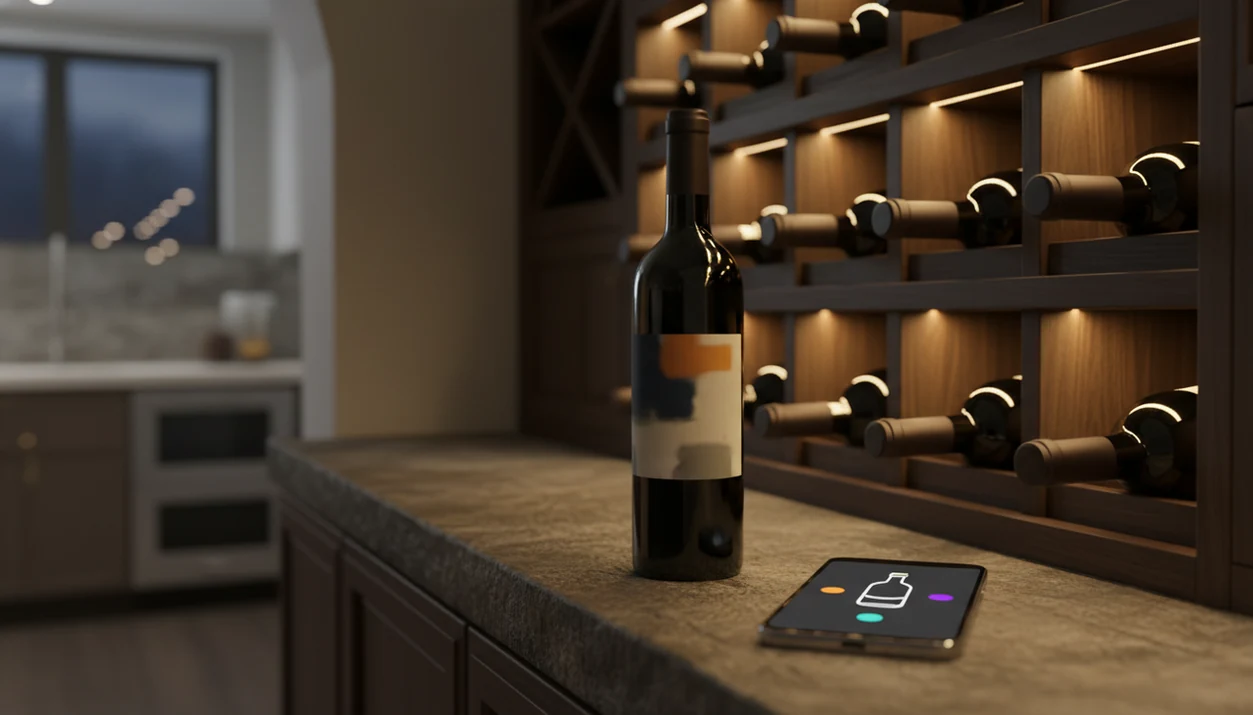
Yes, there is more than one app that tells when to drink wine. These tools scan labels or barcodes, match bottles to wine databases, and show a suggested drinking window so you know whether to open tonight, hold, or act fast before the wine fades.
The most useful versions combine vintage data, region, grape variety, critic recommendations, crowd tasting notes, and your personal cellar conditions to generate a tailored “drink now vs. hold” recommendation.
A ready-to-drink wine app is an AI-powered cellar management tool that estimates a bottle's optimal drinking window by cross-referencing its vintage, region, grape, and storage data against professional and crowd-sourced tasting timelines.
TL;DR
- Modern wine apps scan labels and use large databases to estimate whether a specific bottle is ready to drink, should be held, or is past peak.
- The best predictions combine expert drinking windows, community tasting data, your storage conditions, and your personal flavor preferences.
- No app can guarantee the perfect moment. Bottle variation, storage unknowns, and individual taste still matter.
Try the when to drink wine app on iPhone to scan a label and save the bottle.
What a Ready-to-Drink Wine App Actually Does
A ready-to-drink wine app identifies a bottle, checks its likely aging curve, and turns that data into a simple drinking recommendation: drink now, hold, or past peak. It usually starts with a front-label scan, barcode scan, or manual search.
The app matches the bottle to a large wine database, then checks vintage, producer, grape, region, and style. That matters when six similar bottle photos are buried between dog pictures, receipts, and a blurry restaurant menu in your camera roll.
Most apps in this category are also cellar tools. They track what you own, where each bottle sits, and which bottles should move toward the front of the rack. A recurring consumer problem is decision fatigue: many buyers know the grape or price range they want, but not whether a specific bottle is ready to open.
For casual collectors, a ready-to-drink wine app is often easier than a spreadsheet because it connects bottle identity with timing advice.
Comparable tools approach the problem differently: CellarTracker emphasizes community tasting notes and cellar records, Vivino emphasizes label scanning and marketplace data, and InVintory emphasizes visual cellar organization.
How Drink-Window Prediction Works Behind the Scenes
Drink-window prediction works by comparing your bottle’s identity with known aging patterns, expert windows, community tasting notes, and your own opening history. The app is not guessing from one label photo. It is building a probability range.
Data Sources That Shape Each Drinking Window
- Vintage: The year tells the app how long the wine has been aging.
- Region: Bordeaux, Barolo, Rioja, Napa Cabernet, and Muscadet age on different timelines.
- Grape variety: Tannin, acidity, sugar, and alcohol shape how long a wine holds.
- Producer record: Some producers make wines built for long cellaring; others release bottles for near-term drinking.
- Tasting history: Critic windows and crowd notes help show when real people found the wine fresh, mature, or tired.
According to UC Davis wine storage education material, over 90% of wine is designed to be consumed within 1 to 5 years of release, so “hold for decades” is the exception, not the rule source.
How AI Personalizes Hold-or-Open Advice
The AI layer can learn from your ratings, past openings, and preferred stage of maturity. Image embeddings help match labels, while taste signals help adjust advice. Plainly: the app learns whether you like bright fruit or softer aged flavors.
Good AI-powered wine identification and cellar management apps deliver scan, save, cellar, and drink-window guidance, not a mystical guarantee that every bottle will taste exactly right tonight.
Six Data Inputs That Make an Open-Tonight Wine App Accurate
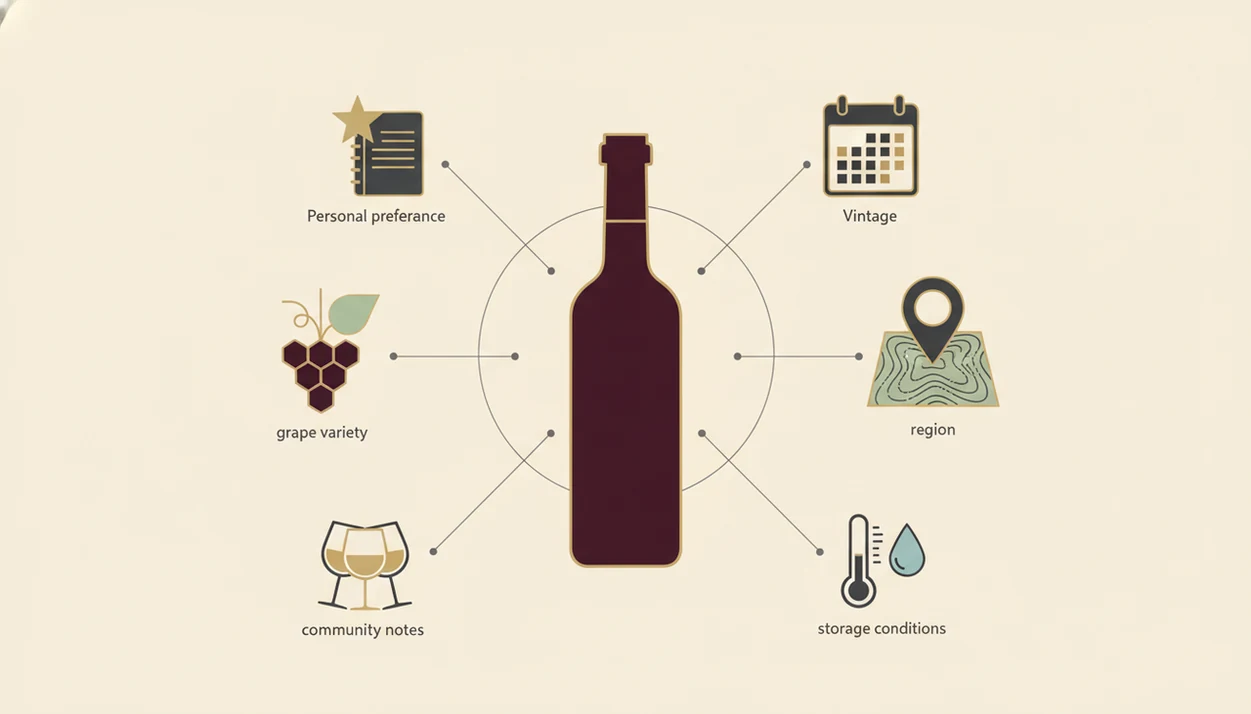
A ready to drink wine app becomes more accurate when it knows the bottle and the cellar, not just the label. The bottle’s identity gives the baseline. Your storage history adjusts the risk.
Vintage, Region, and Grape Data
- Vintage year and release date: A 2018 Crianza and a 2018 Brunello may be in very different stages.
- Region and appellation: Climate, rules, and local style affect aging. If the label wording is confusing, the wine regions and appellations guide helps decode it.
- Grape variety and blend: Cabernet Sauvignon, Riesling, Pinot Noir, and Grenache do not age the same way. A simple wine grape varieties guide can make the app’s advice easier to read.
- Wine style: Tannic red, light white, sparkling, dessert, and fortified wines follow different curves.
Storage Conditions and Cellar Tracking
- Storage conditions: Temperature, humidity, light, and bottle orientation can shorten or extend the safe window.
- Personal taste profile: Some drinkers like blackberry fruit above a swirling glass; others like leather, dried herbs, and softer tannins.
Cellar-specific data is often the missing piece. A bottle kept in a warm hallway closet may not follow the same window as one stored at cellar temperature.
How to Use a Wine App to Decide What to Drink Tonight
To use an open tonight wine app, scan your bottles, confirm the details, then filter for wines marked ready or drink soon. The process should take minutes, not a full cellar audit.
- Scan the label or barcode to add the bottle to your cellar record.
- Confirm the vintage, producer, and storage location before trusting the drinking window.
- Review the suggested window and notice whether the app says drink now, hold, or past peak.
- Filter your cellar by “ready to drink” or “drink soon” when choosing dinner wine.
- Rate the bottle after opening so future recommendations learn from your taste.
A Wine Australia digital lifestyles report found that 36% of regular wine drinkers in six countries use wine- or drinks-related apps at least now and then for information or buying decisions source.
Dinner moves fast.
At 10:40 p.m., with plates still out on the kitchen counter, saving the bottle before you forget is the habit that makes tomorrow’s cellar advice better.
Before You Start: Requirements for Reliable Drink-Window Results
Reliable drink-window results need a clear bottle record and honest storage details. If the app only knows “red wine, maybe 2016,” its answer will be weak.
You need a smartphone with a working camera, enough light to scan the front label, and the vintage and producer at minimum. A cream back label with tiny importer text may also help when the front label is vague.
Storage history matters. Many apps assume ideal cellaring unless you tell them the bottle lived above the fridge for two summers. That assumption can push a wine into the wrong timing bucket.
Many wine buyers are unsure when to drink bottles they purchase, especially when the label gives little guidance beyond vintage, region, and producer. That uncertainty is normal. The fix is not a tasting exam; it is better bottle data plus a quick tasting note after opening.
Common Mistakes When Relying on a Wine Drinking-Window App
Wine drinking-window apps are useful, but they work best when treated as guides, not fortune tellers. A broad window is a range for judgment.
- Mistake 1: Treating the window as one exact day. “2024 to 2028” does not mean there is one secret Tuesday.
- Mistake 2: Assuming every bottle has enough data. Private-label wines, rare growers, and old vintages may return thinner advice.
- Mistake 3: Ignoring your own taste. Ready to drink can mean mature, earthy, and soft, which not everyone wants.
- Mistake 4: Expecting fault detection. No app can see cork taint, heat damage, seepage, or oxidation inside the bottle.
- Mistake 5: Forgetting storage updates. Move a case from a cool basement to a sunny apartment shelf, and the old window may no longer fit.
I’ve seen a back label crowded with tiny print scan correctly, then fail on the vintage because a thumb covered half the year. Tap, check, adjust.
How to Verify a Wine App's Drink-Now Recommendation
Verify a drink-now recommendation by checking at least one second source and comparing the app’s assumptions with your real bottle history. The fastest cross-check is a critic note, a CellarTracker community window, or a drinking window calculator that asks for the same core details.
Next, check storage. If the bottle came from a friend’s warm kitchen shelf, do not treat it like a professionally stored cellar bottle. A cardboard case lifted from a closet floor tells you something.
If you own multiples, open one bottle now and another later. Save both notes. Over time, your own records become more useful than any generic range.
For people who buy in twos or threes, staggered opening is often better than waiting for one supposedly ideal date because it teaches your actual preference.
Evidence Behind Drink-Window Recommendations
Drink-window advice is strongest when it blends three kinds of evidence: expert windows, real drinker notes, and storage science. It is weaker when the bottle is obscure, old, privately labeled, or missing a clear storage trail.
- Start with expert windows for the baseline aging curve. Critics and regional references usually know whether a producer’s Cabernet, Rioja, Riesling, or Champagne is built for early drinking or long cellaring.
- Compare crowd notes for signs from actual openings. Recent comments can show whether drinkers are still finding fruit, structure, and freshness, or whether bottles are fading.
- Adjust for storage because temperature changes the odds. UC Davis wine storage guidance treats cool, stable conditions as the safer assumption; warm shelves, sunlight, and heat spikes can shorten the useful window.
- Weigh consumer behavior realistically. Wine Australia’s app-usage reporting shows that many regular drinkers already use wine apps for information or buying decisions, but app use does not make every cellar record complete.
- Flag thin evidence when data is sparse. Wine Identifier App can use saved user notes and opening feedback to tune future guidance, but it should still present a recommendation as informed advice, not certainty.
Limitations
Drink-window apps are helpful, but they cannot remove uncertainty from wine aging. The model is only as good as the bottle data, storage history, and tasting evidence behind it.
- Missing vintage or producer data can make the recommendation unreliable.
- AI trained mostly on popular regions and recent vintages may struggle with rare, old, or natural wines.
- Apps that ignore actual storage conditions assume ideal cellaring, so warm-stored bottles may already be past peak.
- Personal preference is hard to encode. You may dislike mature flavors even when the wine is technically ready.
- No app can physically inspect for cork taint, seepage, heat damage, or oxidation.
- Less-common producers and private-label wines often lack enough public tasting history for confident windows.
- Crowd notes can be noisy because users open bottles under different storage, food, and serving conditions.
Tools like Wine Identifier App can help you scan the front label, save notes, and manage drink windows, but you still need to smell and taste the wine in the glass.
FAQ
Is there a free wine drinking-window app?
Yes, some platforms such as CellarTracker offer free access or free community features. Advanced cellar tools, scanning, or personalization may require a paid tier.
Do wine apps work on iPhone and Android?
Most major ready-to-drink wine apps support both iOS and Android. Availability can vary by country and feature set.
How accurate are drink-now predictions?
Drink-now predictions are broad windows, not exact dates. Accuracy depends on vintage data, producer match, storage history, and tasting-note depth.
Can an app track a small cellar?
Yes, cellar apps can work for a few bottles, a kitchen rack, or a large collection. A small cellar often benefits because decisions happen more often.
Do wine apps cover older vintages?
Some apps cover older vintages, especially from well-known producers and regions. Rare bottles may have limited data and less reliable windows.
Does the app work for white wine too?
Yes, wine drinking-window apps can cover white, rosé, sparkling, dessert, and red wines. The aging model should adjust by style and grape.
Can I scan wine labels offline?
Most apps need internet access for database lookup after a scan. Some may cache saved cellar records for limited offline viewing.
How does the app learn my taste?
The app learns from ratings, opening dates, saved notes, and repeat behavior. In Wine Identifier App, saving a quick tasting note after dinner helps DiVino tune future drink-or-hold suggestions.