
How To Catalog Wine Cellar With Phone Photos and Label Scans


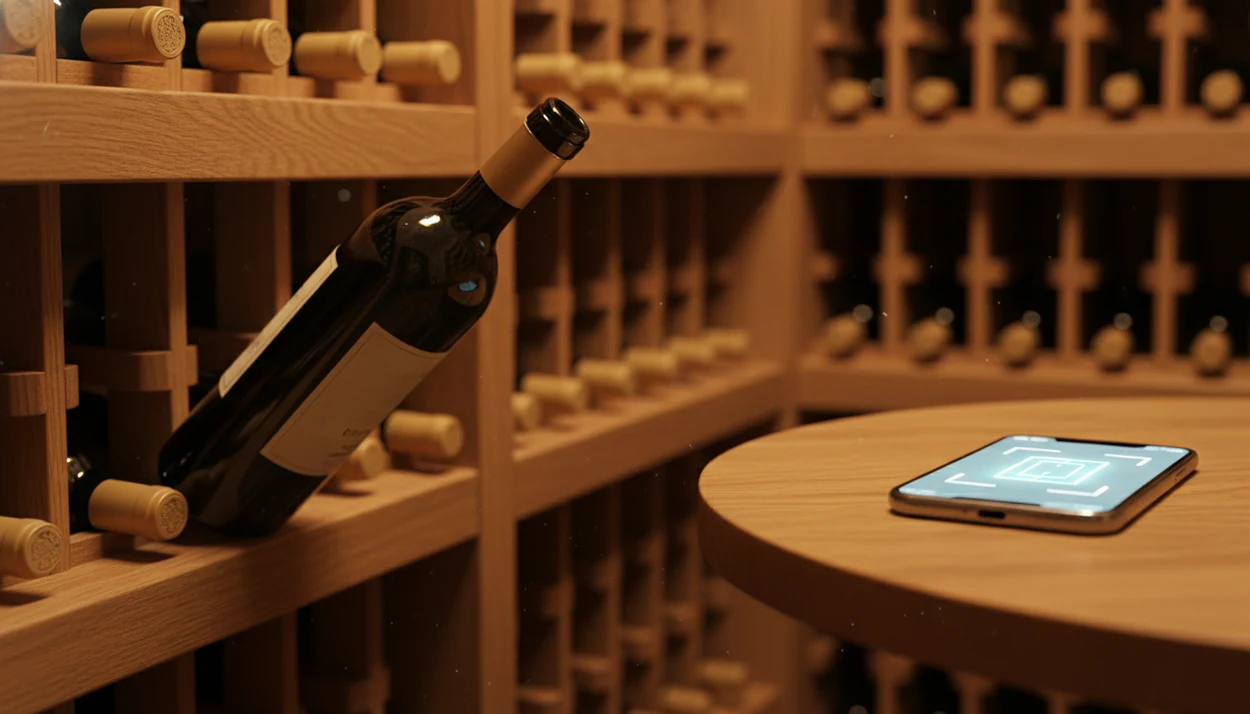
If you're wondering how to catalog wine cellar with phone, use a dedicated label-scanning cellar app that scans labels, auto-fills bottle details, and lets you assign rack locations. The key workflow is: photograph the label, confirm AI-identified fields, tag the physical storage slot, and update the inventory every time you buy, drink, or move a bottle.
> Definition: Phone wine cellar cataloging is the process of using a smartphone app with AI label recognition to photograph wine bottles, auto-populate structured data fields, and build a searchable digital inventory mapped to your physical storage layout.
- Snap each label with a label-scanning cellar app, AI fills in producer, vintage, region, and varietal automatically.
- Assign every bottle a consistent location code, such as Rack B, Row 2, Slot 7, so digital search matches your real shelves.
- Update the inventory every time you buy, drink, or move a bottle, because a static catalog becomes useless within weeks.
Try the how to catalog wine cellar with phone app on iPhone to scan a label and save the bottle.
What Phone Wine Inventory Means for Cellar Owners
Phone wine inventory means turning bottles into structured records, not just taking pictures of labels. A real inventory lets you search by producer, vintage, grape, region, price, quantity, drink window, and storage location.
Camera-roll photos feel useful until you need the bottle again. Then you’re swiping past dog pictures, receipts, and a blurry restaurant menu, trying to find six similar bottle shots from last winter. That is not a catalog. It’s a pile.
The difference is structure. A phone wine inventory stores each bottle in fields the app can filter and sort. Random snapshots cannot tell you which Pinot Noir is in Rack C or which 2018 bottle is ready now.
Smartphone ownership also makes this practical: 85% of U.S. adults owned a smartphone in 2021, according to Pew Research Center's mobile fact sheet (https://www.pewresearch.org/internet/fact-sheet/mobile/), so most home collectors already have the main tool in their pocket.
How Phone Wine Cellar Cataloging Works
Phone wine cellar cataloging works by turning each bottle into a searchable record tied to a real shelf position. The basic loop is scan, identify, structure, locate, update, and verify.
First, the phone captures the label photo. OCR, or optical character recognition, reads printed text such as producer, vintage, region, and grape, while image matching compares the label design against known bottles. The app then converts that guess into fields you can filter: name, year, appellation, quantity, purchase details, notes, and drink window. Bottle counts matter here because one record can represent a single bottle, three remaining bottles, or a full case.
The location code connects the digital record to the physical cellar. If the app says “Rack B, Row 2, Slot 7,” that exact code should appear on the shelf or map, so search results lead to wood, metal, cardboard, and dust instead of guesswork. Cloud sync, spreadsheet exports, and manual correction keep the system reliable when phones change, labels scan badly, or someone moves a bottle. The phone improves retrieval and recordkeeping, but it does not judge cork condition, heat damage, seepage, or whether the wine still tastes good.
How AI Label Recognition Catalogs Wine Bottles
AI label recognition works by comparing your bottle photo with patterns learned from large wine databases, producer records, label images, and tasting-note datasets. The useful path is photo, OCR and image matching, database lookup, then auto-filled fields.
The camera captures visible text and label design. Optical character recognition, or OCR, reads words such as producer, vintage, appellation, and importer. Image matching checks shapes, logos, label layout, and sometimes color bands. In plain English, the app reads the label and compares it with bottles it has seen before.
It does well with common producers and well-known regions. A clean Bordeaux label in bright light is much easier than a scuffed older bottle with a stained vintage year. Barcode scanning can help when the front label fails, especially on newer retail bottles.
Good AI-powered wine identification and cellar management apps deliver faster bottle lookup and structured cellar records, not a guarantee that every rare label is identified correctly.
Requirements Before You Start Cataloging Wine With Your Phone
Before you start, gather the basic tools and make one small plan: how each physical shelf will be named. A few minutes of setup prevents messy fixes later.
- Working smartphone camera: Use a phone with enough storage for label photos, especially if you plan to keep front and back images.
- Dedicated label-scanning cellar app: A generic notes app can hold text, but it usually lacks wine fields, drink windows, and bottle-count controls.
- Good cellar lighting: A clip-on phone light helps with foil glare, dark racks, and cream back labels with tiny importer text.
- Paper location draft: Sketch racks, rows, bins, and overflow cases before scanning. A handwritten shelf map taped to the door works fine.
- Intake routine: U.S. direct-to-consumer wine shipments reached 8.5 million cases in 2022, according to Wine Institute's direct-to-consumer shipping report (https://wineinstitute.org/press-releases/2022-direct-to-consumer-wine-shipping-report/), and home deliveries pile up fast.
If you’re still choosing software, a best wine cellar app comparison can help you match features to collection size.
How To Catalog Wine Cellar With Phone Step by Step
Use this process when building a phone wine inventory from scratch. For most home cellars, the first ten bottles matter more than speed, because they set the naming pattern for everything after.
- Set up your app profile and define your location grid. Choose zones, rack letters, row numbers, and slot numbers before scanning.
- Photograph each label in good light, one bottle at a time. Keep your thumb away from the barcode and vintage.
- Confirm AI-identified fields. Check producer, vintage, varietal, and region before saving.
- Tag rack location, purchase price, purchase source, and drink window. Add the detail while the bottle is still in your hand.
- Log quantity and mark the bottle as stored. Do this for singles and mixed cases.
- Review the first 10 entries for consistency. Fix naming problems before cataloging the whole cellar.
Set Up Your Location Grid
Start with the shelves, not the app. Name the physical places first.
Scan and Confirm Each Bottle
Take one clean photo, then check the app’s guess. Save it before you forget.
Tag Storage Slot and Purchase Data
Add price, store, date, and rack code while the bottle is out.
Review First Entries for Consistency
Look for mixed formats such as “Rack A Row 1” and “A-1.” Pick one.
Design a Rack Location System That Phone Search Can Match
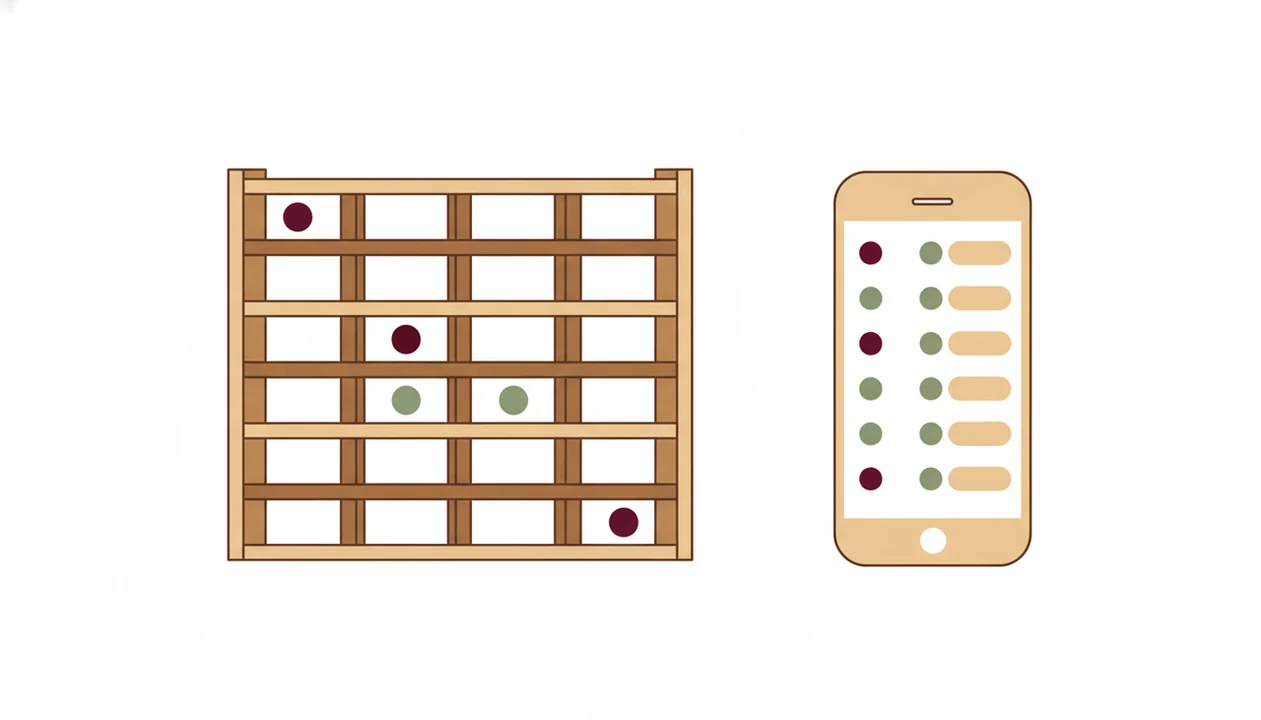
A rack location system should use the same code in the app and on the shelf. Inconsistent names break search because “Rack B Row 2” and “B-02” look like different places to most filters.
Use a simple format: Zone, Rack Letter, Row Number, Slot Number. For example, “Basement, Rack B, Row 2, Slot 7” is plain enough to read and specific enough to find. If you store cases, use “Closet, Case 3” or “Overflow, Bin 1.”
Put matching tape labels or tags on the racks. Nothing fancy. Painter’s tape and a black marker beat a beautiful spreadsheet that nobody follows.
For small cellars, this system lets you find a bottle in about 30 seconds. For larger collections, it keeps the phone record tied to real wood, metal, cardboard, and dust. A dedicated cellar tracker can make those location filters easier to maintain.
Maintain and Update Your Phone Wine Inventory
A phone wine inventory stays accurate only if you update it at the moment bottles enter, leave, or move. The habit is small, but skipping it for a month creates cleanup work.
- Log new purchases at intake: Scan the bottle before it disappears into a rack or cardboard case.
- Mark bottles as consumed immediately: When you open the bottle, change the count before the cork hits the counter.
- Reconcile quarterly: Walk the cellar and compare shelves against the app, especially after parties or mixed-case deliveries.
- Export your data: Look for CSV, spreadsheet, or cloud backup options so you are not trapped in one app forever.
- Use digital habits already familiar: Treat bottle lookup like any other product lookup habit: scan, confirm the details, and save the record while the bottle is still in your hand.
Log Purchases and Consumption in Real Time
At 10:40 p.m., plates may still be out and no one remembers the producer name. That is exactly when a quick tasting note helps.
Quarterly Reconciliation Walk-Through
Pull up the app, walk rack by rack, and correct missing bottles.
Back Up and Export Your Cellar Data
Data ownership matters. If you rely on an app that tracks wine cellar inventory, check export options before your collection grows.
Common Mistakes When Cataloging Wine Bottles by Phone
Most phone wine inventory problems come from loose habits, not bad intentions. The fix is to make each bottle record complete enough to use later.
- Saving only camera-roll photos: A label photo without producer, vintage, count, and rack location is hard to retrieve.
- Trusting AI without review: Similar labels can confuse the app, especially when the vintage year is stained or partly hidden.
- Using generic note apps: They rarely include wine-specific fields such as region, grape, drink window, and bottle quantity.
- Scanning once and stopping: The “set and forget” catalog breaks as soon as you drink, move, or buy more bottles.
- Skipping location tags: A searchable record still fails if it only says you own the bottle, not where it sits.
For casual drinkers, a dedicated wine app is often easier than a spreadsheet because it connects the label photo, bottle fields, and rack location in one record. A label-scanning cellar app can help when you want scanning, cellar notes, and pairing prompts in the same phone workflow.
Verify Your Catalog Matches the Physical Cellar
Verification is the final step that makes a phone wine inventory trustworthy. Open the app, choose 10 random bottles, and try to find each one on the rack without guessing.
Check three details for every sample bottle: quantity, vintage, and location. If the app says two bottles of 2019 Chianti are in Rack A, Row 3, Slot 4, that should match the shelf. If it does not, correct the record and look for a pattern.
Maybe you always forget bin numbers. Maybe mixed cases never get updated.
A verified digital cellar saves time on every future wine decision because search results point to bottles you can actually find. It also makes dinner easier when the pizza box is open near wine glasses and nobody wants a cellar treasure hunt.
Limitations
Phone cataloging is useful, but it is not magic. Expect a few rough edges, especially if your cellar includes older, niche, or poorly labeled bottles.
- AI label recognition is biased toward well-known producers and regions; small-production wines often need manual entry.
- Large collections of 500 or more bottles make the first scan tedious, especially with dusty labels and dim corners.
- Consumer apps may depend on cloud services. If a provider shuts down, access could be limited unless you exported your data.
- Barcode and label scans can fail on damaged foils, missing back labels, custom bottlings, or labels covered by wax.
- A digital inventory does not prevent cork taint, heat damage, counterfeit bottles, or storage mistakes.
- Drink-window estimates are guidance, not certainty. Storage conditions and personal taste still matter.
- Shared households need clear habits. If one person opens bottles without updating the count, the catalog drifts quickly.
Physical inspection remains essential. The phone helps you organize the cellar; it does not replace looking at the bottle.
FAQ
Is there a free wine cellar app?
Yes, free wine cellar app options exist, but they may limit bottle counts, exports, label scans, or advanced cellar fields. Paid tiers usually help more once you manage multiple racks or cases.
How accurate is AI wine label scanning?
AI wine label scanning is usually accurate for common producers and clean labels. Rare wines, damaged labels, old vintages, and similar designs still need manual review.
Does phone cataloging work offline?
Most apps need internet access for AI lookup and database matching. Some apps cache saved cellar records for offline viewing, but new scans may wait until the phone reconnects.
Can I catalog wine on iPhone and Android?
Yes, many wine cellar apps support both iPhone and Android. Feature details can differ by platform, so check scanning, export, and cloud-sync support before committing.
How long does it take to scan 100 bottles?
Plan on 30 to 90 seconds per bottle if you confirm fields and add locations. A 100-bottle cellar usually takes one to two focused hours.
Can I export my wine catalog to a spreadsheet?
Yes, many cellar apps offer CSV or Excel export. Export matters because it protects long-term access if you switch apps or want a separate backup.
Do wine apps scan barcodes or just labels?
Most modern wine apps support label scanning, and many also support barcode scanning. Barcode lookup is a useful fallback when the front label is damaged or hard to read.
How do I catalog old wines with damaged labels?
Enter whatever is readable, such as producer, region, vintage, importer, or bottle shape clues. Photograph partial labels in good light and add a manual note describing uncertain fields; Wine Identifier App can still store the record even when the scan is incomplete.