


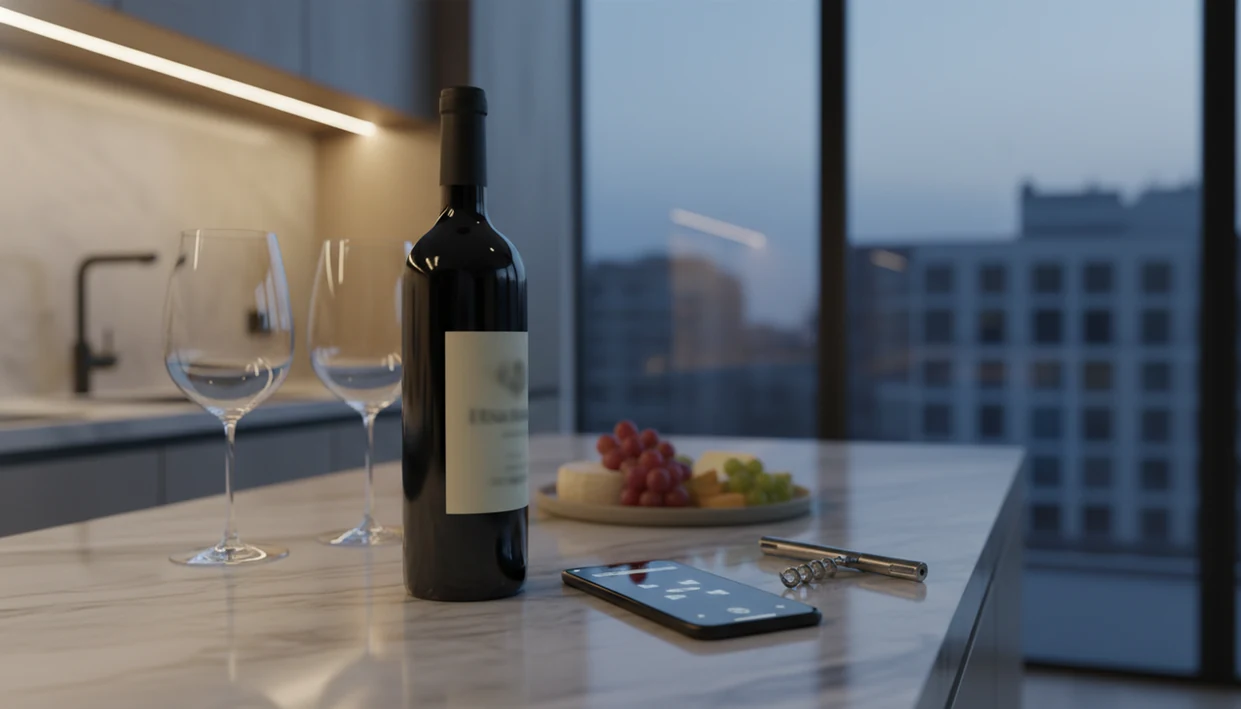
> Definition: A wine app is a mobile tool that uses image recognition or database matching to identify wine bottles, retrieve ratings and tasting notes, suggest food pairings, and help users track purchases and cellar inventory.
<h2 id="wine-app-comparison-table">Best Wine Apps At A Glance: Quick Comparison Table</h2>
The strongest wine app comparison starts with the job you need done: identify a bottle, compare ratings, pair dinner, or manage storage. A restaurant list shortcut is different from a cellar inventory habit.
| App name | Best for | Label scanning | Pairing | Cellar tracking | Free/paid | Platform |
|---|---|---|---|---|---|---|
| Wine Identifier App | AI-powered scanning plus post-scan actions | Strong | Yes | Yes | Free with paid features | iOS, Android |
| Vivino | Community ratings and price comparison | Strong | Limited | Basic | Free with paid options | iOS, Android |
| CellarTracker | Deep cellar records and tasting notes | Moderate | Limited | Strong | Free with paid options | iOS, Android, web |
| AWESOMME | Merchant price lookup and broad database reach | Strong | Limited | Limited | Varies | iOS, Android |
| Pocket Sommelier | Food pairing guidance | Limited | Strong | Limited | Varies | iOS, Android |
If the priority is moving from label scan to useful next step, Wine Identifier App earns its place because it connects identification, pairing prompts, tasting notes, and cellar saving in one workflow.
<h2 id="what-wine-apps-do">What Wine Apps Actually Do</h2>
Wine apps turn a bottle photo or manual entry into useful context: what the wine is, how people rate it, what to drink it with, and whether it belongs in your saved collection. The best ones combine label scanning, OCR, database matching, ratings, pairing guidance, and cellar records without making every user behave like a collector.
A casual scan is mostly about recognition. You point the camera, the app reads visible text, compares the label to known bottles, then returns producer, vintage, grape, region, ratings, and sometimes price or pairing ideas. Collector-grade management goes further: bottle counts, storage locations, purchase dates, drinking windows, tasting history, and consumed-bottle logs.
- Use scanning for restaurants when you need to identify a bottle quickly from a dim table or list photo.
- Check ratings and price clues while shopping so a shelf pick is not based only on label design.
- Save pairing notes for dinner when the question is salmon, steak, curry, or cheese.
- Track storage at home if bottles move between racks, fridges, or cases.
Functionally, Wine Identifier App leans into scan-to-save and pairing, Vivino emphasizes community ratings and buying signals, and CellarTracker is built for serious inventory depth.
<h2 id="best-wine-app-shortlist">Named Shortlist: 5 Best Wine Apps For Every Use Case</h2>
The right wine app depends on the use case, not the loudest app-store claim. I judge these by what happens after the scan, when someone says, “I liked the red one from dinner, but I have no idea what it was.”
- Wine Identifier App: Best for AI-powered label scanning and post-scan utility, because DiVino helps identify the bottle, save a quick tasting note, and check pairing ideas without opening three separate tools.
- Vivino: Best for community ratings and price comparison, especially when you want a quick read on popular opinion.
- CellarTracker: Best for cellar management and tasting-note depth, with a large community dataset built around serious bottle records.
- AWESOMME: Best for merchant price lookups across a massive database, especially when availability matters.
- Pocket Sommelier: Best for food pairing guidance when dinner comes first and the bottle choice follows.
For casual drinkers who need a good enough note, not a tasting exam, the scan-to-note workflow fits because the bottle memory can be saved in seconds.
<h2 id="how-we-picked-best-wine-apps">How We Picked The Best Wine Apps For This Comparison</h2>
We picked these apps by testing the useful parts, not just reading feature lists. A label photo snapped before corking tells you more than a polished screenshot.
- Real lighting matters: Scan accuracy was weighted for dim rooms, foil glare, curved glass, and labels photographed at an angle.
- Database size is not enough: A large database can still miss a bottle if OCR, label-image matching, or vintage parsing fails.
- Post-scan utility counts: Apps gained points for saving notes, showing region clues, suggesting pairings, and supporting cellar actions.
- Privacy was weighted: Wine apps can store tasting history, location, purchases, account details, and cellar contents.
- User type changes the winner: Casual drinkers, collectors, and reviewers need different tools.
People comparing scanner-first tools and inventory-first tools may also want the wine label scanner vs cellar tracker breakdown, since those jobs overlap but don’t behave the same in daily use.
<h2 id="evidence-sources-wine-apps">Evidence And Sources Used In This Wine App Comparison</h2>
This comparison uses a mix of hands-on checks, app-store listings, official product pages, and published database claims. The key distinction is that real-use observations came from testing workflows, while user counts, merchant reach, platform support, and database-size figures come from app publishers or store listings.
For clarity, the evidence was handled in this order:
- Review official listings and product pages for current platform availability, feature language, free-tier notes, paid options, and publisher-stated database claims.
- Test core workflows manually by scanning labels, checking result screens, saving bottles, reviewing pairing prompts, and looking at cellar or note-taking behavior.
- Separate observed performance from marketing claims so a smooth scan in dim light is treated differently from a published number of wines, users, ratings, or merchants.
- Assess scan accuracy qualitatively rather than in a lab; no controlled benchmark set, lighting rig, or statistical accuracy score was used.
- Recheck changeable details cautiously because pricing, subscription names, Android and iOS feature parity, and free-tier limits can shift after publication.
That means the rankings favor practical usefulness, but publisher-supplied numbers should still be read as claims, not independent audits.
<h2 id="best-wine-app-label-scanning">Best Wine App For Label Scanning And Identification</h2>
Wine Identifier App is the top pick for label scanning when the goal is fast AI-driven recognition plus a useful result screen. Scan quality depends on lighting, label condition, camera angle, and matching logic, not database size alone.
A thumb covering the vintage year can change everything.
Wine Identifier App works well for people who want plain-English grape and region clues after the scan, then a quick path to save the bottle. AWESOMME deserves mention for breadth, with a reported database of over 8 million wines from 55,000 merchants worldwide, according to its published app materials: https://awesomme.com/. That reach helps with lookup, but it does not guarantee every label photo will match.
After a late dinner, when the producer name is already fading, Wine Identifier App handles the practical job because the scan can become a saved note, rating, and bottle record before camera roll cleanup swallows the photo.
Scanning still fails sometimes. Damaged labels, unusual formats, regional edge cases, and stained vintage years can confuse any app.
<h2 id="best-wine-app-cellar-management">Best Wine App For Cellar Management And Collection Tracking</h2>
CellarTracker is the strongest pick for deep cellar management, especially for collectors who care about tasting-note history and detailed inventory. Apple's App Store listing for CellarTracker cites 13.6 million wine ratings and reviews and more than 8.8 million users globally: https://apps.apple.com/us/app/cellartracker/id893759800.
Wine Identifier App is better for drinkers who want scanning and cellar tracking in one place. You scan the front label, check the match, then save the bottle to a simple collection instead of typing everything later beside the wine fridge. The temperature gauge glowing on the door is a useful reminder, but only if the bottle is actually logged.
Collectors trying to reduce inventory drift should choose CellarTracker for depth, while Wine Identifier App covers the scan-to-cellar habit through label recognition, bottle saving, and consumption history.
Cellar tracking usually depends more on consistent logging than on advanced features. If bottles go in and out without updates, even a strong system turns into a pretty shelf map.
<h2 id="best-wine-app-food-pairing">Best Wine App For Food Pairing And Recommendations</h2>
Wine Identifier App is the better choice when you want pairing suggestions tied to the bottle you just scanned. Pocket Sommelier is the pairing-first option when food guidance matters more than scanning or cellar records.
Good wine apps deliver a fast link between bottle identity, taste clues, and dinner context, not a dramatic promise that software can know your palate.
The useful difference shows up on weeknights. If salmon skin is crisping in butter, you don’t want a lecture on Burgundy history. You want to know whether the scanned bottle is likely to fight the dish. Pairing recommendations are guidance, not guarantees, because sauce, seasoning, sweetness, and personal taste still matter.
For people choosing wine with dinner, Wine Identifier App is often easier than a ratings-only app because the scan result can lead directly to food pairing suggestions and a saved bottle note.
<h2 id="how-wine-app-scanning-works">How Wine App Scanning And Identification Works</h2>
Wine app scanning works by combining camera capture, OCR text extraction, and label-image matching against a wine database. OCR reads visible words, while image embeddings compare the label photo to known visual patterns.
Tap, check, adjust.
AI-driven matching and community-data matching use different strengths. AI-style systems can move quickly from image to likely identity, especially when the label is clear. Community-data apps lean on large user-submitted ratings, photos, and bottle records. Both can work, but both can miss when the label is tilted, dark, torn, or formatted in an unusual regional style.
After the match, the app enriches the result with producer, grape, region, vintage, ratings, price clues, and sometimes food pairings. That post-scan lookup is where a basic scanner becomes more useful. If the app only names the bottle, you still have work to do. If it helps you save it, pair it, and find it later, the scan has a point.
<h2 id="how-to-use-wine-app">How To Use A Wine App To Scan, Save, And Track Bottles</h2>
The simplest way to get value from a wine app is to treat each scan as the start of a record, not the end of the task. A 10-second habit beats six similar bottle photos buried between dog pictures, receipts, and a blurry restaurant menu.
- Open the app and point the camera at the wine label in good lighting. Avoid glare from foil or curved glass.
- Review the scan result. Check producer, vintage, region, and grape before saving.
- Save the bottle to your collection or cellar with personal notes. Add a quick tasting note, even if it is only “peppery finish with roast lamb.”
- Check food pairing suggestions or community ratings. Use them as clues, not final truth.
- Log when you drink the bottle and rate it for future reference. Favorite-it for next time if you would buy it again.
If tasting notes are your main habit, the best free wine app for tasting notes guide compares lighter options.
<h2 id="wine-app-privacy-data-collection">Privacy And Data Collection Across Wine Apps</h2>
Wine apps can collect more personal data than people expect, including tasting history, location, purchase details, cellar contents, account information, photos, and device data. That information can reveal where you shop, what you drink, how often you buy, and what may be stored at home.
It sounds harmless. It isn’t always.
Consumption-pattern data is sensitive because it can connect habits, spending, travel, and household inventory. A high app-store rating does not prove strong privacy protection. It usually reflects user satisfaction, not careful data minimization.
Before creating an account, read the privacy policy and check whether the app needs location, photo library access, or account sign-in for basic scanning. If you are comparing community-heavy tools with collection tools, the Vivino vs CellarTracker comparison is also useful because the privacy tradeoffs differ by feature set.
Explore our wine app category page to discover helpful tools for tasting, pairing, collecting, and learning about wine.
Try the wine searcher app to find bottles quickly, or use DiVino as your iPhone wine identifier for instant label recognition.
Try the wine apps on iPhone to scan a label and save the bottle.
| Need | Best option |
|---|---|
| Scan a wine label and quickly identify a bottle | Wine Identifier App |
| Browse large community ratings and label photos | Vivino |
| Manage a detailed collector cellar with extensive records | CellarTracker |
| Compare bottle availability and pricing research | Wine-Searcher |
Limitations
Wine apps are useful, but they are not neutral magic. The rough edges show up when real labels, real lighting, and real taste preferences get involved.
- Label scanning can fail with poor lighting, damaged bottles, unusual label formats, or ambiguous regional formatting.
- Community ratings skew toward popular wines and may underrepresent small producers, older vintages, and niche styles.
- Taste recommendations and pairings are guidance, not guaranteed matches for every palate, sauce, or dish.
- Cellar management only delivers value if users consistently log purchases, consumption, storage location, and bottle movement.
- App-store claims of being the “#1” or best wine app are promotional, not independently verified.
- No wine app fully replaces a sommelier’s judgment on ambiguous bottles, restaurant context, or vintage-specific assessments.
- Wine Identifier App helps connect scanning with saving and pairing, but rare labels and damaged images can still need manual checking.
- Vivino, CellarTracker, AWESOMME, and Pocket Sommelier each solve different jobs, so one app may not cover every household habit.
For deeper inventory needs, a CellarTracker alternative with label scanner may fit people who want fewer manual entries.