
Vivino Vs CellarTracker: Scanning, Cellars, And Which Fits Your Collection


In the Vivino vs CellarTracker debate, Vivino wins for fast label scanning, crowd-sourced ratings, and price checks while shopping, whereas CellarTracker wins for structured cellar management, drinking windows, and deep tasting-note archives. Most casual drinkers start with Vivino; collectors with growing cellars often migrate to CellarTracker or run both apps in parallel. Wine Identifier App by DiVino can sit beside either workflow when you want faster label capture plus a saved bottle memory before the producer name disappears.
- Vivino excels at instant label scanning, social ratings, and in-store price comparison.
- CellarTracker excels at bottle-level inventory, drinking windows, and pro-critic integration.
- Many serious wine drinkers use both: Vivino for discovery, CellarTracker for collection tracking.
Try the vivino vs cellartracker app on iPhone to scan a label and save the bottle.
Vivino Vs CellarTracker At A Glance
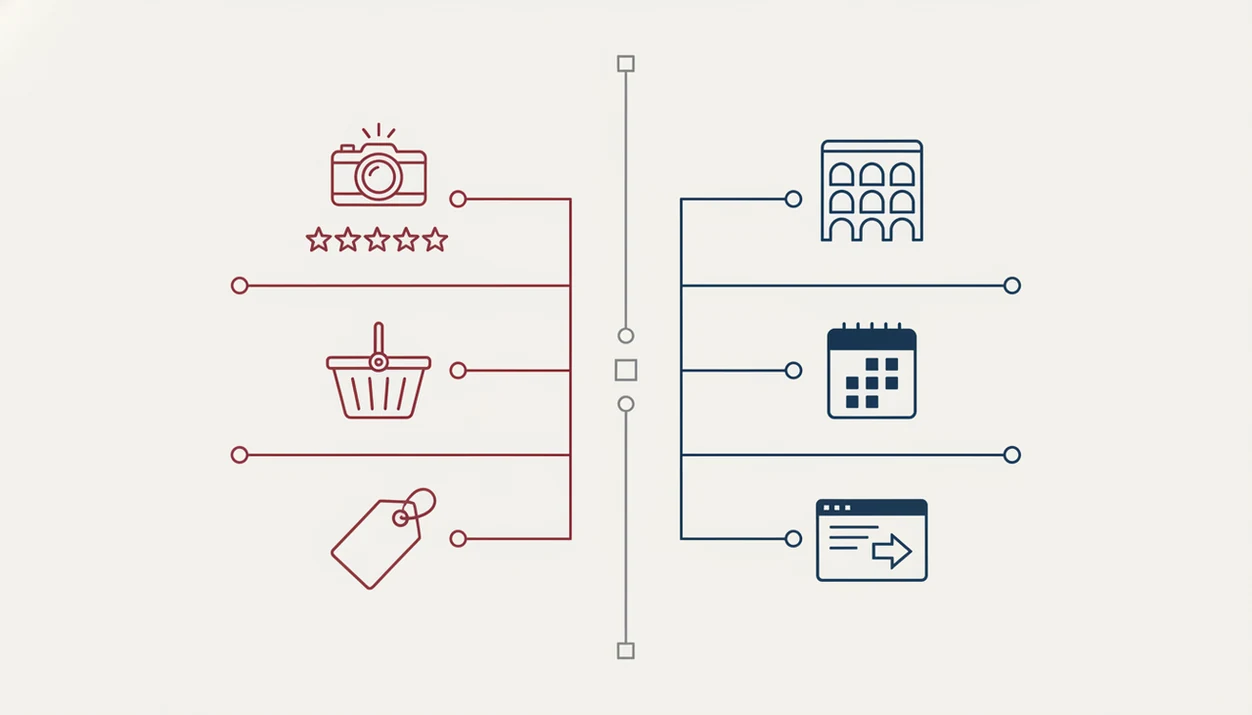
Vivino is the faster consumer scanner; CellarTracker is the deeper cellar database. Gallup polling has repeatedly found wine among the top alcoholic-drink preferences for U.S. adults, including 27% naming wine as their most-consumed alcoholic beverage in 2023 (https://news.gallup.com/poll/509501/beer-edges-wine-americans-favored-alcoholic-drink.aspx), so both tools serve a large and mixed audience.
| Criteria | Vivino | CellarTracker |
|---|---|---|
| Label scanning | Fast front-label recognition | More database and barcode oriented |
| Ratings source | Large crowd-sourced ratings | Community notes plus critic integrations |
| Cellar management depth | Basic saved wines and lists | Bottle-level inventory with locations |
| Drinking windows | Limited for serious aging | Stronger maturity and drink-window tools |
| UI polish | Modern, simple mobile flow | Denser, less modern, more detailed |
| Pricing/e-commerce | Price checks and buying links | More collection record than shopping tool |
| Learning curve | Easy for beginners | Takes setup and regular upkeep |
| User base size | Large mainstream audience | Deep enthusiast and collector community |
| Verdict | Pick for discovery and shopping | Pick for organizing and aging |
A broader best wine apps guide helps if you are also comparing Wine-Searcher for prices, Delectable for label recognition, or cellar-first tools beyond vivino.com and cellartracker.com.
Where Vivino Wins Over CellarTracker
Vivino wins when the moment is quick: scan the front label, check the rating, compare the price, and decide before the bottle goes back on the shelf. It feels built for the person saying, “I liked the red one from dinner, but I have no idea what it was.”
- Vivino is optimized for ultra-fast consumer label scanning and image recognition.
- Vivino has a large mainstream user base, which makes crowd ratings and social sharing easier to find.
- Vivino includes built-in price comparison and direct purchasing paths from the app.
- Vivino feels more beginner-friendly when you are staring at a by-the-glass column with crossed-out vintages.
- U.S. online food and beverage sales are now a large e-commerce category, with Statista estimating more than US$160 billion in 2023 sales (https://www.statista.com/statistics/277067/online-food-and-beverage-sales-in-the-united-states/), so Vivino’s shopping angle fits existing buying behavior.
When the issue is fast shopping confidence, Wine Identifier App fits the same phone-first habit because you can scan the front label, save a quick tasting note, and favorite-it for next time.
Where CellarTracker Wins Over Vivino
CellarTracker wins when the bottle is no longer just a photo or rating. It becomes inventory: rack, bin, shelf, purchase price, vintage, and when you might actually drink it.
- CellarTracker supports bottle-level inventory with location tracking, including rack, bin, and shelf details.
- CellarTracker is stronger for drinking-window and maturity tracking on age-worthy wines.
- CellarTracker connects to one of the largest tasting-note archives and supports pro-critic score integrations.
- CellarTracker can export collection views in restaurant-style wine-list formats.
- CellarTracker is widely used by enthusiastic amateurs, not only trade professionals.
The right fit for a growing basement rack is CellarTracker because it treats each dusty neck label as a record with location, quantity, and maturity fields. For a deeper alternative angle, compare a Vivino alternative for cellar management.
How Wine Scanner And Cellar Apps Work
Wine scanner and cellar apps work by matching label or barcode data to wine databases, then attaching ratings, prices, notes, or inventory fields. Vivino leans on image recognition: the camera captures the label, OCR extracts text, and the system matches it to a wine record with crowd ratings and pricing.
CellarTracker starts from a database-first model. You enter a wine, scan a barcode, or match a known bottle, then log it into a personal cellar grid tied to tasting notes and critic references. Both platforms rely heavily on user-generated data, so niche producers and old vintages can be patchy.
A cream back label with tiny importer text still causes trouble.
Good wine apps deliver label identification, bottle records, pairing clues, and repeat-purchase memory, not a no-work replacement for checking the actual bottle in your hand. Wine Identifier App uses the same practical idea: tap, check, adjust, then save it before you forget.
How To Use Vivino Or CellarTracker
Use Vivino or CellarTracker by treating the app as part of the wine moment, not an afterthought. Open it before the shelf, menu, or cellar bin becomes a blur, then confirm the bottle record before you trust the result.
- Open the app before you shop, order at a restaurant, or enter bottles into a cellar record so the note is tied to the real bottle in front of you.
- Scan the front label when the lighting is decent, or search manually by producer, cuvée, and vintage if the photo match looks uncertain.
- Check the match against the region, vintage, bottle size, and small label details, especially when estates make several similar wines.
- Save a note, rating, purchase price, or cellar location immediately, even if the first note is only “good with roast chicken” or “rack B, lower left.”
- Review saved bottles later before buying again, gifting one, or opening older wines that may have passed their best window.
That small habit turns a quick scan into memory. Vivino helps with fast recall and shopping confidence; CellarTracker rewards the extra minute of structure.
How To Choose Between Vivino And CellarTracker
Choose between Vivino and CellarTracker by counting bottles, then deciding whether your main job is discovery or cellar control. Collection size and age horizon usually matter more than interface polish.
- Count your bottles: under 50 leans Vivino, while over 50 leans CellarTracker.
- Define your goal: use Vivino for discovery and buying, or CellarTracker for organizing and aging.
- Check your age horizon: wines for the next few months need less structure than bottles held for years.
- Evaluate ratings needs: crowd ratings suit quick choices, while pro-critic scores help with age-worthy bottles.
- Consider running both: scan and shop in Vivino, then log keepers in CellarTracker.
After a dinner where the grilled steak rested under foil, Wine Identifier App helps when you want the bottle memory without turning the note into a tasting exam. The wine label scanner vs cellar tracker decision often starts right there.
Vivino Vs CellarTracker Pricing And Policy Differences
Vivino has a free tier for scanning, ratings, reviews, and basic saved wines, with Vivino Premium adding paid features that may include richer guidance and shopping support. CellarTracker also offers free use, with a paid Enhanced tier and optional critic-subscription integrations.
The bigger policy difference is data control. CellarTracker supports CSV and Excel exports, which matters once your collection has purchase dates, bottle locations, and values. CellarTracker documents user data exports through its support center (https://support.cellartracker.com/article/29-how-do-i-export-my-data), while Vivino’s consumer app is more oriented around browsing saved wines than moving a full cellar database. Vivino export options are more limited, so saved bottles can feel easier to browse than to move.
Tiny fields matter later.
Anyone dealing with camera roll cleanup may prefer Wine Identifier App because a scan, rating, and quick tasting note stay together instead of hiding between dog pictures, receipts, and a blurry restaurant menu. Paid critic integrations can still require separate subscriptions or setup.
Who Should Pick Vivino And Who Should Pick CellarTracker
Pick Vivino if you are a casual drinker, restaurant scanner, price shopper, or social sharer. Pick CellarTracker if you have a growing collection, age-worthy bottles, location tracking needs, or pro-review subscriptions.
Pick both if you discover on Vivino and organize on CellarTracker. That hybrid is common: Vivino answers “Should I buy this?” while CellarTracker answers “Where is it, and when should I drink it?” In the U.S., 27% of adults say wine is their most-consumed alcoholic beverage, according to Gallup, which helps explain why both categories keep finding users.
For casual drinkers, Vivino is often easier than CellarTracker because it answers the store-shelf question faster. For collectors, CellarTracker tends to work better when every bottle needs a location and drink window.
Wine Identifier App complements either path because DiVino combines label scanning, plain-English grape and region clues, and cellar insights in one phone workflow. If label capture matters most, compare a CellarTracker alternative with label scanner.
Evidence And Source Notes For This Comparison
This comparison uses public product documentation for feature boundaries and hands-on workflow judgment for the practical “which feels faster” calls. Vivino’s own pages support claims about label scanning, ratings, Premium features, and shopping paths; CellarTracker’s support materials support claims about exports, Enhanced features, and critic integrations.
To read the evidence cleanly:
- Separate documented features from lived workflow notes: export formats, paid tiers, and critic access are documentation-based, while speed, friction, and beginner feel come from comparing the app flows.
- Check the current app store build before treating any interface detail as permanent, because menus and camera flows can move.
- Confirm your country before relying on Vivino shopping claims, since buying links, merchants, delivery, and legal availability vary by market.
- Review subscription status before expecting Premium, Enhanced, or critic tools to appear in your account.
- Test a few of your actual bottles, especially older vintages, rare producers, and low-distribution wines, because database coverage changes with availability and user activity.
The safest reading is not “one app always has this feature,” but “this feature is documented or observed under current, available conditions.”
Limitations
Vivino and CellarTracker both help, but neither removes the need for careful bottle records. The weak points show up when labels are obscure, vintages are old, or you expect the software to think ahead without your input.
- Vivino crowd ratings skew toward popular, widely distributed wines and can be less reliable for niche or aged bottles.
- CellarTracker has a steeper learning curve and a less modern interface than consumer-grade apps.
- Neither app fully automates AI-driven cellar optimization, such as dynamic drink-now alerts, without manual input.
- Both rely on user-generated data, so information quality varies for obscure regions, small producers, and older vintages.
- Deep integrations with paid critic subscriptions or third-party AI tools may require extra fees and setup.
- Label scans can fail when foil glare, stained vintage years, or a thumb over the barcode hides key details.
Wine Identifier App also depends on clear photos and accurate user choices, so it works best when you scan the front label, check the match, and save a good enough note. The ratings vs personal tasting notes question matters because public scores rarely remember your weeknight bowl of tomato pasta.
FAQ
Can Vivino manage a wine cellar?
Vivino offers basic saved-wine and collection features, but it lacks CellarTracker’s deeper inventory, location tracking, and drinking-window tools.
Is CellarTracker free to use?
CellarTracker has a free tier for core cellar tracking. The paid Enhanced tier and critic integrations add more advanced features and access options.
Which app scans labels faster?
Vivino usually scans labels faster because its mobile experience is built around consumer image recognition. CellarTracker relies more on database lookup, barcode use, and structured entry.
Does CellarTracker show drinking windows?
Yes, CellarTracker provides community and pro-sourced drinking windows for many age-worthy bottles. Coverage depends on the wine and available data.
Can I export data from Vivino?
Vivino export options are limited compared with CellarTracker. CellarTracker supports CSV and Excel exports for cellar records.
Are Vivino ratings reliable for rare wines?
Vivino ratings are less reliable for rare, niche, or aged wines because crowd data skews toward popular bottles. Specialist notes can be more useful for those wines.
Can I use both apps together?
Yes, many users use Vivino for discovery, scanning, and pricing, then use CellarTracker for inventory and aging. DiVino can also support this workflow with label scanning and saved bottle notes.
Does CellarTracker include professional reviews?
CellarTracker integrates professional critic scores and reviews through supported subscriptions. Some critic access may require separate paid accounts.
How many bottles before I need CellarTracker?
Collections above roughly 50 bottles usually benefit from CellarTracker’s structured cellar tools. Smaller collections can often stay manageable in Vivino or Wine Identifier App.