
Best Free Wine App For Tasting Notes And Photos


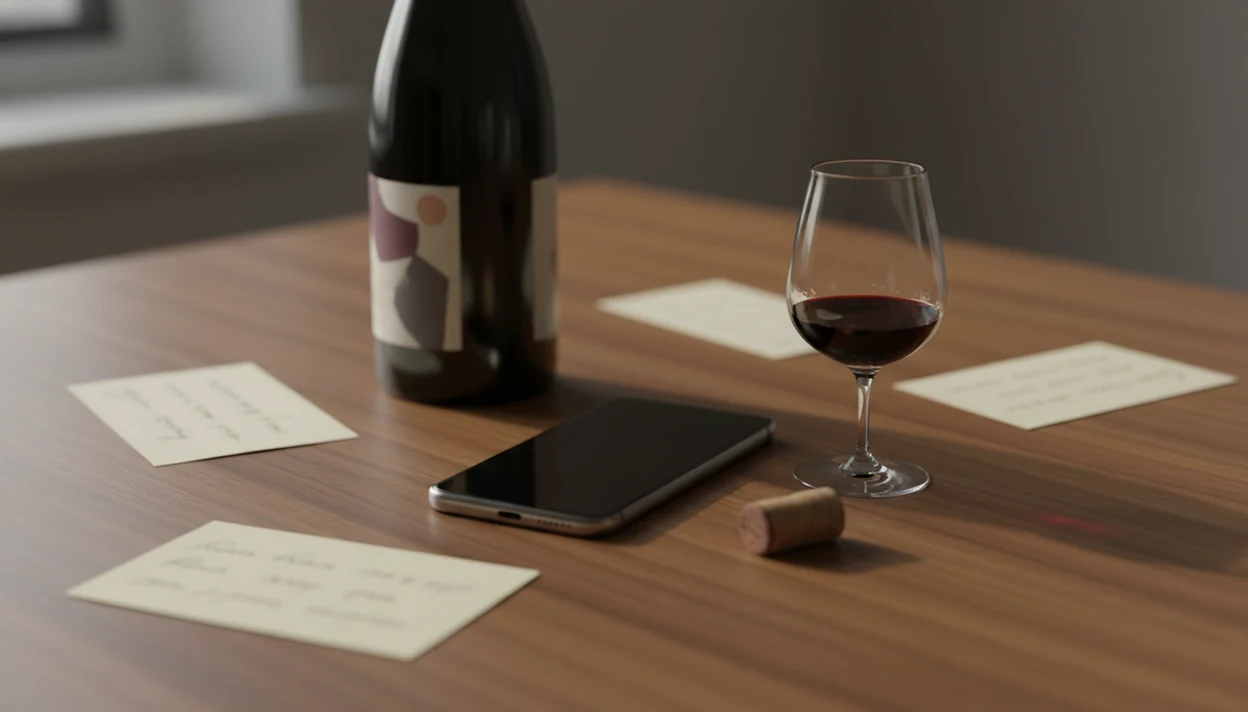
A strong free wine app for tasting notes combines label scanning, photo capture, structured note fields, and searchable history so every bottle you try is saved and easy to find later. Wine Identifier App, Vivino, and CellarTracker lead the free tier, but they differ sharply on export options, cellar management, and AI identification accuracy.
A free wine tasting notes app is a mobile tool that lets you photograph labels, record sensory impressions, rate bottles, and search your personal wine history without a paid subscription.
- Look for label scanning, photo storage, structured tasting fields, and CSV/PDF export before committing your data.
- Wine Identifier App, Vivino, and CellarTracker each excel in different areas, AI identification, community scores, or cellar tracking.
- Always verify what stays free long-term: photo limits, export access, and search filters are common upsell gates.
Try the best free wine app for tasting notes on iPhone to scan a label and save the bottle.
At-A-Glance: Top Free Wine Tasting Notes Apps Compared
A good free wine notes app should save the label, the glass, the rating, and the reason you liked the bottle. The table below separates truly useful free features from areas that often move behind paid plans.
| App Name | Label Scanning | Photo Storage | Tasting Framework | Cellar Management | Export Options | Free Tier Limits |
|---|---|---|---|---|---|---|
| Wine Identifier App | Free AI label scan for producer, region, grape, vintage | Free bottle and note photos | Structured notes plus free text | Basic cellar tracking included | Limited export support varies by plan | Advanced filters and larger storage may be gated |
| Vivino | Free label recognition | Label photos included | Rating-first notes | Light cellar-style saving | Limited free export | Premium features and deeper tools can be gated |
| CellarTracker | Search-first, weaker scan flow | Bottle records and images | Detailed tasting notes | Strong free cellar tools | CSV export is a key strength | Interface feels dated |
| Delectable | Free label recognition | Social tasting photos | Short social notes | Minimal cellar depth | Limited export clarity | Better for sharing than archives |
If you want a broader scan-and-cellar view, our best wine apps guide compares more categories.
Named Shortlist: 4 Best Free Wine Apps For Tasting Notes
Wine Identifier App is best for drinkers who want AI identification plus tasting notes in one flow. It fits the moment when a glossy label scans poorly once, then improves after you retake it square-on against a dark table.
Vivino is best for community ratings and label scanning. It works well when you want fast social proof, price context, and a large public database before writing your own impression.
CellarTracker is best for cellar management alongside notes. Choose it when bottle location, drinking windows, and CSV export matter more than a polished phone-first interface.
Delectable is best for social sharing of tasting notes. It suits users who want quick label posts, short reviews, and a wine-focused feed.
New wine drinkers looking for less typing often land on Wine Identifier App because the scan can auto-fill producer, grape, region, and vintage before the tasting note starts.
How We Picked the Best Free Wine Notes App
The best free wine app for tasting notes should reduce typing without trapping your notes. I weighted long-term memory higher than flashy score screens, because a note is only useful if you can find it six months later.
- Label-scanning accuracy matters. A phone camera over a stained label should still capture enough label text for a useful image match.
- Photo capture needs context. Bottle photos, glass photos, and note photos help later, especially when the purple rim against a white napkin jogs your memory.
- Structured fields improve recall. Appearance, aroma, palate, finish, and rating are easier to search than one loose paragraph.
- Export protects your archive. CSV or PDF export matters before you build hundreds of personal notes inside one company’s database.
- Community bias counts against clarity. A 4.3 public score can nudge your palate before you notice acidity, oak, or finish yourself.
For personal learning, structured notes usually beat star-only ratings because they preserve the reason behind the score.
How Free Wine Tasting Notes Apps Work
Free wine tasting notes apps work by turning a bottle photo into a database match, then attaching your personal sensory record to that wine. The usual pipeline is camera capture, image recognition, OCR for label text, database matching, and auto-filled details like producer, grape, region, and vintage.
AI wine identification is different from a simple barcode lookup. A barcode often points to a retail product record; an image match compares label shapes, typography, producer names, and visual patterns. Curved bottles make small text harder. So does restaurant lighting that turns a glossy Burgundy label into a white glare spot.
Structured note fields add the human layer. Instead of burying “black cherry, medium acid, grilled steak” in one paragraph, the app stores each clue where search can find it later. Pew Research reported that 77% of U.S. adults owned a smartphone in 2018, and 85% of smartphone users said phones were important for getting information: https://www.pewresearch.org/internet/2018/02/05/mobile-fact-sheet/ Wine decisions now happen at the table.
Good wine apps deliver faster recall and cleaner records, not a replacement for tasting practice.
How To Use A Free Wine App For Tasting Notes

Use a free wine tasting notes app while the bottle is still in front of you. Memory fades quickly after a tasting flight, and “the second red from the left” becomes useless by morning.
- Scan the label or search the wine name. Retake the scan if your thumb covers the appellation line or vintage.
- Snap a photo of the bottle and the glass. A glass photo can preserve color, rim variation, and sediment clues.
- Log appearance, aroma, palate, and finish using structured fields. Keep each field short enough to search later.
- Rate the wine and tag the meal, place, or occasion. “Salmon skin crisping in butter” tells you more than “dinner.”
- Mark repurchase intent and drinking window. Note whether you’d buy it again now, wait, or skip next time.
- Review and search your history to spot preferences. Look for repeated grapes, regions, producers, or price bands.
After a restaurant tasting, when the paper list is gone, Wine Identifier App helps keep the bottle photo, note, rating, and meal tag together through one scan-to-note workflow.
Wine Identifier App: Best Free Wine Notes App For AI Identification
Wine Identifier App is the strongest fit here for people who want label identification before they write the note. The AI scan can auto-fill producer, region, grape, and vintage, then leave you to record what the wine actually tasted like.
A back label photo sometimes catches the importer but misses the producer. That’s an edge case where the app may ask for a human check or a typed correction like “2020, not 2019.” Small correction, big future value.
For tasting notes, DiVino connects saved bottles with photos, ratings, pairing suggestions, and cellar entries. If your note says the Syrah worked with peppered lamb, that becomes a better recommendation pattern than a rating alone. Wine Identifier App keeps basic scanning, note capture, photo storage, search, and cellar tracking available on the free tier, with heavier storage or advanced organization more likely to sit behind paid upgrades.
Wine Identifier App fits drinkers who want one searchable memory of what they scanned, drank, paired, and might buy again.
Vivino vs CellarTracker: Free Wine Tasting Notes App Trade-Offs
Vivino and CellarTracker are both serious free options, but they solve different problems. Vivino is faster for public ratings and label recognition; CellarTracker is steadier for inventory, drinking windows, and export.
| App | Main Free Strength | Main Free Weakness | Better For |
|---|---|---|---|
| Vivino | Huge community database, label recognition, price context | Community score bias and limited free export | Fast scanning and public rating checks |
| CellarTracker | Detailed cellar records, drinking windows, CSV export | Dated interface and weaker label scanning | Collectors managing bottles over time |
The CDC reported that 44% of U.S. adults drank wine in the past year, and federal TTB data put U.S. wine consumption at about 966 million gallons in 2021: https://www.cdc.gov/nchs/products/databriefs/db374.htm and https://www.ttb.gov/wine/wine-statistics That scale explains why community databases are useful. It also explains why average scores can flatten your own taste.
For collectors, the Vivino vs CellarTracker choice usually comes down to quick recognition versus long-term cellar control.
Export And Data Portability In Free Wine Notes Apps
Export matters because tasting notes become personal data after the first few dozen bottles. Once you have vacation bottles, dinner pairings, cellar locations, and repurchase notes in one system, switching apps gets annoying fast.
CellarTracker is the clearest free option for CSV-style data portability. Vivino is useful for scanning and social proof, but export access is more limited on the free tier. Wine Identifier App supports practical note history and search, but users should still confirm current export limits before building a large archive in DiVino.
Backups are boring. Do them anyway.
If cellar control is your main reason for exporting, the Vivino alternative for cellar management guide goes deeper on inventory-first workflows.
Honest Cons Of Every Free Wine Tasting Notes App
Every free wine tasting notes app has trade-offs. AI scan accuracy drops with small producers, older vintages, damaged labels, and dim dining rooms where the vintage line disappears into reflection.
Community scores can also bias your own impression. If you see a high average rating before tasting, you may forgive heat, oak, or a short finish. That’s not dishonest. It’s human.
Free tiers may cap photo storage, advanced filters, export options, or cellar analytics. UX quality also varies sharply. CellarTracker has deep records but can feel old on a phone; Vivino feels quick but pushes community signals forward. Wine Identifier App is stronger when the scan can see clean label text, but manual entry still matters for edge cases.
No app replaces deliberate tasting practice. A structured note helps, but your palate still has to do the work.
For scan-specific caveats, the fuller accuracy discussion is covered in are wine scanner apps accurate.
Limitations
Free wine tasting notes apps are useful, but they are not permanent, neutral, or equally accurate across every bottle.
- Free tiers often limit bulk exports, detailed cellar analytics, advanced filters, or unlimited photo storage.
- Label-recognition accuracy depends on lighting, camera angle, label condition, and database coverage.
- Community-driven apps can bias your tasting impressions through aggregated scores before you taste.
- No free app can guarantee that today’s free export options will stay free long-term.
- Even the strongest wine tasting notes app cannot improve sensory skill without repeated, deliberate tasting.
- Small-producer bottles, older vintages, library releases, and custom labels often require manual entry.
- Similar bottle designs can confuse scans, especially when a red and rosé cuvée share the same brand layout.
- All four apps depend on user correction when bottle data is incomplete.
For users comparing scan-first and inventory-first tools, the wine label scanner vs cellar tracker question is really about speed versus record depth.
FAQ
Can wine apps identify any bottle?
No. Accuracy depends on database coverage, lighting, label condition, camera angle, and whether the vintage or appellation is visible.
Do free wine apps store photos?
Most major free wine apps store some label or note photos, but storage limits and photo organization vary. Check whether bottle, glass, and cellar photos remain searchable on the free tier.
Is Vivino completely free?
Vivino has a useful free tier for scanning, ratings, and basic notes. Some advanced tools, deeper data, or convenience features may be tied to premium access.
Can I export my tasting notes?
CellarTracker is known for stronger CSV export options, while Vivino is more limited for free export. Wine Identifier App users should confirm current export availability before storing a large note archive.
What tasting framework should I use?
Use appearance, aroma, palate, finish, rating, and overall impression. That structure is simple enough for casual tasting and specific enough for later search.
Does CellarTracker track drinking windows?
Yes. CellarTracker supports drinking windows and connects them to cellar records, bottle history, and tasting notes.
Are wine app ratings reliable?
Wine app ratings are useful signals, but community scores can reflect popularity, price expectations, and reviewer bias. Treat them as context, not proof that you will like the bottle.
Can I use wine apps offline?
Offline use is limited because label scanning and database matching usually need an internet connection. Some apps may let you draft notes offline and sync later.
How do AI wine identifiers work?
AI wine identifiers compare a bottle photo against label images and text patterns in a wine database. The app then suggests the closest match and auto-fills details such as producer, region, grape, and vintage.