What Is a Wine App and How Do You Choose One?


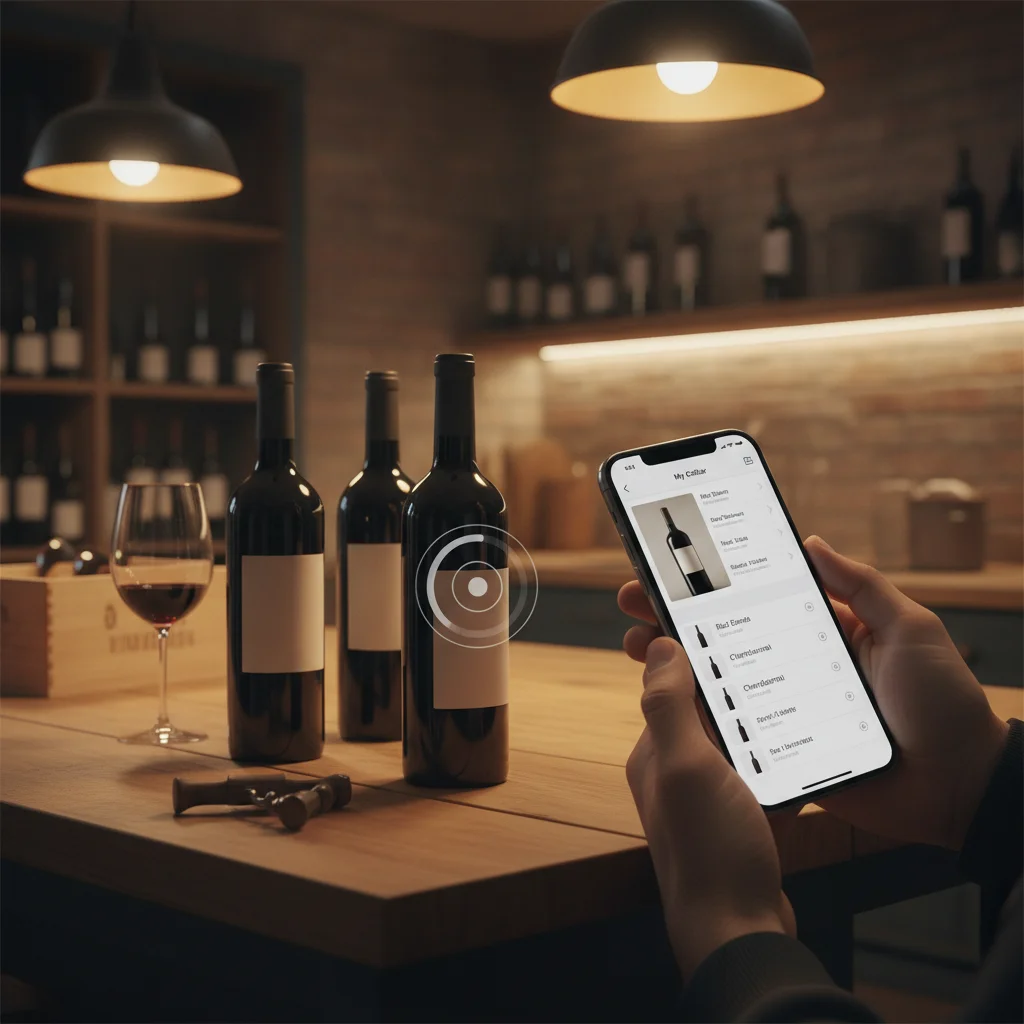
Definition: A wine app is a mobile tool for identifying, researching and recording wine. Common features include label scanning, bottle details, cellar inventory, personal ratings, tasting notes, food pairing suggestions and estimated drinking windows.
Try the wine app on iPhone to scan a label and save the bottle.
What a Wine App Does
A wine app is software that helps a drinker identify, understand and remember wine. It may recognize a bottle label, provide information about the producer and grape, suggest food pairings, organize bottles at home or store personal tasting notes.
DiVino, also called Wine Identifier App, is an iPhone app designed around wine scanning, cellar tracking, pairing guidance, drinking windows, menu scanning and tasting notes. It is one example of an all-purpose wine companion rather than an app focused only on public ratings or retail shopping.
The most useful feature depends on context. In a store, you may want quick label recognition and a plain-language description. At dinner, a menu scanner or pairing tool may be more relevant. At home, bottle location, quantity and drinking readiness become more important.
A wine app should support a decision rather than replace your judgment. Label condition, lighting, regional naming rules and vintage differences can affect identification, while food pairings and drinking windows are guidance rather than fixed rules.
Scan and Identify a Wine Label
Wine label scanning uses the phone camera to identify visible text and imagery. A result may include the producer, wine name, region, grape variety, vintage, style and expected flavor profile. This is useful when a label is unfamiliar or written in a language you do not speak.
Before saving the result, compare the app entry with the physical bottle. Check the producer, cuvée, appellation and vintage. Producers can release several wines with similar designs, and the same wine may change from one vintage to another.
- Photograph the front label in bright, even light.
- Avoid glare across metallic or glossy lettering.
- Keep the label centered and fill most of the camera frame.
- Confirm small vintage text manually.
A scanner can also help create a cellar record without typing every detail. However, image recognition alone should not be treated as proof of authenticity, condition or market value.
Track a Home Wine Cellar
A cellar feature records what you own and where each bottle is stored. This can be useful for a kitchen rack with 12 bottles as well as a larger temperature-controlled collection. The goal is to reduce forgotten bottles, duplicate purchases and uncertainty about what is ready to open.
A practical cellar record should include the bottle name, vintage, quantity and storage location. Optional fields can include purchase date, price, source, bottle size and notes about storage or provenance.
- Inventory: Add bottles when purchased and mark them consumed when opened.
- Location: Record a rack, shelf, bin or case number.
- Drinking window: Note an estimated period when the wine may show well.
- History: Keep the tasting note after removing a bottle from inventory.
Drinking windows are estimates shaped by producer, vintage, storage and personal preference. Some people enjoy younger fruit and firmer structure, while others prefer mature aromas and softer texture.
Pair Wine With Food and Read a Wine List
Pairing tools turn bottle information into meal suggestions. They may match wine by grape, region, sweetness, acidity, tannin, body or flavor intensity. Useful recommendations explain why a pairing works instead of presenting one rigid answer.
Acidic wines often suit rich or fatty dishes, sweetness can balance spicy heat, and tannic red wines commonly work with protein-rich foods. The sauce and cooking method may matter more than the main ingredient. Roasted chicken with cream sauce creates a different pairing problem from chicken in a spicy tomato dish.
A menu scanner can help when a restaurant list is long or unfamiliar. Look for guidance that accounts for your dish, preferred style and budget. Confirm the listed vintage and bottle price with the restaurant because menus can change.
No app can know every palate. Treat its suggestion as a shortlist, then consider whether you prefer crisp, fruity, earthy, oaked, light or full-bodied wine.
Rate Wine and Build Useful Tasting Notes
Ratings are most valuable when they help you understand your own preferences. A simple score is quick, but a short note explains why you liked or disliked the bottle. Over time, these records can reveal patterns involving grape varieties, regions, sweetness, oak, acidity or texture.
A useful tasting note does not need professional vocabulary. Record what you can observe:
- Note the wine's color and general appearance.
- Describe two or three aromas or flavors.
- Assess sweetness, acidity, tannin, body and alcohol impression.
- Record the food served and whether the pairing worked.
- Add whether you would buy or drink it again.
Community scores can provide context, but they reflect other people's preferences and may combine reviews from different vintages. Your own notes create a more relevant reference for future purchases and restaurant choices.
How to Choose the Right Wine App
Start with the job you want the app to perform most often. An occasional drinker may value a fast scanner and concise explanations. A collector may need inventory locations, quantities and drinking reminders. Someone learning about wine may prefer structured tasting notes and clear definitions.
- Recognition quality: Can you verify the vintage, cuvée and producer before saving?
- Editing: Can incorrect or incomplete bottle details be corrected?
- Cellar workflow: Is it easy to add, move and consume bottles?
- Personal records: Can you save private ratings, notes and pairing results?
- Practical guidance: Are pairings and drinking windows explained as estimates?
- Platform: Confirm that the app supports your phone before committing to a catalog.
DiVino is iPhone only. Android users looking for visual wine search may use AI Lens, but they should compare its identification and record-keeping features with their specific needs. Avoid choosing solely by the number of public reviews, since a popular scoring platform may not offer the cellar workflow or private note system you want.
Test an app with several bottles from different regions and vintages. The right wine app should make identification and record keeping faster while leaving you in control of corrections and decisions.
Frequently asked
What is the best use for a wine app?
A wine app is most useful for identifying labels, remembering bottles, managing a cellar and getting pairing guidance. The best use depends on whether you are shopping, dining or organizing wine at home.
Can a wine app identify a bottle from a photo?
Many wine apps can identify visible label text and suggest a matching bottle. Always confirm the producer, cuvée and vintage before saving the result.
Can a wine app tell me when to drink a bottle?
Some apps provide estimated drinking windows based on wine style and bottle details. Storage conditions and personal taste can change when a wine is most enjoyable.
Are wine app ratings reliable?
Ratings can show broad opinion, but they are subjective and may mix responses to different vintages. Personal notes are often more useful for predicting what you will enjoy.
Can I use a wine app to manage a small collection?
Yes, cellar tracking can be useful even for a single rack. Recording quantity and location helps prevent forgotten bottles and duplicate purchases.
Does DiVino scan restaurant wine menus?
DiVino includes menu scanning to help iPhone users review wine choices and pairing options. Restaurant availability, prices and vintages should still be confirmed with staff.
Is DiVino available for Android?
No, DiVino is iPhone only and should not be expected on Google Play. Android users may consider AI Lens for visual wine search.
Scan labels and track your cellar
Use Wine Identifier App by DiVino on iPhone to identify bottles, save notes, and organize your cellar. Drink responsibly and follow local alcohol laws.
Get Wine Identifier App