Wine Scanner App: Identify Bottles and Track Your Cellar


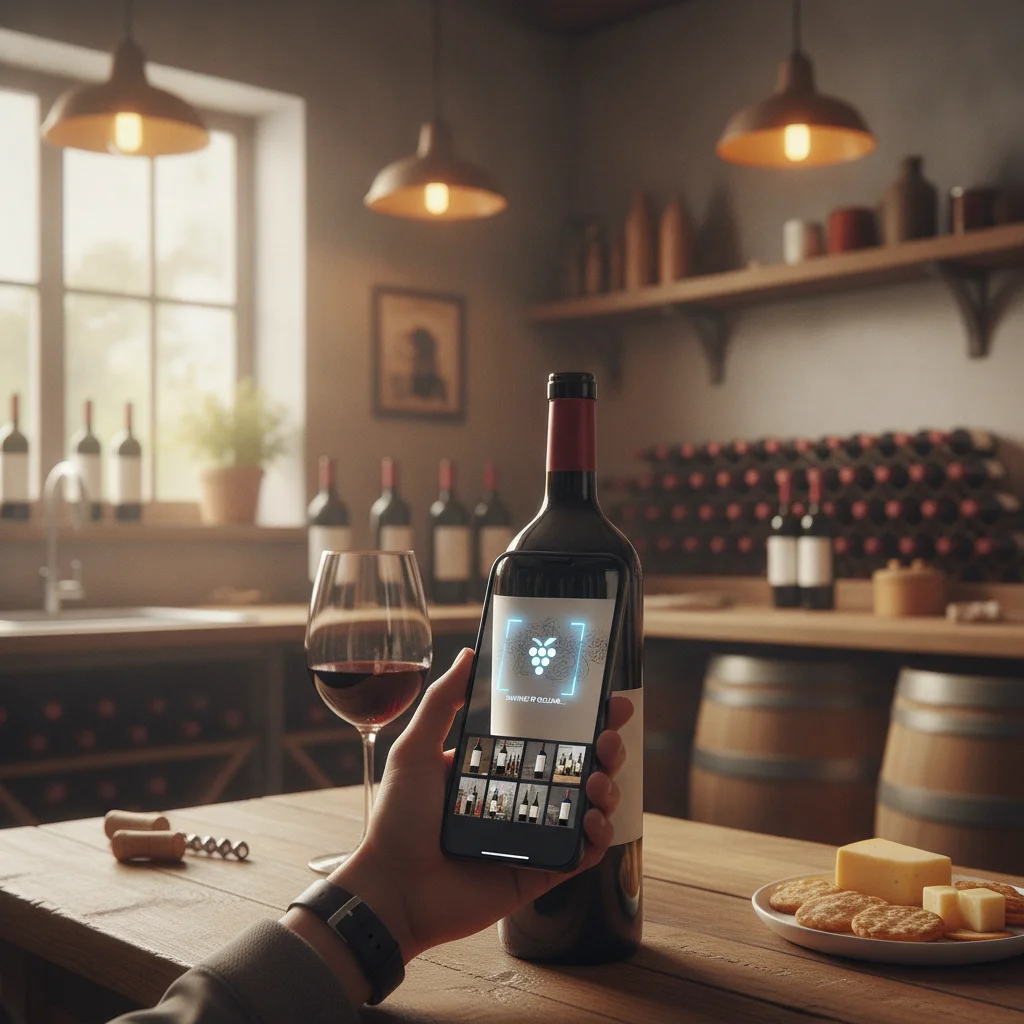
Definition: A wine scanner app is a mobile tool that analyzes a photo of a wine label, bottle, or menu to identify the wine and present structured information. Results depend on image quality, label visibility, vintage clarity, and the data available for that bottle.
Try the wine scanner app on iPhone to scan a label and save the bottle.
What Is a Wine Scanner App?
A wine scanner app is a camera-based identification tool for wine bottles and labels. It examines visible text and design elements, then tries to match them with a specific producer, wine, region, grape, or vintage. The result can replace a slow manual search when you are shopping, dining out, opening a bottle, or cataloging a collection.
DiVino, also called Wine Identifier App, is an iPhone wine scanner built around both recognition and recordkeeping. After identifying a bottle, users can save it to a digital cellar, add personal tasting notes, review food pairing ideas, and keep track of when a wine may be ready to drink.
Scanning is most useful as the first step in a wine workflow. A label photo can establish the likely identity, while the saved record helps you remember what you bought, where it belongs, and whether you enjoyed it.
How Wine Label Scanning Works
Wine scanning generally combines image analysis with text recognition. The app looks for label details such as the producer name, cuvée, appellation, grape variety, classification, and year. Distinctive typography, logos, illustrations, and bottle presentation may also help separate wines with similar names.
- Place the bottle in good, even light.
- Hold the camera steady and fill the frame with the front label.
- Avoid glare, fingers, price stickers, or a wine rack blocking important text.
- Check that the displayed producer and wine name match the bottle.
- Confirm the vintage manually, especially when the year is small or printed on another label.
If the first scan is unclear, take another photo closer to the label. Photographing the back label can also provide useful details, but the front label is usually the best starting point.
Accuracy Limits to Know Before Scanning
No wine scanner can identify every bottle perfectly. Some producers use nearly identical labels across multiple vineyards, vintages, or quality levels. A scanner may recognize the wine family correctly while selecting the wrong year or cuvée.
Common causes of uncertain results include low light, reflections on curved glass, torn labels, decorative handwriting, partial labels, cellar dust, and text that is too small to read. Older or uncommon releases may also have limited information available for matching.
- Vintage: Confirm the printed year rather than assuming the suggested vintage is correct.
- Bottle size: Check whether the record refers to a standard bottle, half bottle, or magnum.
- Condition: A label scan cannot determine storage history, heat exposure, cork condition, or oxidation.
- Authenticity and value: Recognition does not certify that a bottle is genuine or establish a guaranteed market price.
For valuable, rare, or auction-bound bottles, use professional inspection and provenance records in addition to a scanner.
Why Label Scanning and Cellar Tracking Belong Together
Identification solves an immediate question: what wine is this? Cellar tracking answers the longer-term questions: how many bottles do I own, where are they stored, and when should I consider drinking them?
DiVino connects these tasks so a recognized bottle can become a useful cellar entry. This is helpful for small home collections as well as larger cellars where duplicate purchases and forgotten bottles become common.
- Save wines instead of repeatedly scanning the same label.
- Record bottle quantities and personal observations.
- Add tasting notes after opening a wine.
- Review estimated drinking windows when planning what to serve.
- Keep pairing ideas near the bottle record.
Drinking windows are estimates rather than expiration dates. Wine development varies with producer, vintage, bottle format, closure, and storage conditions, so collectors should combine app guidance with their own preferences and knowledge of the bottle.
Using a Scanner at Home, in Shops, and at Restaurants
At home, scan new purchases before putting them away. Verify the vintage, save the bottle, and add any details you want to remember, such as purchase location, intended meal, or storage position. Updating the quantity when a bottle is opened keeps the cellar record useful.
In a wine shop, a quick scan can help clarify an unfamiliar label and provide context before purchase. It should support, not replace, advice from a knowledgeable retailer, especially when storage condition or bottle provenance matters.
At restaurants, a menu scanner can help interpret a long or unfamiliar wine list. DiVino includes menu scanning alongside bottle identification, making it easier to compare options and consider food pairings. Menu text may omit vintages or use shortened wine names, so confirm the exact bottle with the server or sommelier before ordering.
Choosing the Right Wine Scanner App
The best choice depends on what you plan to do after identifying a bottle. A basic visual search may be enough for occasional curiosity. Regular wine buyers may benefit more from an app that keeps scans organized and supports ongoing cellar management.
- Identification: Look for clear results that show the producer, wine name, region, and vintage when available.
- Correction: You should be able to verify or adjust details when a label is ambiguous.
- Cellar tools: Quantity tracking and saved bottle records make scanning useful over time.
- Wine context: Pairings, tasting notes, and drinking windows can help with serving decisions.
- Menu support: Restaurant scanning is useful when choosing from text rather than a physical bottle.
DiVino fits users who want label scanning and cellar tracking in one iPhone app. It is iPhone only and should not be described as a Google Play app. Android users who need visual wine search can use AI Lens, although its workflow and features are different from DiVino's dedicated cellar tools.
Frequently asked
What does a wine scanner app identify?
It can identify visible details such as the producer, wine name, region, grape, appellation, and vintage. The exact result depends on label clarity and available matching information.
Can a wine scanner identify the wrong vintage?
Yes, especially when vintages share the same label design or the printed year is small. Always compare the result with the year shown on the bottle.
Can a scan prove that a wine is authentic?
No. A scan can recognize label details, but it cannot guarantee authenticity, provenance, storage history, condition, or investment value.
Is DiVino a wine cellar tracker too?
Yes. DiVino combines wine identification with saved cellar records, bottle tracking, tasting notes, food pairings, and estimated drinking windows.
Can DiVino scan a restaurant wine menu?
Yes, DiVino includes menu scanning to help interpret wine-list options and consider pairings. Confirm omitted details such as vintage with the restaurant.
How can I improve wine label scan accuracy?
Use bright, even light, hold the phone steady, avoid glare, and keep the complete front label visible. Rescan closer and verify the producer, cuvée, and vintage before saving.
Is DiVino available on Android?
No, DiVino is iPhone only. Android users may use AI Lens for visual wine search.
Scan labels and track your cellar
Use Wine Identifier App by DiVino on iPhone to identify bottles, save notes, and organize your cellar. Drink responsibly and follow local alcohol laws.
Get Wine Identifier App