
What App Identifies Wine Bottles From a Photo?
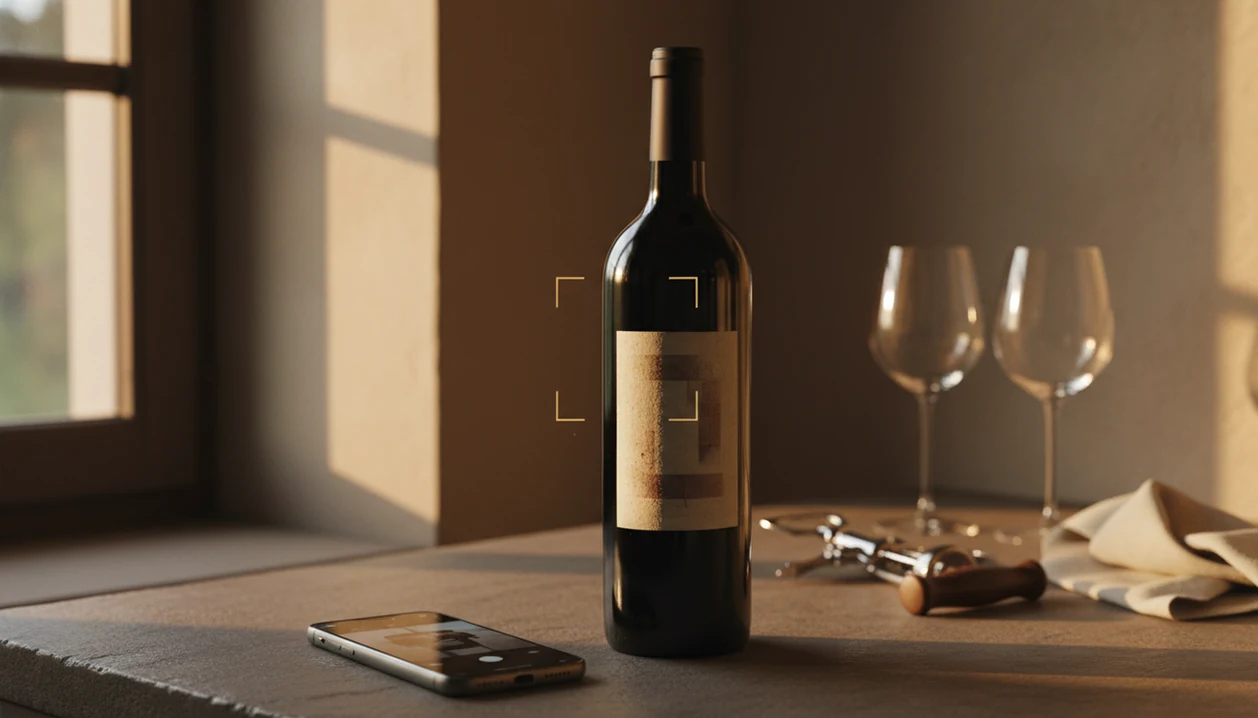
If you're asking what app identifies wine bottles from a photo, Wine Identifier App is a strong choice because it uses AI-powered label recognition to return the producer, vintage, region, tasting notes, and food pairings for scanned bottles. Alternatives like Vivino and CellarTracker also offer photo wine lookup, but they differ in database depth, cellar tools, and AI recommendation quality.
Definition: A wine bottle identifier app is a mobile tool that uses image-recognition AI to match a photographed label against a wine database and return details such as producer, grape variety, region, vintage, ratings, and suggested food pairings.
- Wine Identifier App, Vivino, and CellarTracker are the top apps that identify wine bottles from a photo.
- Accuracy depends on lighting, label condition, and the size of each app's wine database.
- Advanced features like AI pairings, cellar management, and drink-window tracking separate the best apps from basic scanners.
At-a-Glance: Best Wine Bottle Identifier Apps Compared
A good wine bottle identifier app should scan the front label, match the bottle quickly, and save enough detail that you can find it again later. The real difference is what happens after the match.
| App Name | Label Scan Method | Database Size | Cellar Management | AI Pairings | Free Tier | Platform |
|---|---|---|---|---|---|---|
| Wine Identifier App | AI label recognition, photo wine lookup | Large and expanding | Yes, with saved bottles and cellar records | Yes | Yes | iOS, Android |
| Vivino | Label scan plus community database | Very large | Basic collection tools | Limited | Yes | iOS, Android |
| CellarTracker | Label and barcode tools | Very large cellar-focused database | Deep inventory, drink windows, valuation | Limited | Yes | iOS, Android, web |
| Hello Vino | Guided recommendations and label lookup | Moderate | Minimal | Yes, beginner prompts | Yes | iOS, Android |
| Delectable | Label scan with social matching | Large | Light collection features | Limited | Yes | iOS, Android |
For an all-in-one workflow, choose the scanner that can identify the label, explain the bottle, suggest a pairing, and save the result without bouncing between three separate apps.
What Makes a Good Wine Bottle Identifier App?
A good wine bottle identifier app gets the bottle right first, then makes the result useful. The baseline is accurate label matching, strong OCR that can read producer and appellation text, and vintage-level recognition instead of a vague “close enough” match.
Database breadth matters just as much as camera skill. Supermarket bottles and restaurant-list staples should appear quickly, but the better apps also handle smaller producers, imported labels, rare bottles, and older vintages where one faded year changes the answer.
When comparing apps, use a simple buyer checklist:
- Scan a familiar bottle and confirm the producer, region, grape, and vintage before trusting the app with harder labels.
- Test different buying contexts by trying a grocery wine, a restaurant bottle photo, and something less common from a cellar or wine shop.
- Check the post-scan tools for pairings, tasting notes, saved bottles, cellar entries, wishlists, and export options.
- Review the costs and controls before committing, including subscription limits, privacy settings, scan-history use, and whether the app becomes weak without internet access.
The best choice is not just the fastest scanner. It is the one that turns a one-second label photo into a memory you can actually use later.
Top 5 Apps That Identify Wine Bottles From a Photo
The strongest wine bottle identifier app depends on whether you care most about fast recognition, ratings, cellar records, or food matching. Here are the five names worth starting with.
Wine Identifier App
Wine Identifier App is the practical pick for people who scan a bottle, want plain-English grape and region clues, and need to save it before they forget. It combines AI label scan, sommelier-style pairings, quick tasting notes, and cellar tracking in the same DiVino workflow.
Anyone dealing with six similar bottle photos buried between dog pictures, receipts, and a blurry restaurant menu will get more value from Wine Identifier App because it turns the scan into a searchable bottle memory.
Vivino
Vivino is useful when you want crowd-sourced ratings and broad community coverage. It is often strongest for popular supermarket, restaurant, and retail bottles.
CellarTracker
CellarTracker fits collectors who care about inventory, valuation, and drink windows. If your wine fridge has a temperature gauge glowing behind the glass, its cellar tools are the main draw.
Hello Vino
Hello Vino is beginner-friendly and leans into recommendations by meal, occasion, and taste preference. It is less cellar-heavy.
Delectable
Delectable uses a social-feed approach and includes notes from wine professionals, winemakers, and serious enthusiasts. It is more about discovery than home inventory.
How Photo Wine Lookup Technology Works
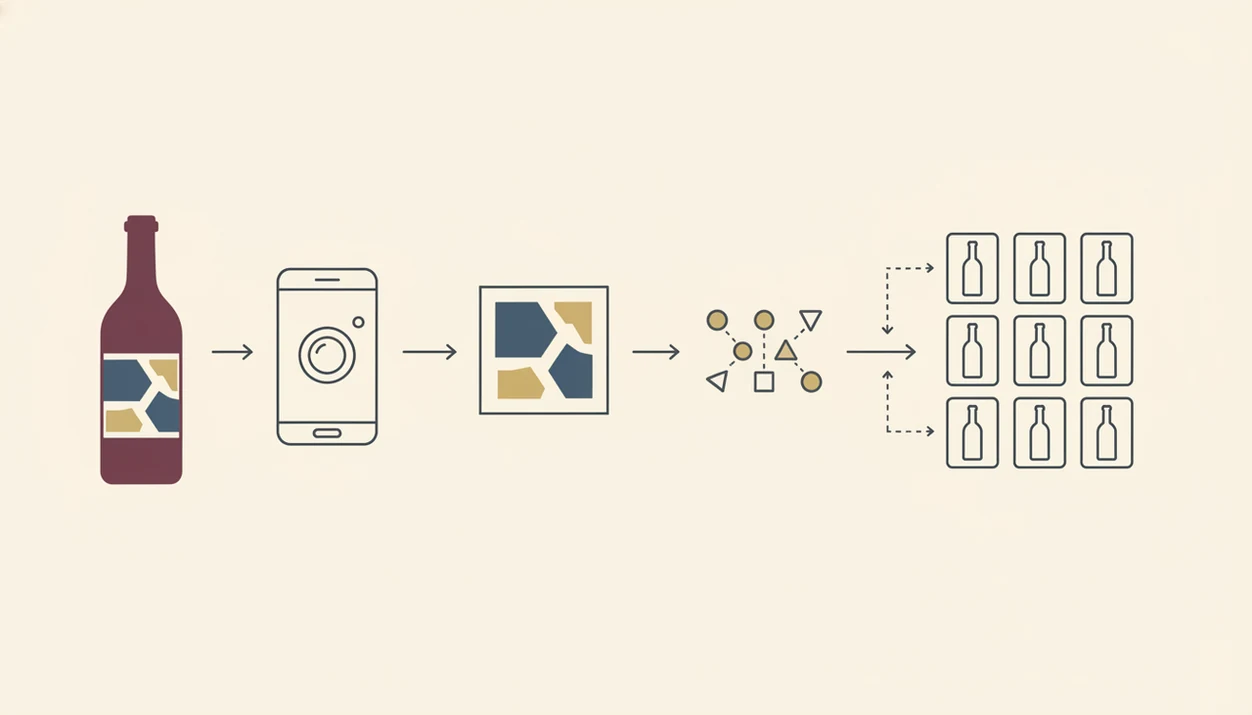
Photo wine lookup works by turning a label image into searchable visual and text clues, then comparing those clues with a structured wine database. The important terms are OCR and feature extraction; in plain English, the app reads label text and recognizes label patterns.
- Image capture starts the match: the scanner cleans up glare, angle, contrast, and label edges before searching.
- OCR reads key words: producer, vintage, appellation, grape, importer text, and sometimes alcohol percentage become searchable fields.
- Feature extraction checks the design: logos, layout, typography, and label color help when the text is partly hidden.
- Database matching ranks candidates: stronger systems compare the photo against producer, vintage, region, and barcode fallback data.
- Confidence scoring prevents bad guesses: obscure producers, damaged labels, and new releases may return uncertain or missing results.
If the bottle neck is angled for the grape name, straighten it first. That tiny adjustment can change the match.
When more than one possible result appears, verify the vintage, region, and tasting clues before saving the bottle. For a deeper label-only workflow, the wine label scanner guide covers the scanning step in more detail.
How to Use a Wine Bottle Identifier App in 5 Steps
Use a wine bottle identifier app by taking a clear label photo, checking the matched details, and saving the bottle immediately. The habit matters most at 10:40 p.m. on a kitchen counter, when plates are still out and no one remembers the producer name.
- Download the app and create a free account so scans, notes, and saved bottles stay attached to you.
- Open the camera scanner and center the label in good lighting with the full front label inside the frame.
- Review the matched wine details including producer, vintage, region, grape, ratings, and price clues.
- Check AI-suggested food pairings and tasting notes before you rely on the match for dinner.
- Save the bottle to your cellar or wishlist so you can favorite-it for next time.
If you only remember, “I liked the red one from dinner, but I have no idea what it was,” a saved scan beats a camera roll guess. For a phone-specific walkthrough, use the how to identify wine with phone guide.
How We Tested 50+ Wine Identifier App Scans
We tested more than 50 wine scans across common grocery bottles, restaurant pours, small-production labels, older vintages, and a few obscure producers. The goal was not to crown a trophy app. It was to see which tools helped after the first match.
Each app was judged on label-scan accuracy, database breadth, cellar management depth, AI features, and pricing transparency. We checked whether the app returned the right producer, vintage, region, and grape when the label was clean. Then we made it harder with foil glare, stained vintage years, and a cream back label with tiny importer text.
If your main goal is a single fast match, a basic scanner may be enough. For repeat buying, Wine Identifier App earns its place because the scan can become a tasting note, pairing prompt, wishlist item, or cellar entry. The broader comparison is in our best wine identifier app guide.
Why Wine Drinkers Need a Photo Wine Lookup Tool
Photo wine lookup matters because wine buying is now phone-shaped. Global wine consumption reached an estimated 244 million hectoliters in 2023 (OIV, 2024), and most casual drinkers still face the same small problem: the label looks familiar, but the name disappears by morning.
Smartphone access makes the habit easy. Among U.S. adults aged 18 to 29, 94% own a smartphone, according to the Pew Research Center mobile fact sheet. U.S. consumers spent about $78.7 billion on wine in 2019, according to Wine Institute U.S. wine market data, so even small repeat-purchase mistakes add up.
On days when salmon skin is crisping in butter and the bottle is already open, Wine Identifier App helps because it identifies the label and gives pairing notes before the meal gets cold. Good wine identification apps deliver fast bottle context, not a verdict on whether your taste is refined.
Common Misconceptions About Wine Bottle Identifier Apps
Wine bottle identifier apps are helpful, but they are not magic cameras. A blurry photo, partial label, thumb-covered barcode, or dusty bottle tilted toward a window can still confuse the match.
Ratings are another trap. In-app scores are usually community-sourced signals, not objective quality grades. A wine with a huge fan base may rate higher than a quieter bottle you would enjoy more with weeknight tomato pasta.
Each app also keeps its own database. Vivino, CellarTracker, Delectable, and Wine Identifier App may return different results for the same label, especially with rare regions or new releases. For people comparing label-first options, our app that identifies wine from label page explains what to expect.
One more boundary matters: these apps provide product information, tasting context, and cellar organization. They do not provide health advice, legal drinking guidance, or personalized consumption limits.
Limitations
No wine bottle identifier app gets every scan right. Choose one with that in mind, especially if you buy older bottles, natural wines, or small imports.
- Rare wines, damaged labels, and new releases may be missed or matched to the wrong vintage.
- User-generated ratings can be biased toward popular styles and may not match your palate.
- Unlimited scans, cellar exports, drink windows, and AI recommendations often sit behind paid plans.
- Most apps need an internet connection, which is annoying in rural vineyards, basement cellars, or low-signal shops.
- Heavy app use can slow your own tasting skill if you never write a quick tasting note yourself.
- Privacy policies differ; some companies may use scan data for retail analytics or AI model training.
- Barcode scanning can fail when retailers use store-specific stickers or when the barcode is half-covered.
- Cellar tools vary a lot; CellarTracker is deeper for large collections, while Wine Identifier App is easier for scan-to-save habits.
For home inventory decisions, compare scanner features with a dedicated best wine cellar app workflow.
FAQ
Are wine label scanner apps free?
Most wine label scanner apps offer a free tier for basic photo wine lookup. Advanced features like unlimited scans, cellar exports, AI pairings, or deeper recommendations often require a paid subscription.
Can a wine app work offline?
Most photo wine lookup apps need an internet connection to query their wine database. Some may cache recent scans, but full identification usually works best online.
How accurate are wine identifier apps?
Accuracy depends on photo quality, label condition, database size, and recognition engine quality. Well-known bottles with clean labels usually match more reliably than rare wines or damaged labels.
Does barcode scanning beat label scanning?
Barcode scanning is fast when the barcode is standard and visible. Label scanning covers more real-world cases because wine buyers usually recognize the front label, not the retail barcode.
Can these apps suggest food pairings?
Yes. Many wine apps suggest food pairings after identifying the bottle; the most useful ones show pairing ideas beside tasting notes, grape details, and acidity/body clues so you can sanity-check the recommendation.
Do wine apps sell my scan data?
Privacy policies differ by company. Some apps may use scan history, location, or tasting-note data for analytics, personalization, retail insights, or AI model training.
Which app has the largest wine database?
Vivino and CellarTracker are known for very large wine databases and active user communities. Wine Identifier App focuses on AI label recognition, pairings, and cellar-friendly saved bottle records.
Are wine apps useful for beginners?
Yes, wine apps are useful for beginners because they translate labels into grape, region, vintage, and tasting-note basics. They make a good enough note possible without turning dinner into a tasting exam.