How to Read a Wine Label


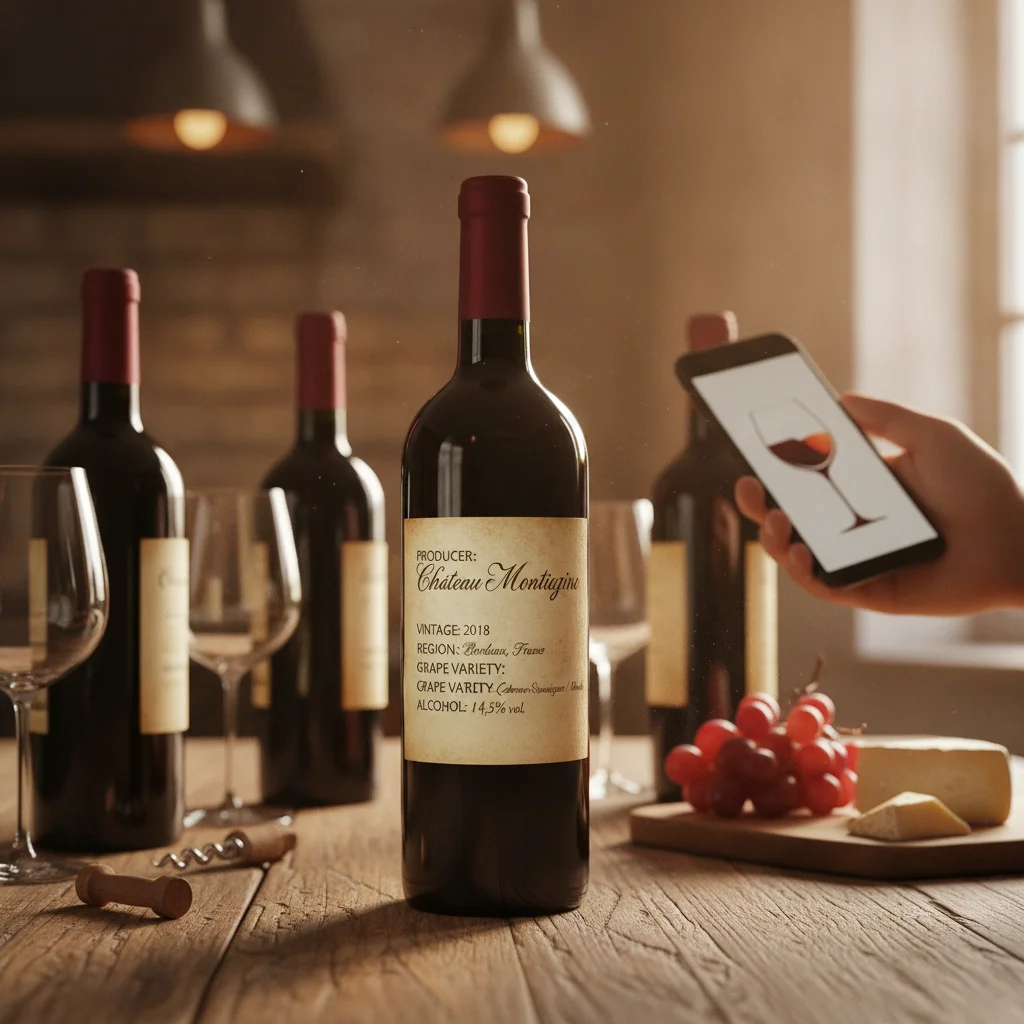
Definition: A wine label is the printed identification on a wine bottle that communicates its producer, origin, vintage, alcohol level, classification, volume, and other legally required or marketing information.
Try the wine label on iPhone to scan a label and save the bottle.
What Is a Wine Label?
A wine label is the bottle's primary identification panel. It combines legally required details with information chosen by the producer, such as the winery name, vineyard, grape variety, appellation, vintage, classification, and style.
Reading the label helps you understand what is in the bottle before opening it. DiVino, also called the Wine Identifier App, is an iPhone wine scanner that can capture label information, help identify a bottle, and save it with tasting notes, pairing information, and drinking windows.
There is no single worldwide label format. A California Cabernet Sauvignon may clearly state its grape, while a bottle from Bordeaux may lead with its château and appellation. Learning a few common terms makes both styles easier to interpret.
Find the Producer or Wine Name
The producer identifies the business or estate responsible for making or marketing the wine. It may appear as a winery, brand, château, domaine, casa, tenuta, bodega, or Weingut. Producer names are often printed near the top or center of the front label.
A separate name may identify the specific wine, vineyard, or proprietary blend. For example, a large producer can release several wines under different cuvée names. Look for phrases such as estate bottled, mis en bouteille au château, or imbottigliato all'origine when you want more information about where bottling occurred.
Do not assume the largest words always name the producer. On some labels, the appellation, vineyard, or wine name receives the most prominent typography. The back label often clarifies the producer, importer, and bottler.
Understand the Vintage
The vintage is generally the year in which the grapes were harvested. It is not necessarily the year the bottle reached the market. Wines may spend months or years fermenting, aging, and resting before release.
Vintage matters because weather conditions differ from one growing season to another. It can also help you estimate the wine's age and likely stage of development. However, vintage quality is not uniform across every producer, grape, or site within a region.
If no year appears, the wine may be non-vintage, often abbreviated NV. Non-vintage Champagne and other sparkling wines commonly blend wine from multiple harvests to maintain a consistent house style. Some fortified and inexpensive still wines can also be sold without a vintage.
Read the Region, Appellation, and Grape
The region tells you where the grapes were grown or where the wine was produced under a defined set of rules. An appellation is a legally recognized geographic designation, often accompanied by requirements concerning grape varieties, yields, production methods, or aging.
Many European labels emphasize place rather than grape. Burgundy labels may use appellations such as Chablis or Pommard, while Italian labels may feature Chianti Classico or Barolo. Knowing the region helps infer the likely grapes, but blends and local rules can make assumptions risky.
Labels from the United States, Australia, New Zealand, Chile, Argentina, and South Africa often make the variety easier to spot. Common examples include Cabernet Sauvignon, Chardonnay, Pinot Noir, Riesling, and Malbec.
- Country: The broad origin, such as France, Italy, or the United States.
- Region: A major growing area, such as Napa Valley or Rioja.
- Appellation: A protected or regulated geographic designation.
- Vineyard: A more specific named site, when stated and permitted.
Check Alcohol, Bottle Size, and Other Terms
Alcohol content is shown as a percentage of volume, such as 13.5% alc./vol. This figure can provide a clue to body and ripeness, but it does not determine quality. A higher number does not automatically mean a better or sweeter wine.
The standard bottle size is usually marked as 750 mL, although half bottles, magnums, and other formats are available. Sparkling wines may also state sweetness terms such as brut, extra dry, or demi-sec. Despite its name, extra dry sparkling wine is usually sweeter than brut.
Other terms depend on local regulations. Reserva, Riserva, Grand Cru, Premier Cru, Classico, and Vieilles Vignes do not carry one universal meaning. Some are legally defined within a specific region, while others may be producer descriptions. Interpret each term in the context of its country and appellation.
The back label may list allergens, sulfites, importer details, government warnings, lot numbers, certification marks, and serving suggestions. These details can help distinguish similarly named bottles.
What a Wine Label Scanner Extracts
A wine label scanner analyzes visible text and label imagery to help identify a bottle. Depending on image quality and the available wine record, it may extract or match the producer, wine name, vintage, region, appellation, grape variety, alcohol level, and bottle type.
DiVino is designed for iPhone users who want to scan wines, organize a cellar, record tasting notes, check pairing ideas, and review drinking windows. A scan can reduce manual typing, but the result should still be checked against the bottle, especially when several vintages share nearly identical artwork.
- Place the bottle in even light and avoid glare.
- Keep the full front label inside the frame.
- Take a second image of the back label when key details are missing.
- Confirm the producer and vintage before saving the bottle.
Wrinkled labels, decorative scripts, cellar dust, reflections, and partial photos can reduce text recognition. A scanner also cannot guarantee authenticity or determine investment value from an image alone. DiVino is iPhone only. Android users can use AI Lens for general visual wine-label search.
Frequently asked
What information is usually on a wine label?
Most labels show the producer or brand, wine name, origin, vintage when applicable, alcohol level, and bottle volume. The back label may add grape, importer, allergen, and bottling information.
Is the year on a wine label the bottling year?
Usually not. The vintage generally indicates the year the grapes were harvested.
Why is there no grape variety on some wine labels?
Many traditional European wines are labeled by region or appellation rather than grape. The permitted or customary varieties are often defined by local wine rules.
What does ABV mean on a wine bottle?
ABV means alcohol by volume. It shows what percentage of the wine's volume is alcohol.
What does NV mean on a wine label?
NV means non-vintage, indicating that the wine may contain wine from more than one harvest year. This is common in Champagne and other sparkling wines.
Can a wine label scanner identify the exact vintage?
It can read a visible vintage or match the label to a wine record, but similar labels can cause errors. Confirm the year printed on the bottle before saving it.
Can DiVino scan wine labels on Android?
No, DiVino is available for iPhone only. Android users may use AI Lens for general visual label searches.
Scan labels and track your cellar
Use Wine Identifier App by DiVino on iPhone to identify bottles, save notes, and organize your cellar. Drink responsibly and follow local alcohol laws.
Get Wine Identifier App