
Free Wine Cellar App: Track Every Bottle Without Paying


A strong free wine cellar app lets you scan labels, log bottles by location, add tasting notes, and search your collection from your phone, but every free tier has limits on bottle count, features, or export options. CellarTracker offers the deepest community database for free, Wine Identifier App adds AI-powered label recognition and pairing suggestions, and Vivino works for casual drinkers who want quick ratings.
Definition: A free wine cellar app is a mobile or web tool that lets you digitally catalog, search, and manage your wine collection, including bottle details, storage locations, tasting notes, and drink windows, without a paid subscription.
TL;DR
- CellarTracker has the largest free community database but lacks AI label scanning.
- Wine Identifier App combines AI label recognition with cellar tracking and food pairings.
- Free tiers typically cap bottles, locations, or analytics, so serious cellars may need paid upgrades.
- No free app replaces verified provenance records or insurer-accepted valuations.
- Always confirm a free cellar tracker offers data export before committing your inventory.
Try the cellar tracker app on iPhone to scan a label and save the bottle.
At-a-Glance: 5 Best Free Wine Cellar Apps Compared
A good free cellar tracker should answer one question fast: “What do I own, where is it, and should I open it?” The table below separates truly free inventory depth from freemium tools that reserve key features for paid plans.
| App Name | AI Label Scan | Free Bottle Limit | Offline Access | Export/Backup | Community Ratings |
|---|---|---|---|---|---|
| CellarTracker | No native AI scan | Unlimited core tracking | Limited web/mobile dependence | Strong export options | Very strong |
| Wine Identifier App | Yes | Freemium limits may apply | App-dependent | Backup/export should be checked | Growing, AI-assisted |
| Vivino | Yes | Not built as primary cellar limit | Usually needs connection | Limited inventory export | Very strong |
| InVintory | Limited/varies by tier | Free tier bottle cap | iOS-focused, varies | Paid features may apply | Moderate |
| VinCellar | Basic/manual-first | Lightweight free tier | Varies | Export options available | Limited |
CellarTracker is the most generous free database choice. Wine Identifier App fits people who want scan-first entry plus pairing help in the same phone workflow.
How We Chose the Best Free Wine Cellar Apps
We chose the best free wine cellar apps by looking for tools that can actually catalog bottles without forcing an immediate paid upgrade. The ranking favors real free or freemium workflows, clear limits, and named tradeoffs over broad claims that any wine app can manage a cellar.
- Confirm the free workflow by checking whether a user can add bottles, assign locations, edit records, and search inventory before paying.
- Check the practical limits around bottle caps, export access, backup options, iOS or Android support, and label-scan features.
- Compare inventory depth against three use cases: a casual kitchen rack, a home cellar with multiple bins, and a larger collection that needs cleaner structure.
- Weigh each competitor by role rather than treating them as interchangeable: CellarTracker for database depth, Wine Identifier App for scan-first logging, Vivino for quick ratings, InVintory for visual racks, and VinCellar for simpler bin records.
- Recheck plan details periodically because free-tier bottle limits, exports, and paid feature gates can change after an app update.
Top 5 Free Wine Inventory Apps for 2025
These five free wine inventory app options cover different habits, from “I liked the red one from dinner, but I have no idea what it was” to bin-level cellar records. If you want a deeper paid-versus-free breakdown later, the best wine cellar app guide compares larger home-cellar needs.
CellarTracker: Deepest Free Community Database
CellarTracker is the safest free pick for serious note depth because it has a large crowdsourced tasting-note database and unlimited core bottle tracking. It feels web-first, but the data is the draw.
Wine Identifier App: AI Label Scan Plus Cellar Tracking
Wine Identifier App is the practical fit for drinkers who want to scan the front label, auto-fill producer and region, then save a quick tasting note before the bottle memory disappears. DiVino also adds food pairing prompts, useful when salmon skin is crisping in butter.
Vivino: Quick Ratings for Casual Drinkers
Vivino works well for fast ratings and label scans, but cellar tracking is secondary. It is strongest when you are deciding whether to buy again.
InVintory: Visual Rack Mapping on iOS
InVintory suits visual organizers because rack mapping shows where bottles sit. The free tier has a bottle cap, so count before you commit.
VinCellar: Lightweight Bin-Level Tracker
VinCellar is a simpler bin-level tracker for people who prefer structure over social ratings. It can work well for fridge shelves, racks, and numbered bins.
6 Selection Criteria for Free Cellar Tracker Apps
The right free cellar tracker depends less on the logo and more on your workflow. A 30-bottle kitchen rack and a 1,000-bottle offsite cellar do not need the same controls.
- Label scanning accuracy: Recent mainstream bottles are easier to match than stained labels or library vintages.
- Free bottle limit: Some apps handle 20 to 50 bottles; others support unlimited core tracking.
- Offline availability: Cellar doors and basement racks often have weak signal. Annoying, but true.
- Backup and export: A CSV export matters if you ever switch apps or clean up old records.
- Community data depth: Larger note databases can improve rating context and drink-window hints.
- AI features: Wine Identifier App earns a place for people who want scan, identify, pair, and log in one flow.
Because bottle entry often happens at the rack or in a shop aisle, mobile-first UX deserves real weight; Pew Research Center reports that 90% of U.S. adults own a smartphone (https://www.pewresearch.org/internet/fact-sheet/mobile/). Good AI wine apps deliver faster identification and easier bottle records, not guaranteed valuations or expert provenance proof.
AI, OCR, and Cloud Sync in a Free Wine Cellar App
How a free wine cellar app works: the phone camera captures the label, OCR reads visible text, an image model compares label features, and the app checks a wine database before auto-filling producer, vintage, grape, region, and sometimes drink-window fields. In plain English, the app is matching what it sees against known bottle records.
Wine Identifier App uses that scan-first path for fast entry, which is useful when a phone camera is hovering over a stained label at the end of dinner. CellarTracker leans more on community data, while Vivino leans on ratings and label recognition.
Cloud sync keeps your inventory available across devices, but export still matters. If a developer changes pricing or shuts down, your cellar should not vanish with the login screen. McKinsey's 2023 global survey found that one-third of responding organizations were already using generative AI regularly in at least one business function, so AI-assisted label matching fits a broader shift toward AI-supported workflows (https://www.mckinsey.com/capabilities/quantumblack/our-insights/the-state-of-ai-in-2023-generative-ais-breakout-year). Accuracy still drops on obscure producers, damaged labels, and older vintages.
5 Setup Steps for a Free Wine Inventory App
Use a free wine inventory app like a repeatable phone habit, not a one-week organizing project. The cleanest setup starts small, then grows bottle by bottle; the full phone workflow is covered in our guide on how to catalog wine cellar with phone.
- Download and create a free account on iOS, Android, or web, then confirm whether sync needs an email login.
- Scan your first label or enter it manually with producer, vintage, bottle size, and quantity.
- Assign a storage location such as rack A, fridge shelf 2, bottom bin, or offsite locker.
- Log a quick tasting note and check community drink-window suggestions before you forget the first impression.
- Export or back up your inventory regularly so a lost phone or changed plan does not erase your cellar.
Wine Identifier App fits beginners who want the first bottle entered from a label photo, then saved with pairing and location details. A good enough note beats a tasting exam.
Free Tier vs Paid Upgrades: Bottle Caps, Exports, and Multi-User Tools
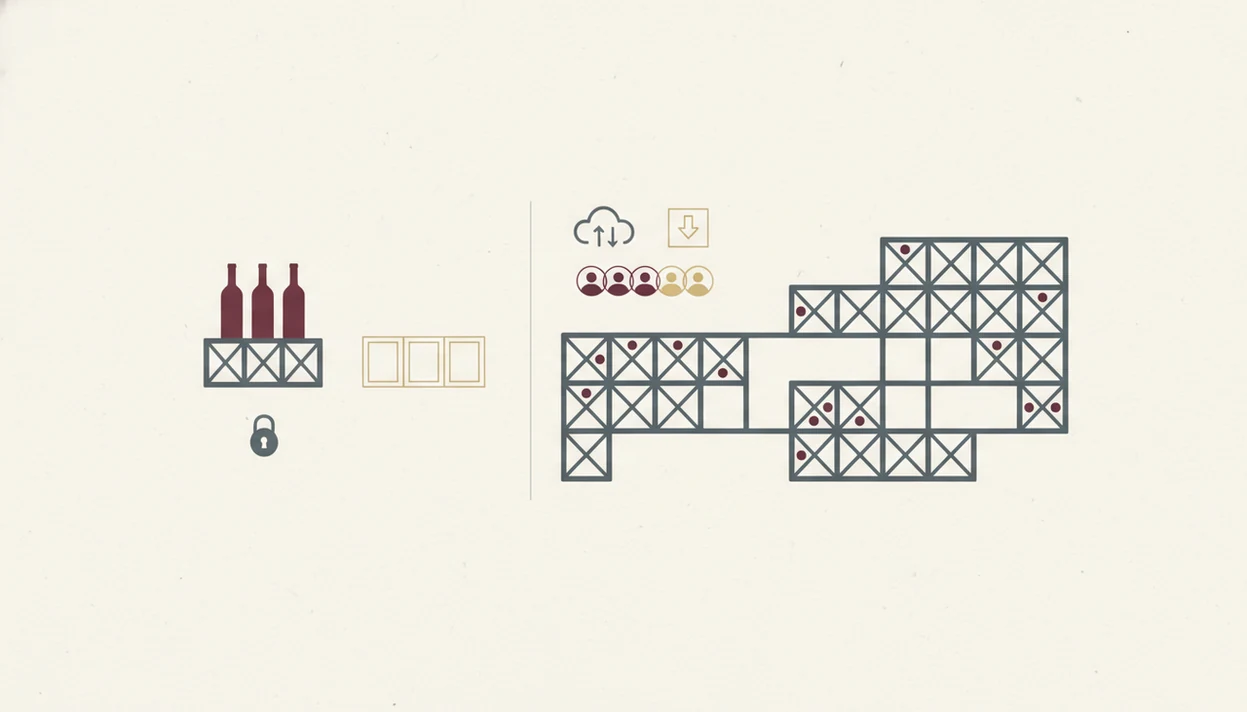
Free plans usually work for casual collectors under about 100 bottles, especially if one person manages the list. Paid upgrades become more useful when you need many storage locations, bulk edits, custom reports, or shared permissions.
Common free-tier caps include bottle count, number of racks or bins, bulk editing, analytics, and export format. Paid plans may add RFID or barcode integration, API access, audit trails, valuation reports, and multi-user roles. Restaurants, clubs, and professional cellar managers almost always need those controls.
If your priority is avoiding duplicate purchases, Wine Identifier App covers the everyday job with scan, save, location, and pairing prompts. For more structured room-by-room planning, an app that tracks wine cellar inventory may be the better next read.
Not all free apps offer unlimited storage. For casual collectors, a free cellar tracker is often easier than a spreadsheet because the bottle record starts from the phone camera instead of a blank row.
AI Label Scanning Accuracy in Free Wine Cellar Apps
AI label scanning is strongest for mainstream producers, recent vintages, and labels already represented in a large database. It is weaker for special cuvées, older bottles, private-label wines, and off-the-beaten-path regions.
The camera matters less than the match library. A clear iPhone photo will not help much if the wine has no reliable record behind it. Foil glare, a cream back label with tiny importer text, or a barcode half-covered by a thumb can also confuse the scan.
When label confusion is the issue, Wine Identifier App is useful because you can scan first, then tap, check, adjust the fields before saving. Manual correction is still part of the job. Crowdsourced ratings and drink-window advice also vary by taste, bottle condition, and storage history.
The best free label scan is a shortcut, not a verdict.
Limitations
Free cellar apps are useful, but they are not a full cellar-management system for every collection. Check these limits before you load hundreds of bottles.
- Free tiers often cap advanced features such as bulk editing, custom reports, and ready-to-drink analytics.
- AI label recognition can fail on obscure producers, damaged labels, private labels, and library vintages.
- Cloud-based apps can create data risk if the developer abandons the project or changes the business model.
- Market-value and drink-window estimates use general data, not your exact humidity, temperature, or provenance.
- Free tiers rarely include multi-user permissions, audit trails, API access, or restaurant-grade controls.
- No free app provides verified provenance records or insurer-accepted valuation reports.
- Offline access is inconsistent; some free tiers require a steady internet connection at the rack.
- Visual rack tools can be slower to maintain if bottles move often.
Collectors managing a magnum bottle wedged on a bottom rack may want a dedicated cellar tracker with stronger location rules. Wine Identifier App is better for scan-first bottle memory than formal audit control.
FAQ
Is CellarTracker completely free?
CellarTracker offers free core cellar tracking, including large-scale inventory use, but it accepts voluntary contributions and has premium-related options. It remains one of the strongest free choices for deep community tasting notes.
How many bottles can free apps track?
Free bottle limits vary widely, from roughly 50 bottles on some freemium plans to unlimited core tracking in CellarTracker. Always check the current limit before entering a large collection.
Do free wine apps work offline?
Offline access varies by app and plan. Some apps cache recent cellar data locally, while others need internet for search, sync, label matching, or account access.
Can AI label scanning misidentify wines?
Yes, AI label scanning can misidentify obscure wines, older vintages, damaged labels, and special cuvées. Manual review is still needed before saving important bottles.
Are free cellar apps available on Android?
CellarTracker, Vivino, Wine Identifier App, and many lightweight trackers support Android or web access, while InVintory is more iOS-focused. Check platform support before building your inventory.
Can I export data from a free cellar app?
Some free cellar apps allow CSV or spreadsheet export, while others reserve export tools for paid plans. Export access is worth checking before you enter hundreds of bottles.
Do free apps suggest food pairings?
Some free or freemium apps suggest food pairings, especially AI-powered options like Wine Identifier App by DiVino. Other apps rely more on tasting notes and community comments.
When should I upgrade from a free tier?
Upgrade when your collection passes about 100 to 200 bottles, spans multiple locations, or needs shared access. Paid features also help with bulk editing, reporting, and audit history.